You will need: a tune in your library.
-
1
Select a note
Open a single tune and choose Edit Tune: it is in the menu at the top.it is in the menu at the top.it is the pencil in the toolbar. TapTapClick a note to select it. The arrows beside it, and , raise and lower its pitch; and make it longer and shorter (hold them to add or remove a dot); and deletes it. The row above it holds a fermata, a tie, a slide, a natural, a flat and a rest. With a keyboard, type a note's letter to move it straight to that pitch.
The note lengths along the top of the editor set the length of the next note you add.
Notes and lengths and Ties, slides, rests and accidentals have the details.
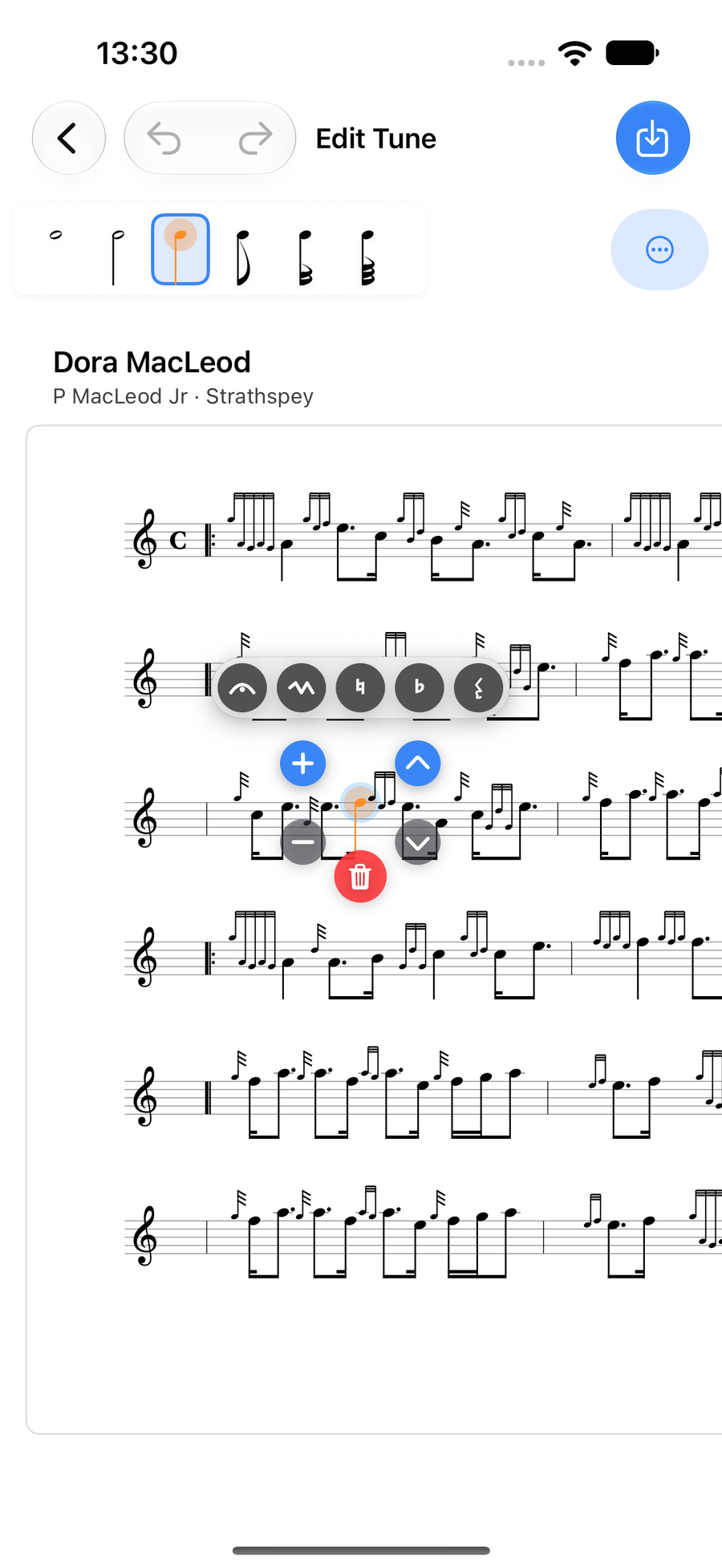
A selected note with its controls -
2
Add an embellishment
Double-tapDouble-tapDouble-click a note to give it a single gracenote, and do it again to take it off. For an embellishment, press and holdpress and holdclick and hold a note: the embellishment wheel opens round it. Turn it to the one you want, such as a strike, a doubling or a throw. Switch between Standard and Piobaireachd embellishments at the foot of the wheel.
Gracenotes and embellishments covers typing a gracenote's pitch, how embellishments follow the music, and writing your own.
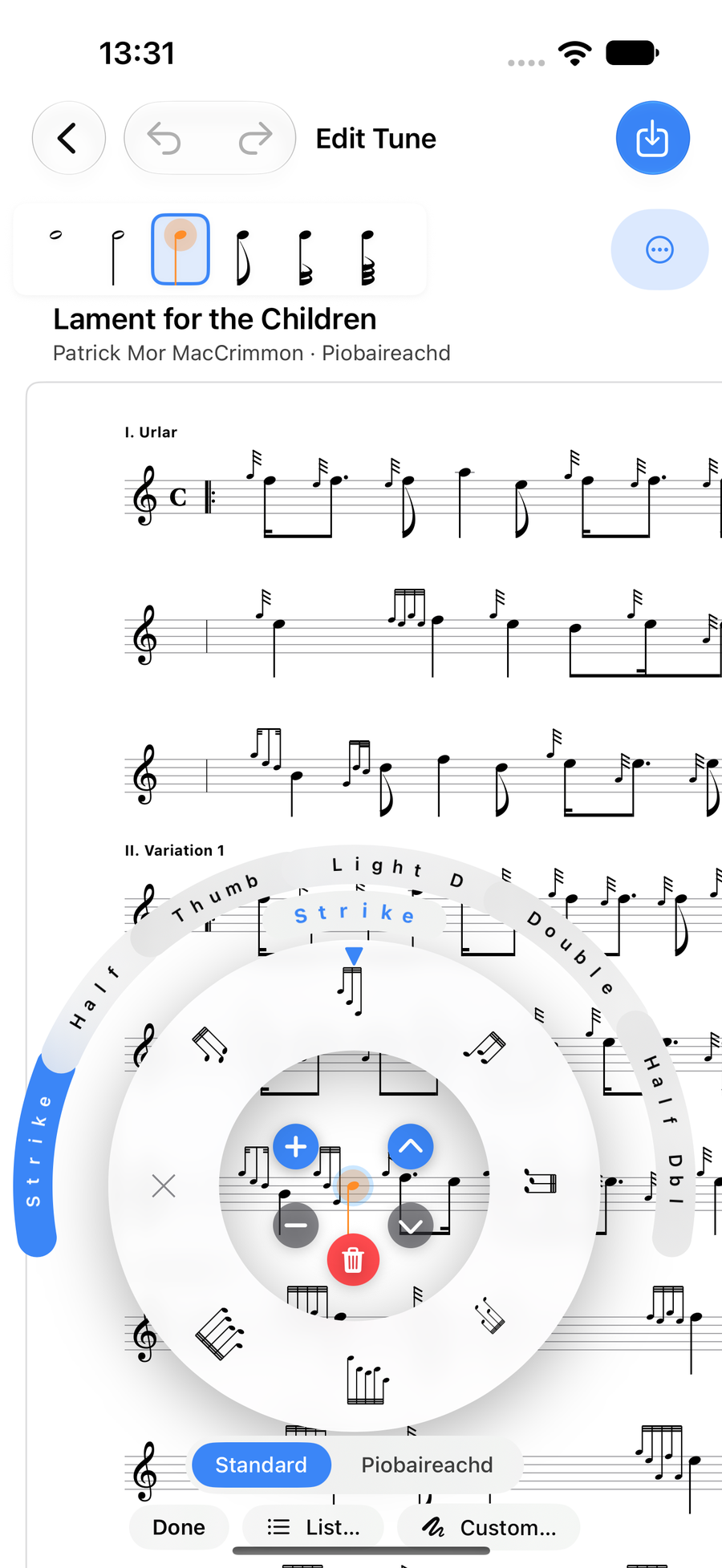
The embellishment wheel open on a note -
3
Work on a whole bar
Press and holdPress and holdRight-click a bar away from its notes for the bar menu. It adds a note at the start or end of the bar, copies and pastes bars, inserts a bar before or after, marks a bar as an Anacrusis, changes its Time Signature, and clears or deletes it. Staff Actions work on the whole line.
Bars, staves and harmonies and Time signatures go further.
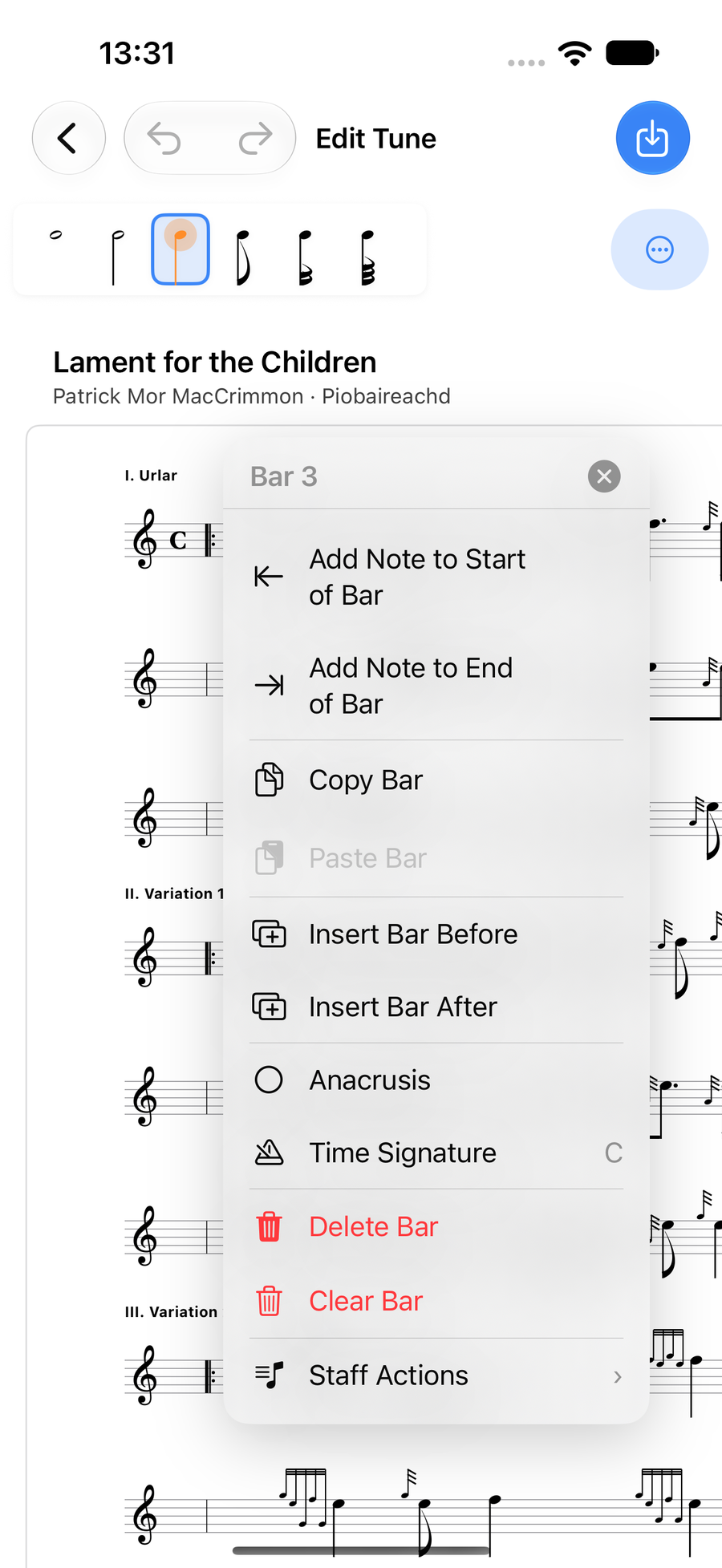
The bar menu for bar 3 -
4
Speed up or slow down
From the editor's Tools menu, choose Add Tempo Change, pick the first and last note of the passage, and set the tempo to reach. The score shows accel. or rit. with a dashed line to the new tempo, and playback follows it. The same menu holds Add Volta, Make Triplet and Add Staff.
Repeats and endings and Triplets, ranges and copying explain those.
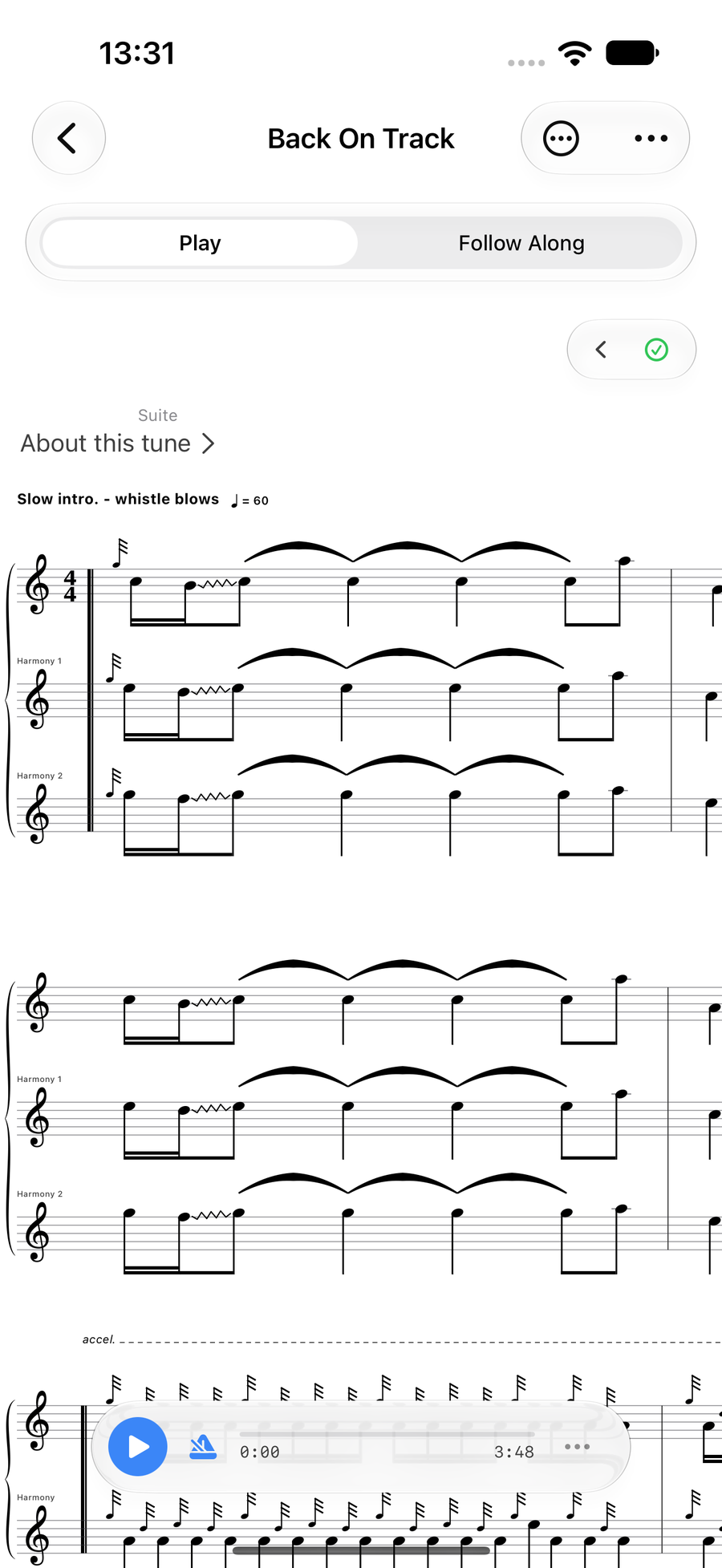
A tune with an accel. marked across its last bars
Next
- Notes and lengths: select, add, move and type notes.
- Gracenotes and embellishments: the double-tap, the wheel and your own runs.
- Repeats and endings: repeat signs, 1st and 2nd time bars.
- Hear a tune played to check your changes.