You will need: a tune open in the editor. Edit a tune shows how.
-
1
Change the whole tune
TapTapClick the time signature at the start of the first stave. Turn the outer ring for the beats in a bar, from 2 to 12, and the inner ring for the beat, a minim, crotchet, quaver or semiquaver. Custom… allows anything up to 36 beats.
Every bar on the old time signature changes with it. A bar you gave its own time signature keeps it. 4/4 shows as common time, C. TapTapClick outside the wheel to finish: one undo puts it all back.
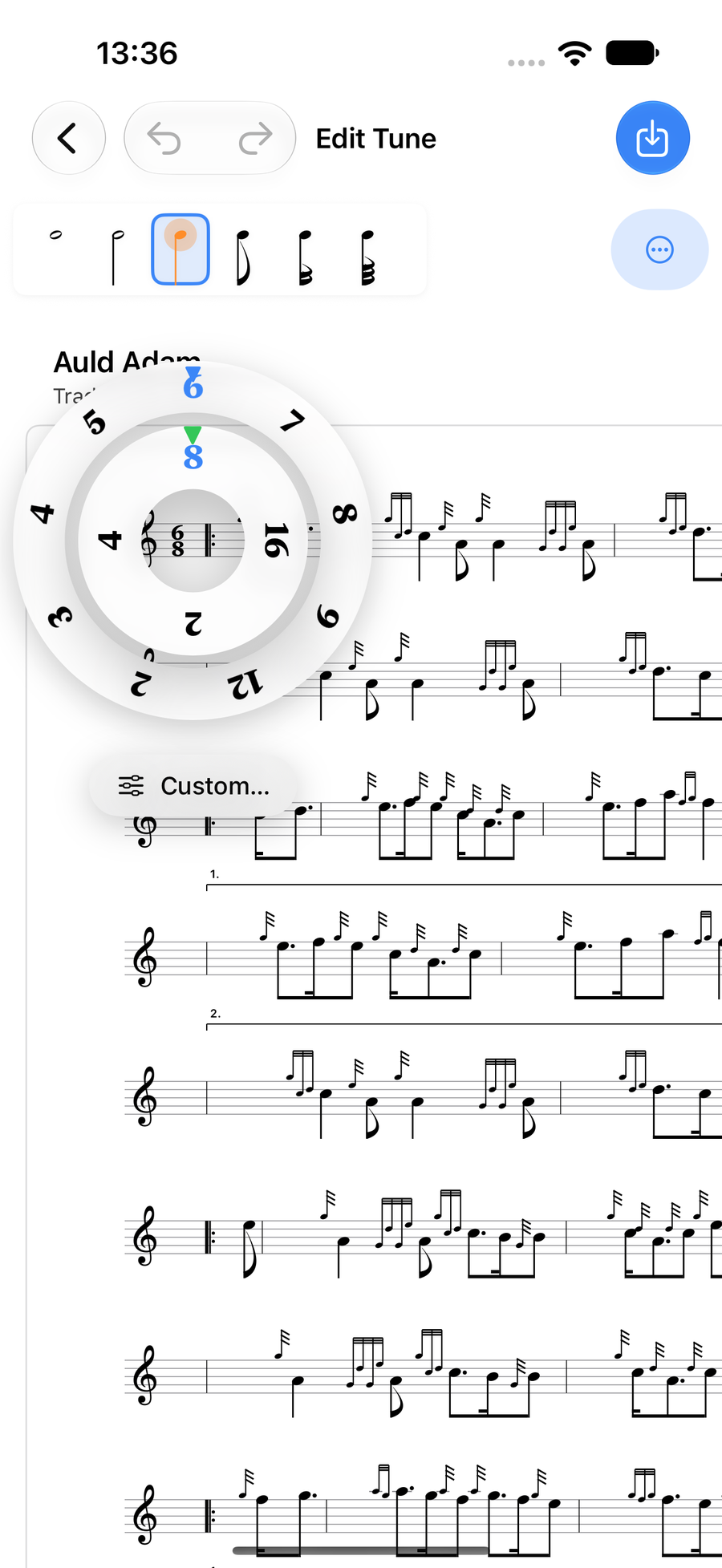
The time signature wheel -
2
Change one bar
For a single bar, press and hold an empty part of a barpress and hold an empty part of a barright-click a bar and choose Time Signature. Turning this wheel changes that bar only.
Apply from here gives the new time signature to that bar and every bar after it, to the end of the tune. Wherever the time changes, the score shows the new time signature after the barline.
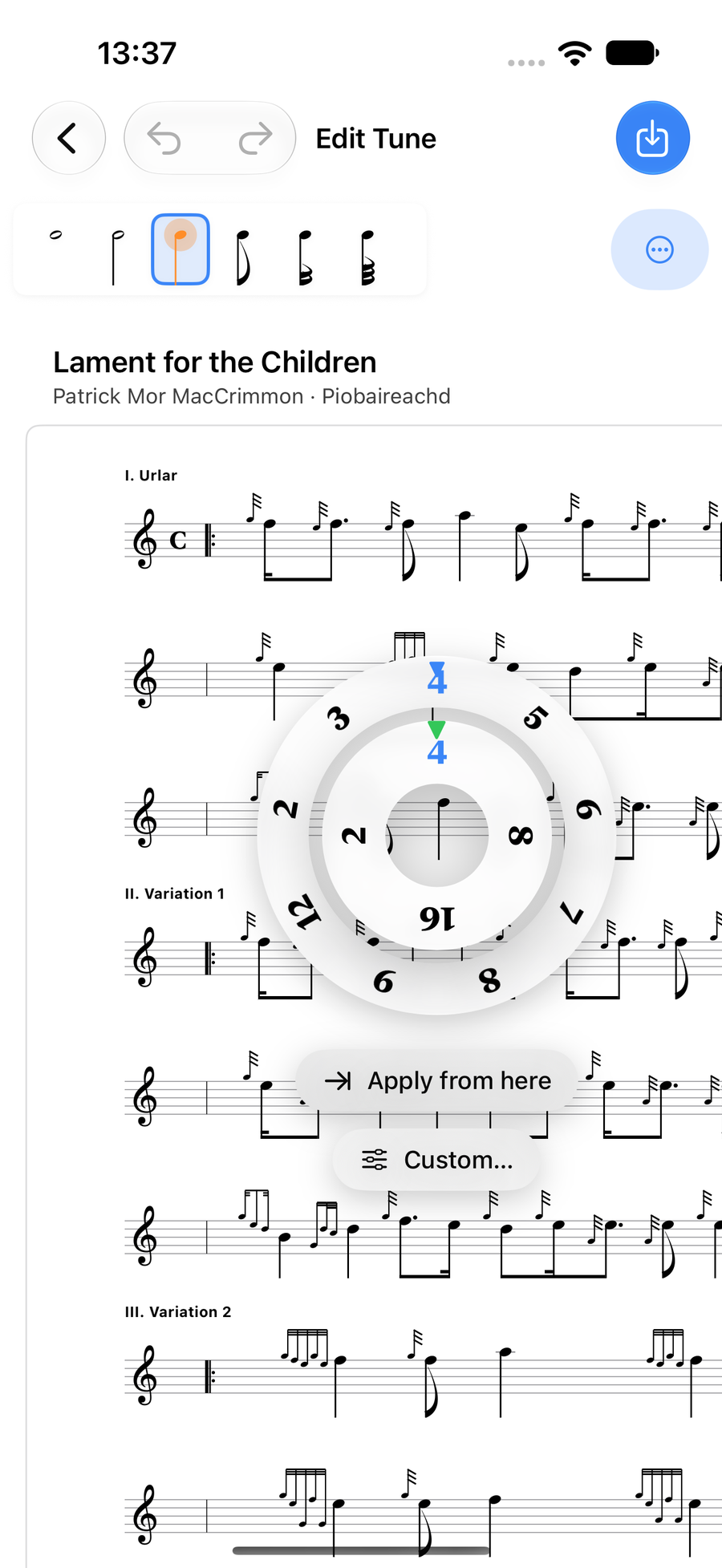
Changing the time signature of one bar
Next
- Notes and lengths: select, add, move and type notes.
- Gracenotes and embellishments: the double-tap, the wheel and your own runs.
- Ties, slides, rests and accidentals: the row of marks above a note.