
Share With Your Band
Export to PDF or share tunes directly with other Ultimate Piper users. Create shared folders so your whole band always has the latest version of the music — with granular controls over who can edit.
Your band, always in sync.
Export to PDF or share tunes directly with other Ultimate Piper users. Create shared folders so your whole band always has the latest version of the music — with granular controls over who can edit.
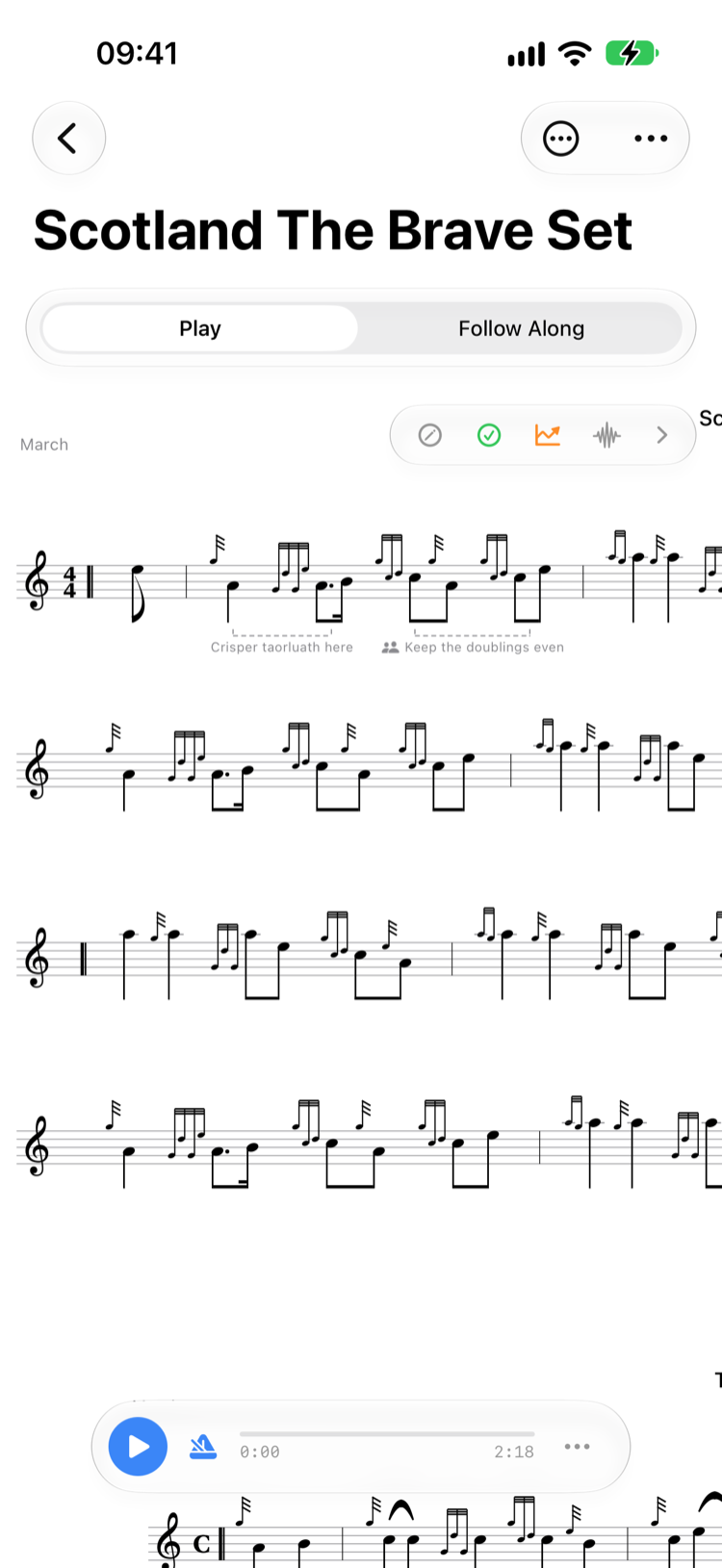
A note you write on a score has always stayed on your own devices. Now, on a tune in a folder you share, you can hand a marking to everyone else in the folder — a breath mark, a reminder about a tricky birl, the bit the pipe major keeps stopping you on. Shared notes carry a small two-person symbol, so at a glance you can tell which markings the band is reading and which are still your own.
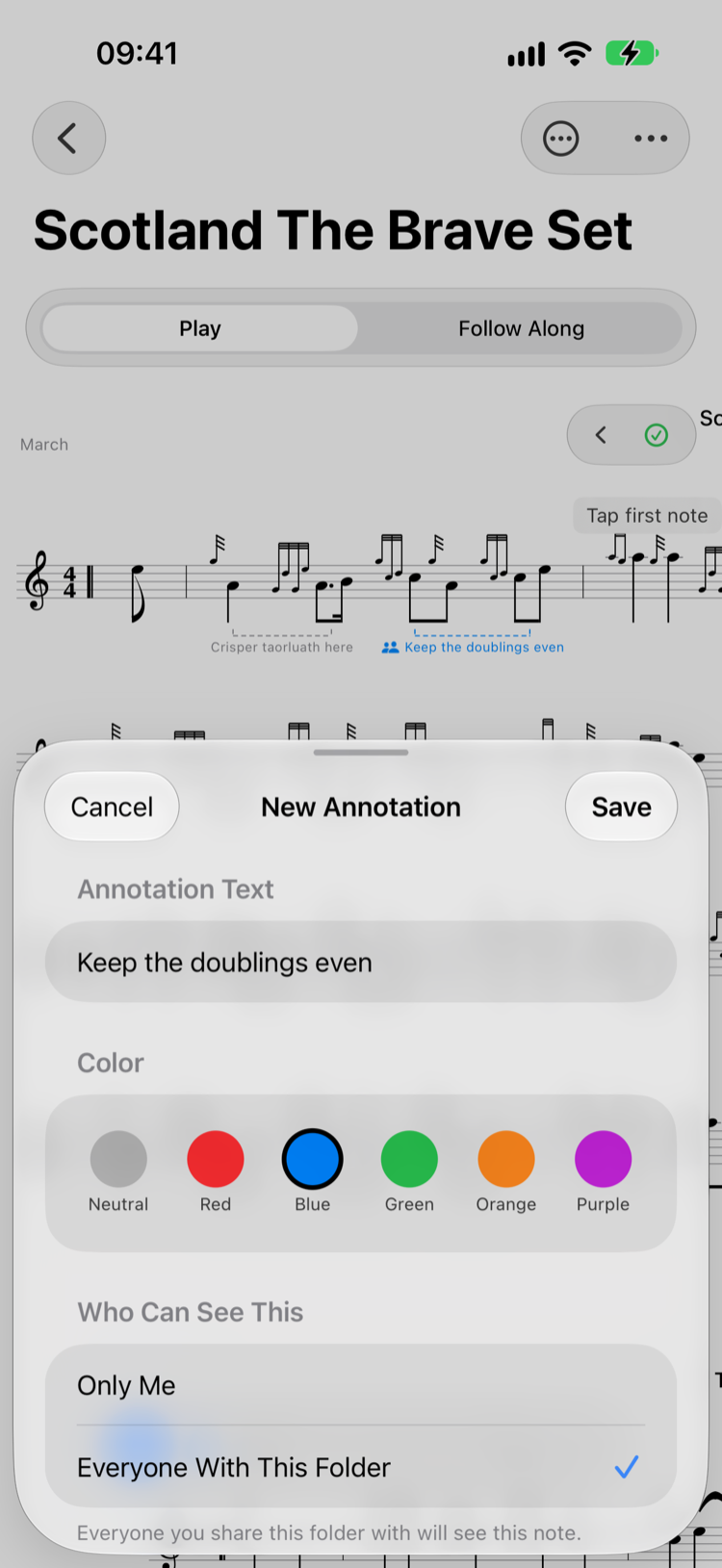
Every note is born private. Nothing reaches the band unless you choose it, and the choice is there when you first write a note as well as when you edit one later. Share a folder that already holds your own markings and Ultimate Piper asks once whether those should go too — dismiss it and they stay yours. Put your name in Settings and it appears beside anything you share, so the band knows whose marking it is.

Folders shared by bandmates appear automatically in a dedicated "Shared with Me" section of your library. Open them just like your own folders — browse tunes, play back, and practise without needing to import anything.
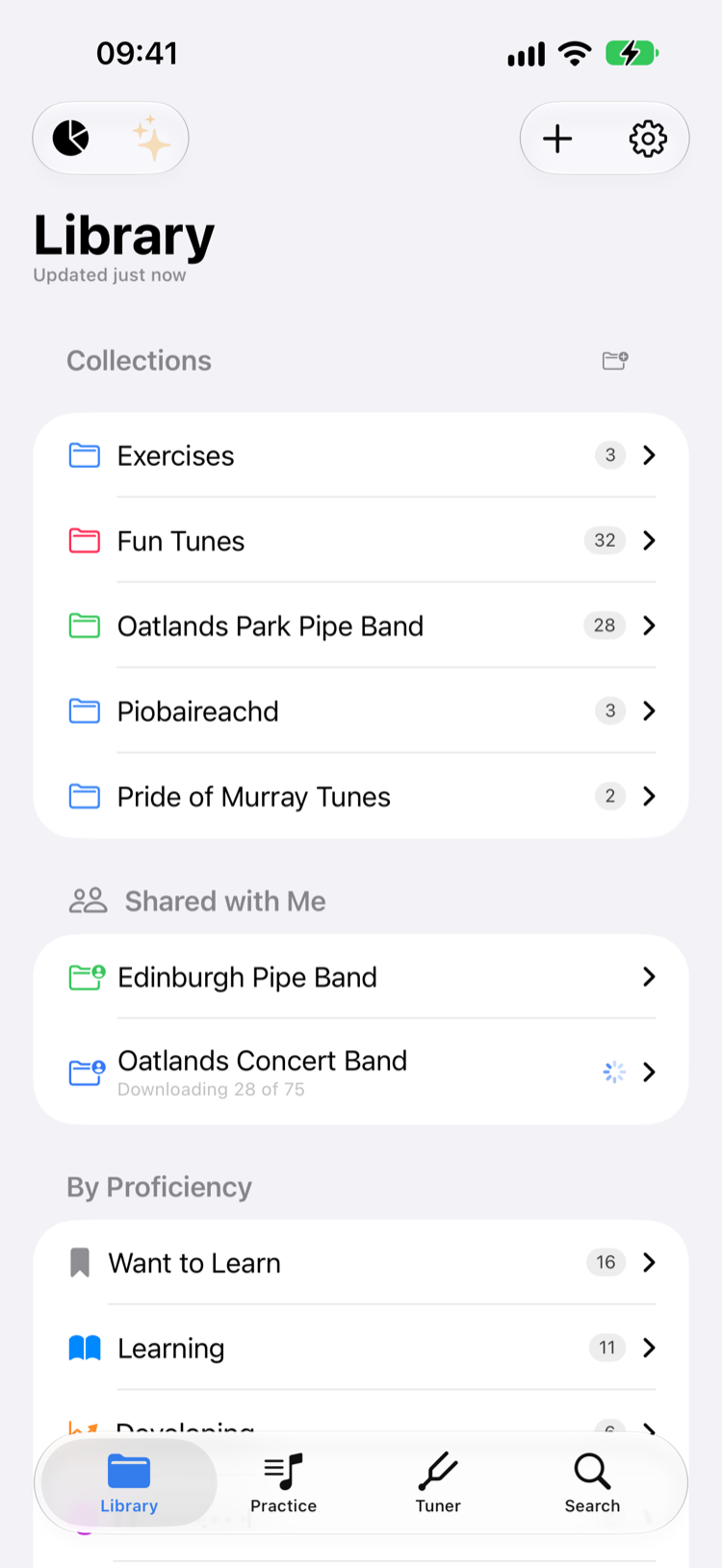
A big band folder can take a few minutes to come down from iCloud, so Ultimate Piper counts the tunes in as they land rather than leaving you staring at an empty folder. Manage participants, change what each person may do, or stop sharing entirely at any time — invitations go out through Apple's own sharing panel, so they arrive by message or email just as you'd expect.
Export any tune or set as a formatted PDF with automatic portrait or landscape orientation. Add a customisable banner with tune details, or print directly from the app.
Export tunes in Ultimate Piper's native format so other users can import them with all embellishments, harmony lines, and metadata intact.
Export any tune as a .pipescore file and open it in the free PipeScore web editor — handy for sharing edits with collaborators who don't use Ultimate Piper.
Render any tune or set to a shareable audio recording — melody, harmonies and drones, as Bagpipes or Practice Chanter — to send to a pupil or bandmate who just wants to hear how it goes.
Generate a sharing link for any folder and send it through Messages, email, or any app. Recipients with Ultimate Piper Premium can tap the link to add the shared folder to their library instantly.
When a bandmate updates a shared tune, you'll see a "What's Changed" banner showing exactly what was modified — with a colour-coded visual diff so you can spot the differences at a glance.
All your tunes, folders, practice sessions, and settings sync seamlessly via iCloud.
Requires iOS 26, iPadOS 26, macOS 26, or watchOS 26.