Standard page layout

Standard Page Layout

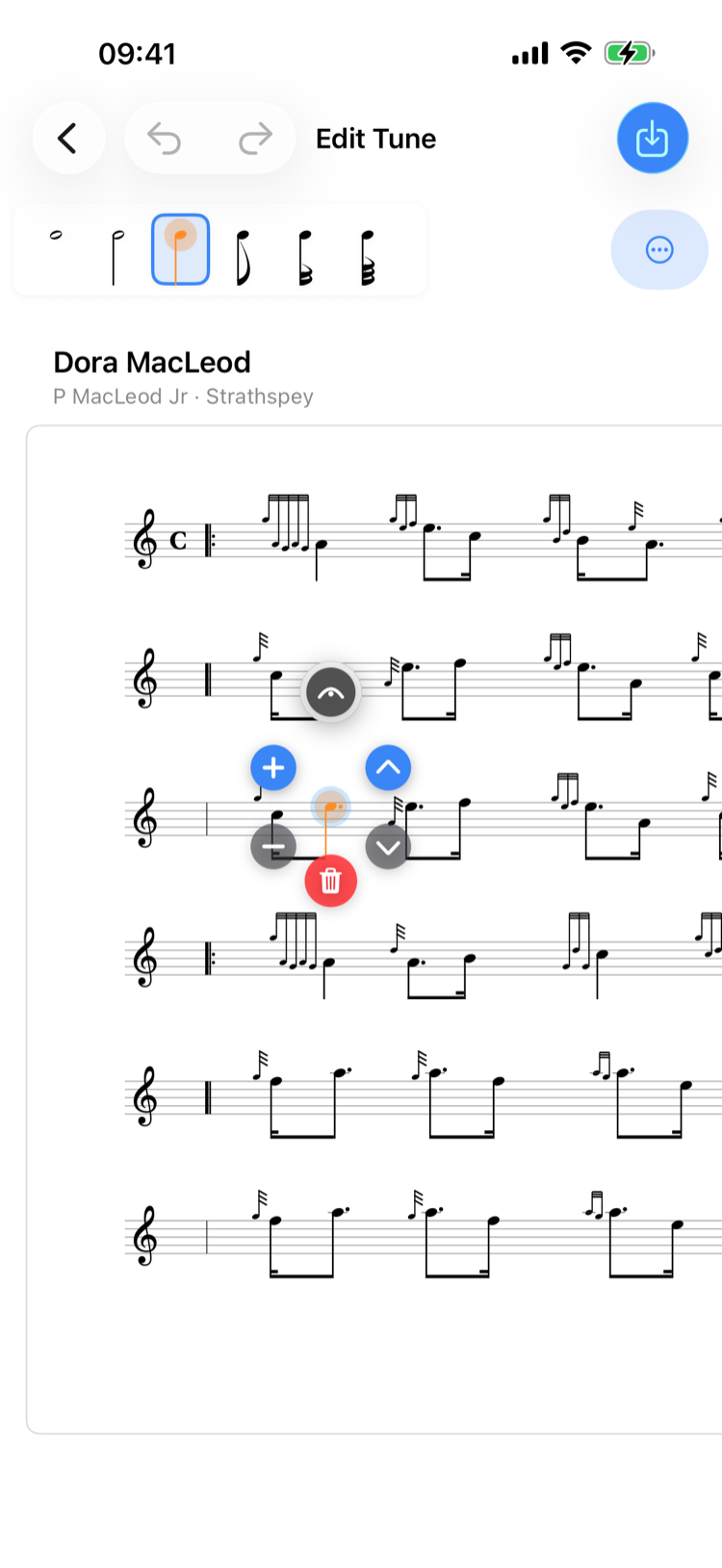
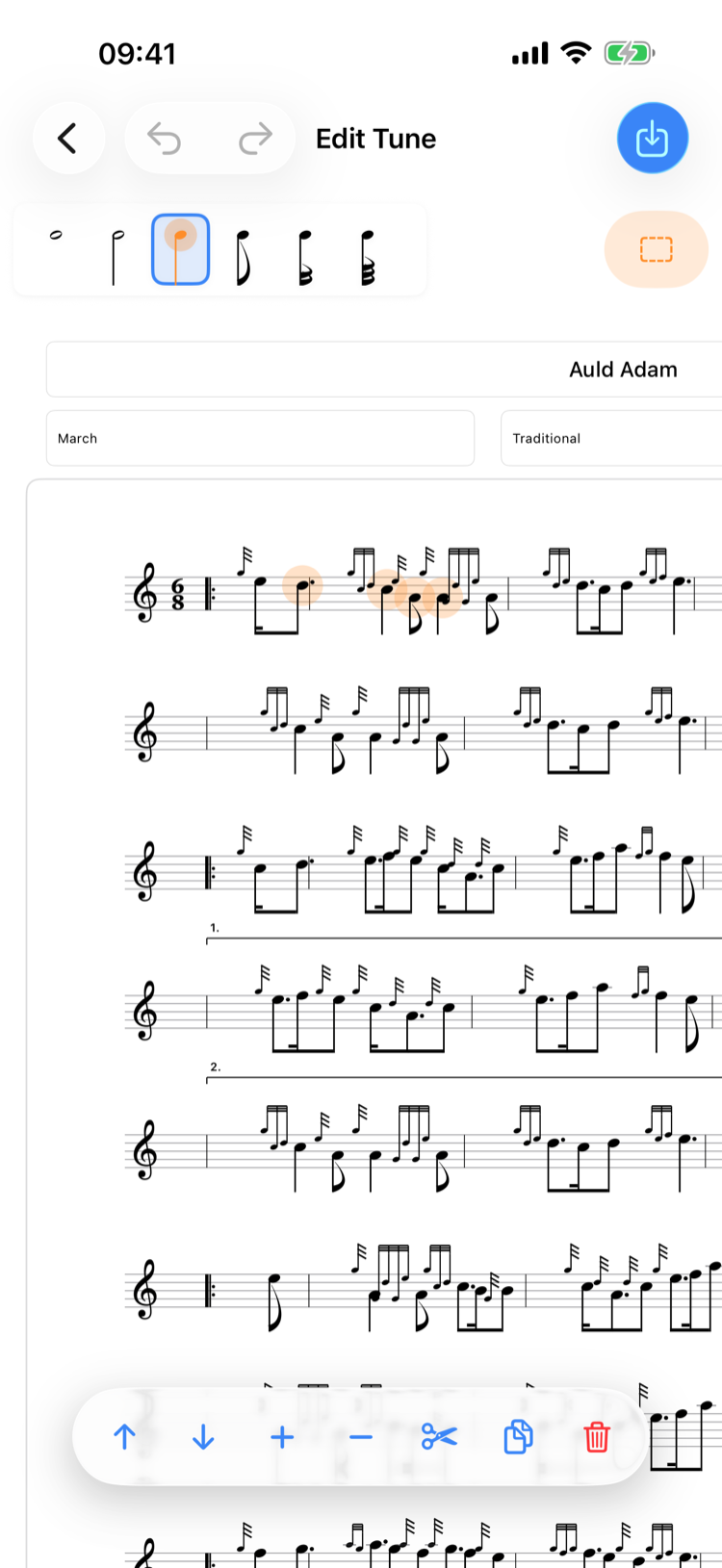
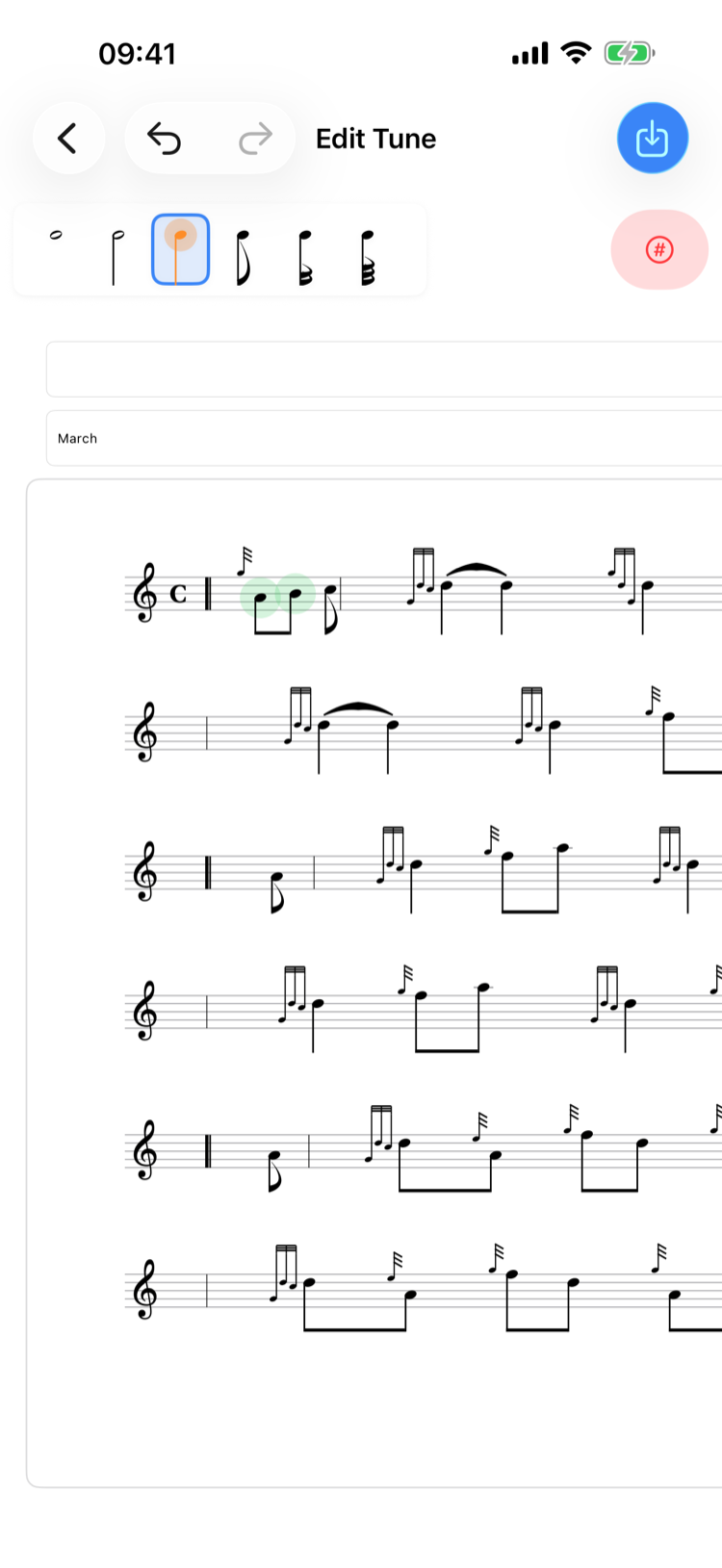
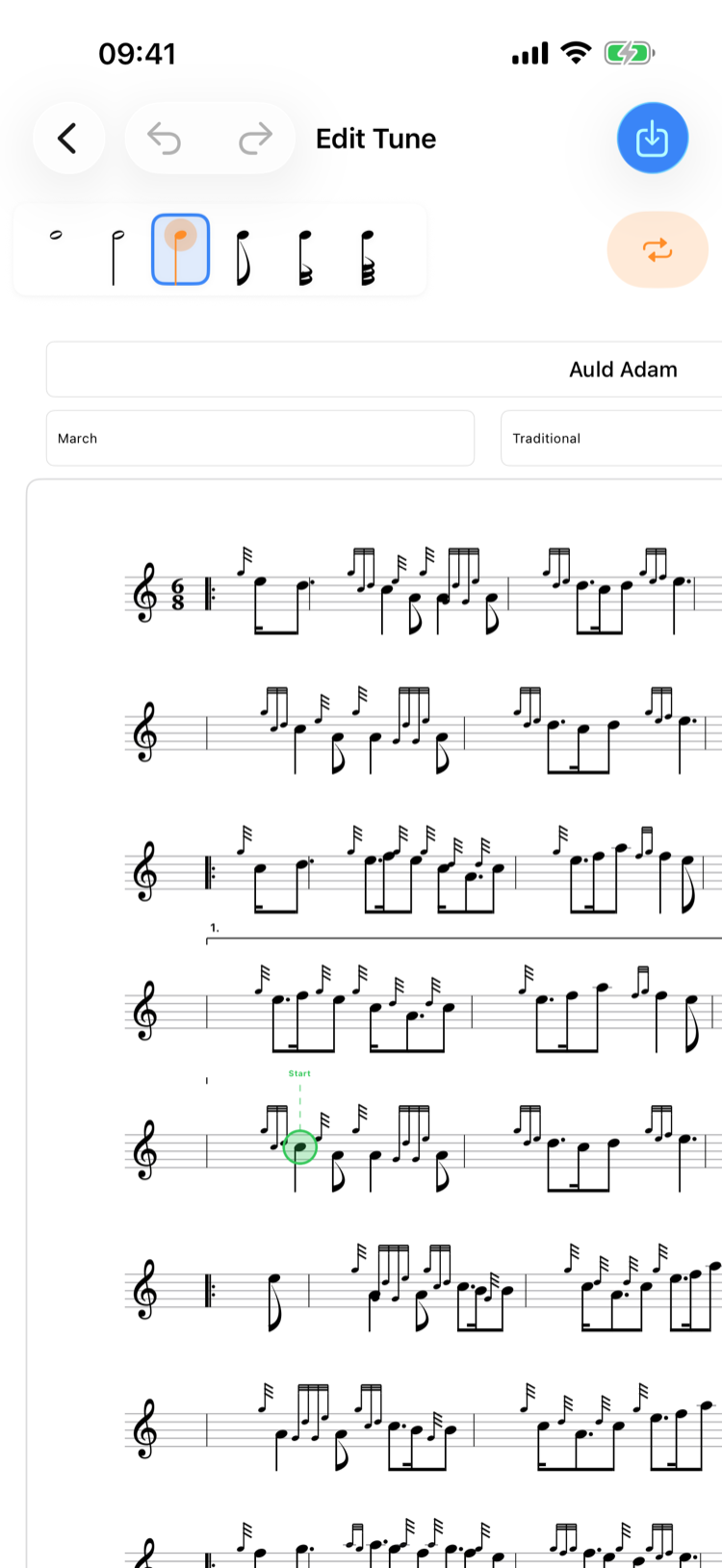
View your music exactly as it would appear on printed manuscript paper. The standard layout shows clean, paginated notation that's perfect for reading at a music stand or printing to PDF.

Embellishment picker

Embellishments & Grace Notes

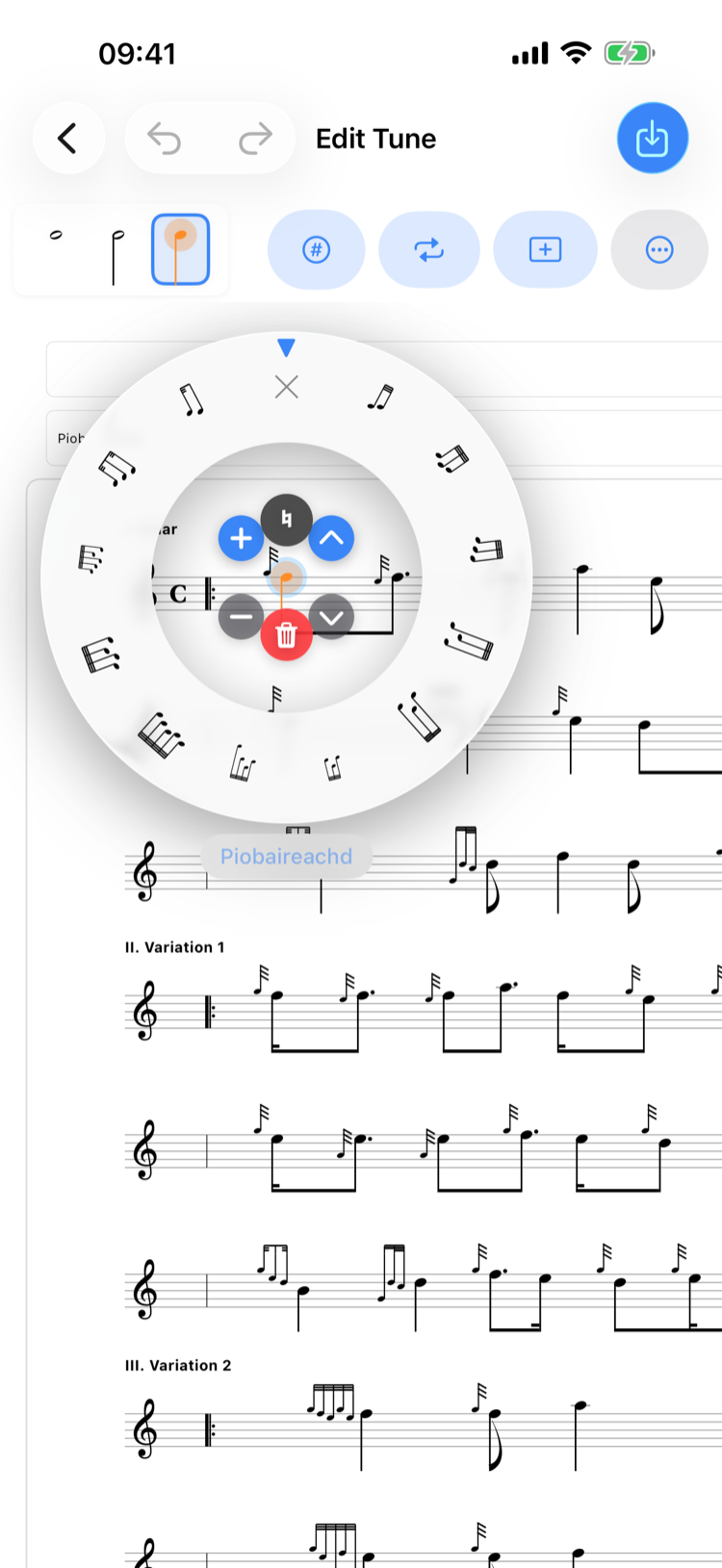
Browse the full catalogue of bagpipe embellishments — doublings, grips, taorluaths, birls, throws, and more. Select any note and pick the embellishment you need from a visual guide. Grace notes render reactively, adapting to the melodic context.

Bar editing menu

Bar Editing

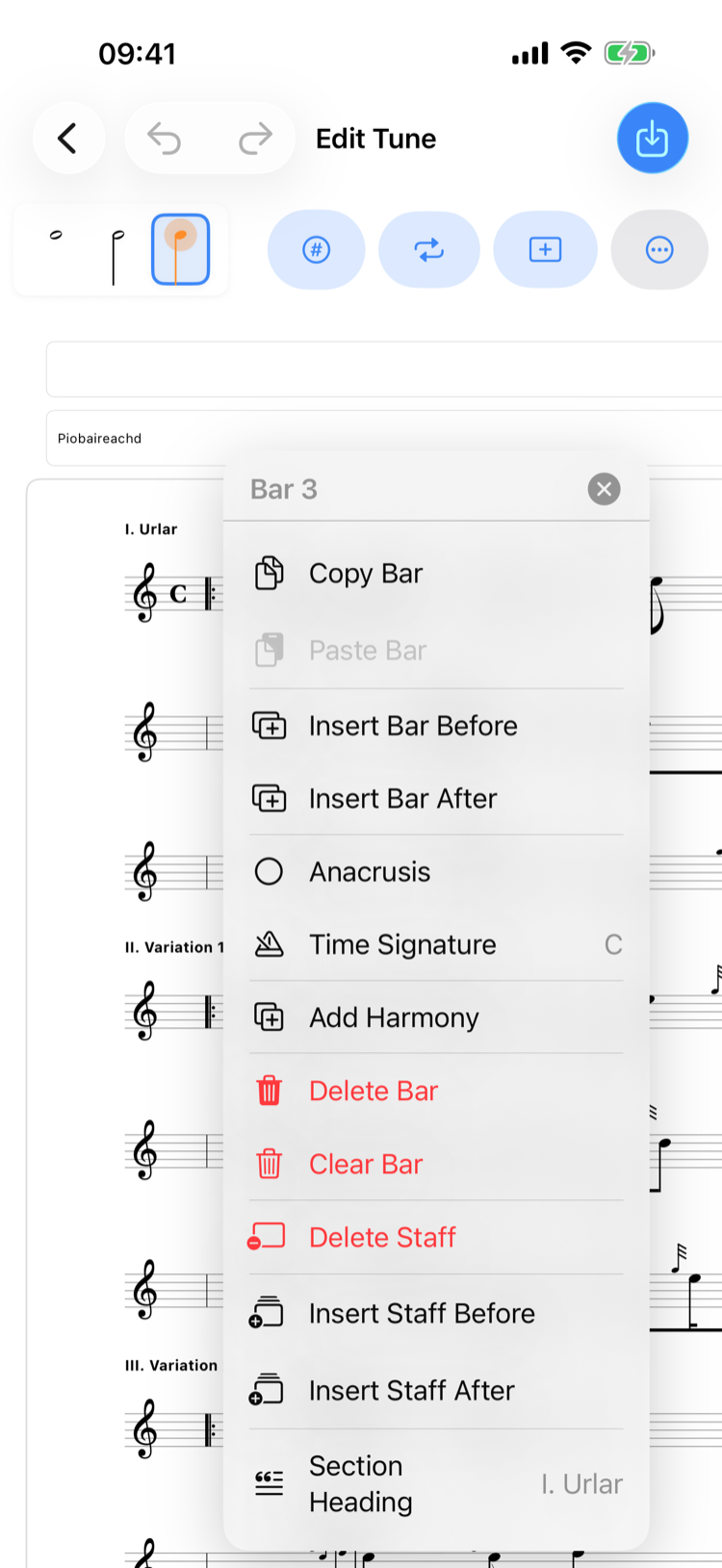
Tap any bar to access powerful editing tools. Copy, paste, delete, or rearrange bars with ease. Add 1st and 2nd time endings, change time signatures mid-tune, and validate bar durations to catch errors before they reach the practice room.

Time signature picker

Time Signatures

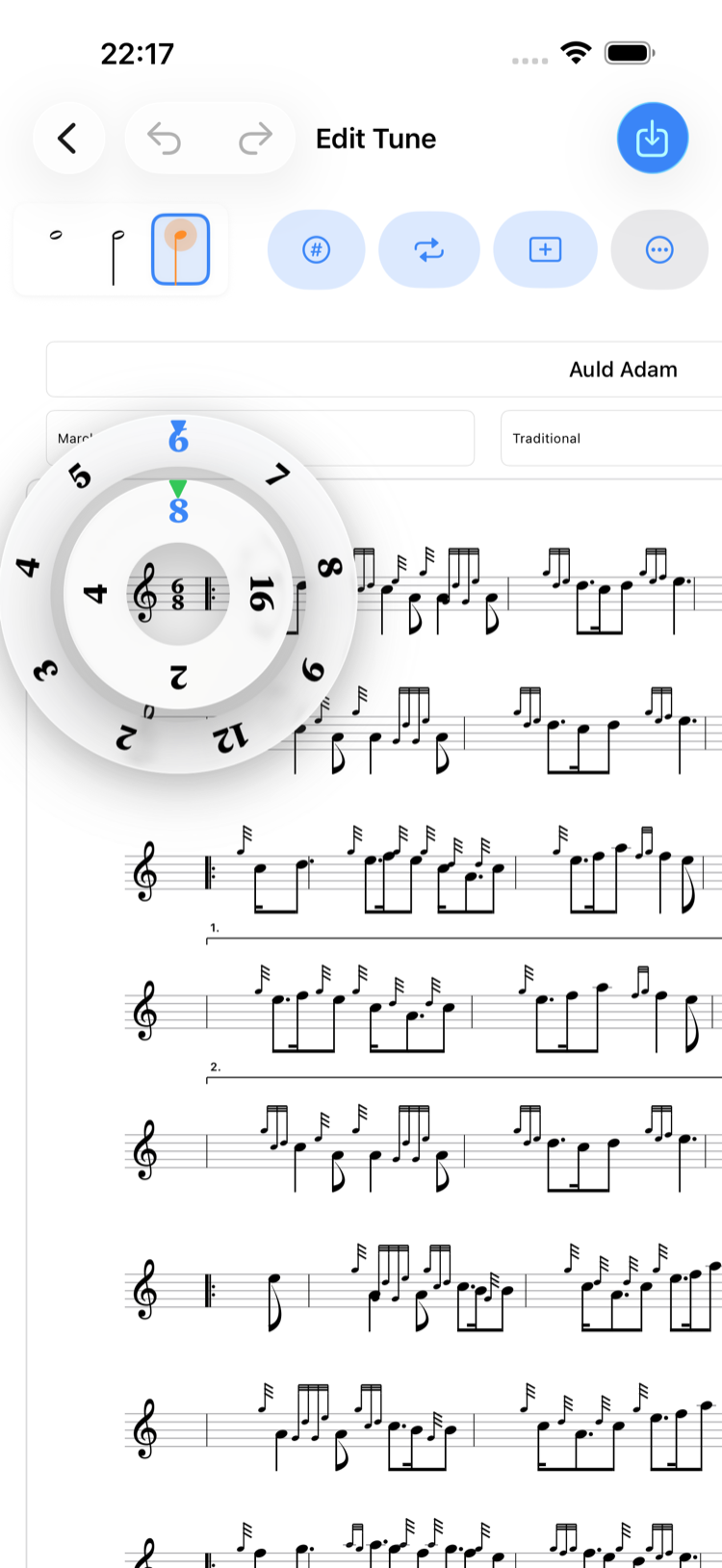
Change time signatures with an intuitive circular picker. Spin the outer ring to set beats and the inner ring for note values — from common time to complex asymmetric metres. Time signatures can be set per bar, so mixed-metre tunes are fully supported.

Note Placement & Editing

Tap the staff to place notes, drag vertically to change pitch, and long-press to open a visual duration picker. Every duration from semibreve to demisemiquaver is supported, including dotted variants. Swipe a note down to delete it.

Ties, Triplets, Glissando & Accidentals

Toggle ties between consecutive notes, draw a zigzag glissando line between adjacent pitches, add natural or flat symbols, and group three notes into triplets. Dedicated buttons appear on the selected note for quick access to every option.

Harmony Lines

Add one or more harmony parts to any staff. Each line has independent note editing, and all parts play back together with adjustable volume and stereo panning.

Staff & Section Management

Add or remove staves, insert single lines or full parts, and label sections with custom headings — perfect for piobaireachd ground and variations.

Annotations

Add colour-coded text notes below the staff to mark tricky passages and jot down performance reminders.

Undo & Redo

Every edit is tracked in a 50-step history. Cmd+Z on Mac or the toolbar buttons step backwards through any change — from a single note placement to deleting an entire staff.

Keyboard Shortcuts

On Mac and iPad with external keyboard, arrow keys adjust pitch and duration, Delete removes notes, and standard shortcuts handle undo and redo.

Pinch to Zoom

Pinch to resize the score on iPhone and iPad, or use Cmd+/Cmd− on Mac. Zoom in to work on fine details or zoom out for an overview of the whole piece.

Set Editing

Group tunes into ordered sets, drag to reorder, and edit each tune individually. Ideal for competition medleys and concert programmes.

Works on iPhone, iPad, Mac, and Apple Watch

All your tunes, folders, practice sessions, and settings sync seamlessly via iCloud.

Requires iOS 26, iPadOS 26, macOS 26, or watchOS 26.