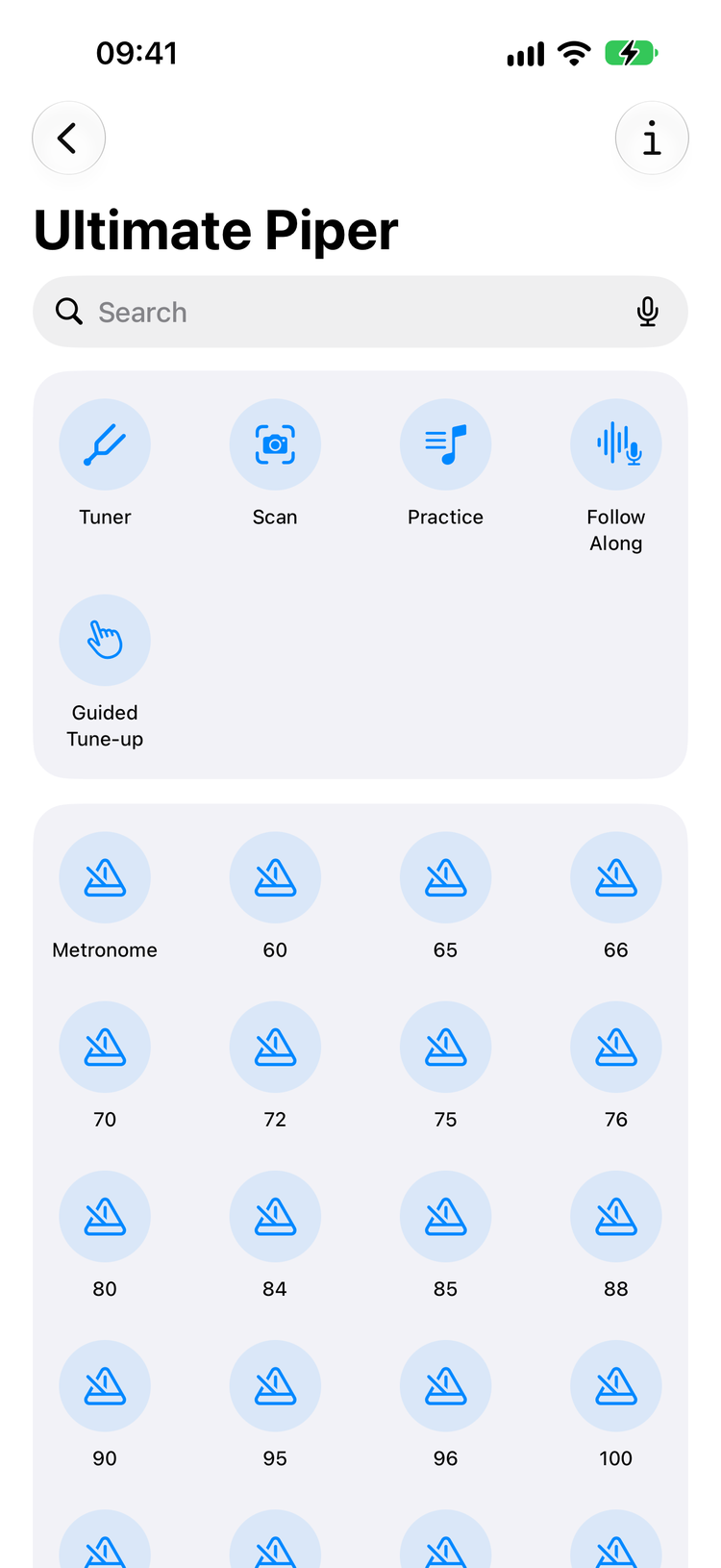
From chanter to performance — composition, playback, intelligent tracking, and shared rehearsal in one app.
Point your camera at any pipe tune — or import a PDF — and Ultimate Piper reads it into a playable score in seconds for a typical tune, a little longer for a long or busy one, across multiple pages, every note, gracenote and barline picked out automatically, and a page of braced melody and harmony comes in as one tune with its harmony parts. The on-device AI model was trained on 150,000 staves of pipe music and runs entirely on your device, so nothing is uploaded.
Learn more
Import BWW and PipeScore files and organise tunes into nested folders. Search by title, composer, genre, or time signature — everything at your fingertips. Compare two settings of the same tune note by note, and merge duplicates without losing a minute of practice history. All your content syncs automatically across devices via iCloud.
Learn more
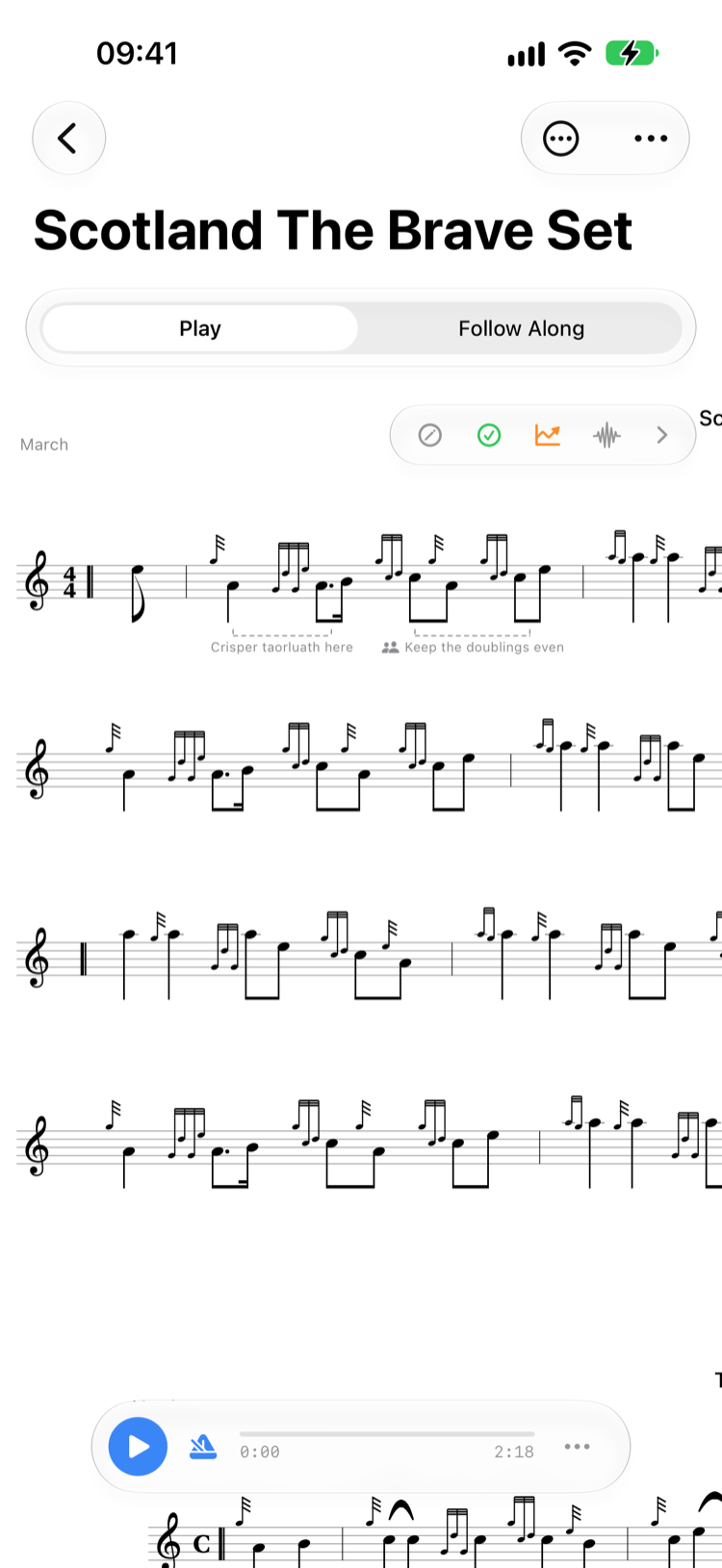
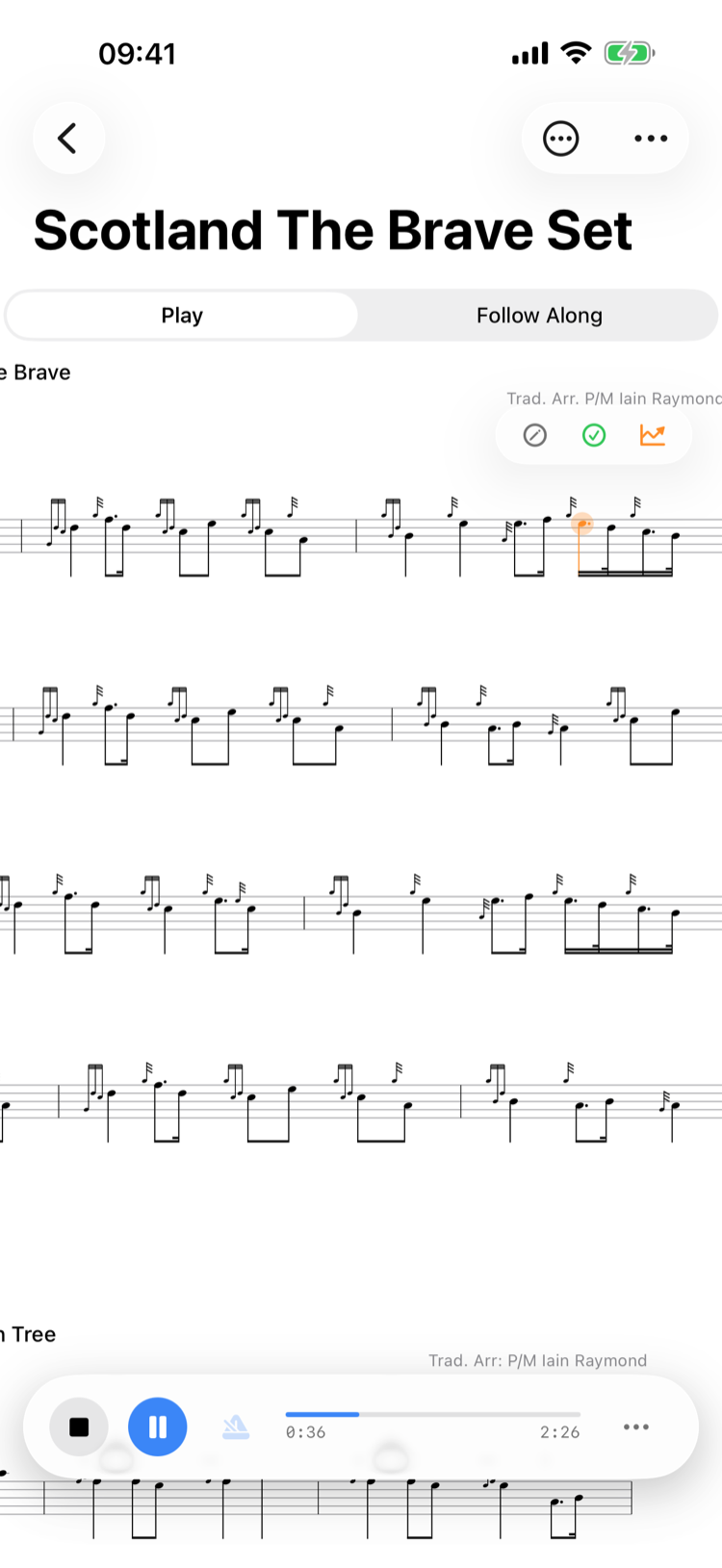
View your music in standard page layout or switch to continuous scrolling mode for seamless practice sessions. Visual tracking highlights each note as it plays. Make the notes bigger or smaller from the Share and View menu with a tap, no pinching needed, and with Reduce Motion on the score steps to each line instead of gliding.
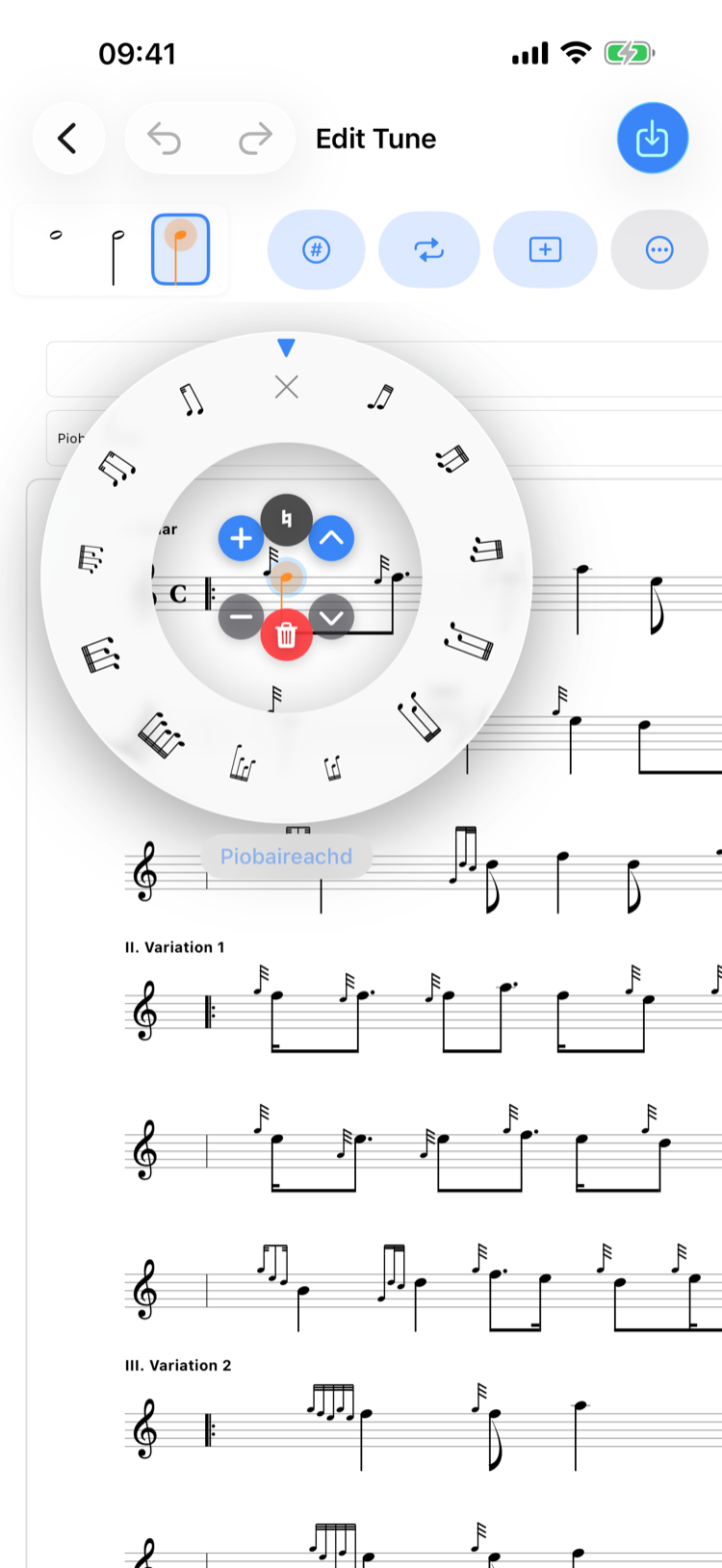
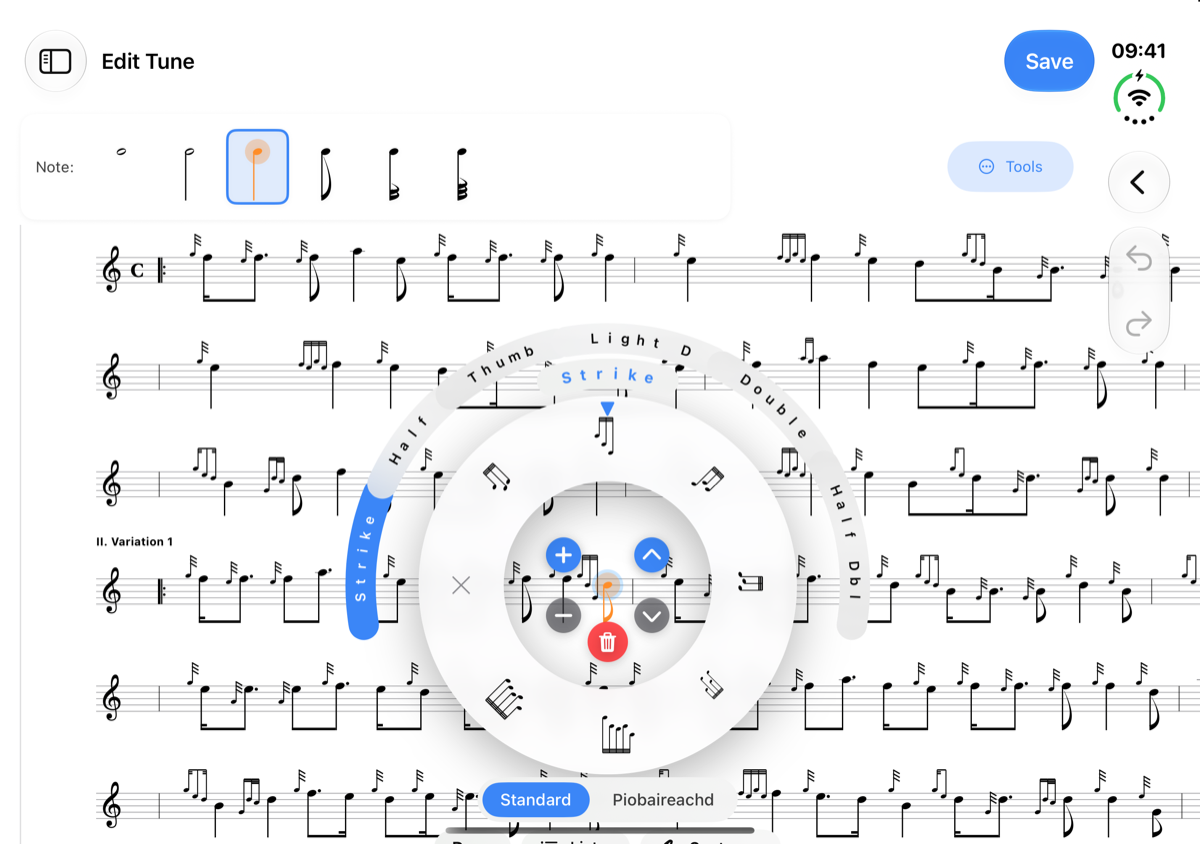
Create complete scores for light music and piobaireachd alike, with reactive grace notes and embellishments — or build your own custom gracenote runs by hand. The embellishment wheel holds the movements pipers reach for every day, and when one has other forms — half, thumb, double — curved segments appear around it to choose from, each named the way a piper would say it. Bar validation alerts you when note durations don't match the time signature. Add 1st/2nd time bars, fermatas, copy and paste bars between tunes, select a range of notes to move or copy a whole phrase at once, write multi-part harmonies with ease, and speed up or slow down across a run of bars with a tempo change: the score shows accel. or rit. with a dashed line to the new tempo, and playback and harmony follow it. Every note, bar and embellishment can be reached and changed with VoiceOver too, each one read out the way a piper would say it.
Learn more
Practice with intelligent tracking that follows your playing, automatically scrolling the score as you go. On the pipes, the tracker waits for a steady E before it begins, so drone harmonics don't trigger false detections. Notes light up as you play them and turn green once you've got them right both times through; with a MIDI chanter, or when a recorded run is reviewed, missed notes show in yellow through red, so you can spot trouble spots instantly. Use your microphone or connect a Blair Digital Chanter or Fagerström Technopipes via MIDI for precise note and embellishment tracking. Calibrate multiple instruments and adjust tracking strictness based on your proficiency level. Runs on the pipes are scored just like runs on the practice chanter, gracenotes included, each gracenote judged against your chanter's tuning on the day, and after each run you see how it stands against your best. Say yes to recording your runs and every run is kept, so you can listen back to any of them.
Learn more
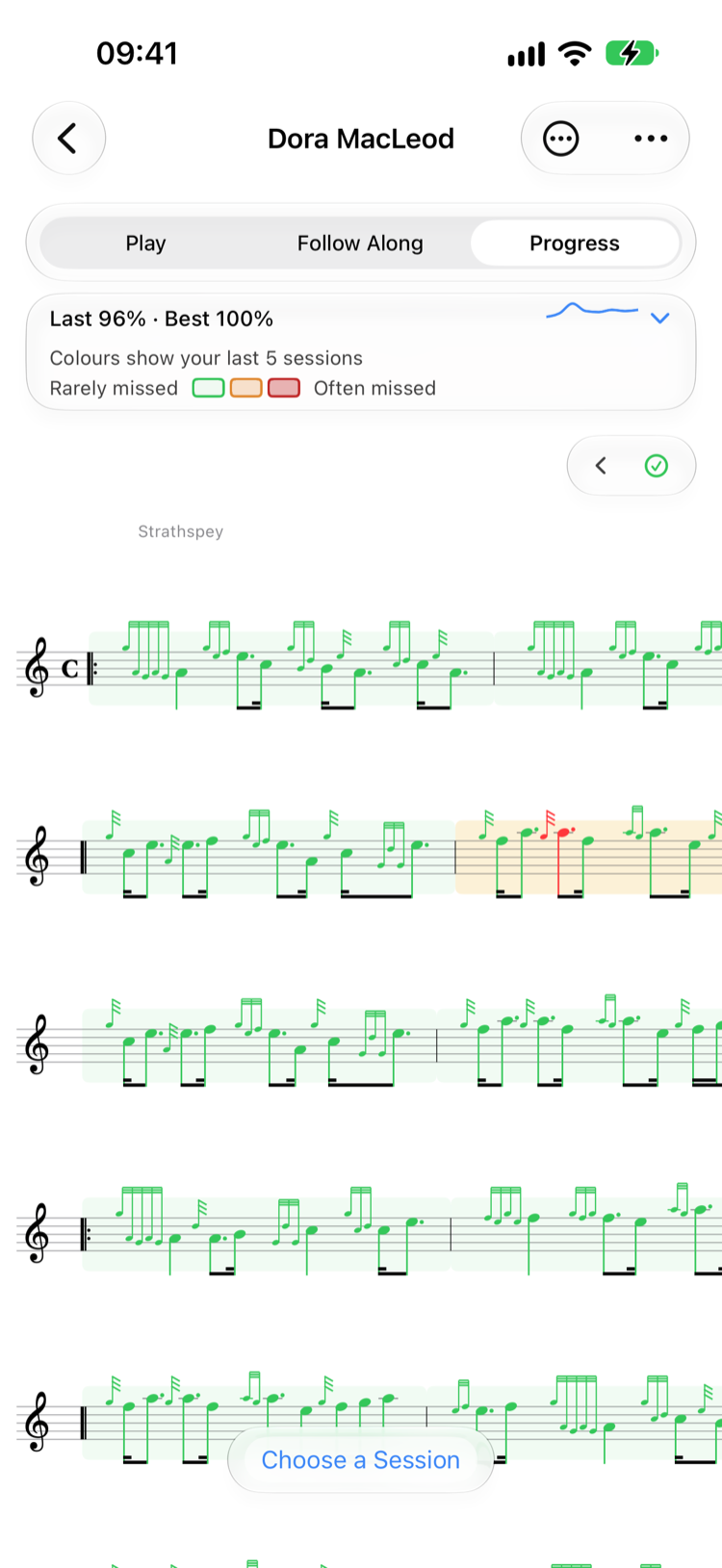
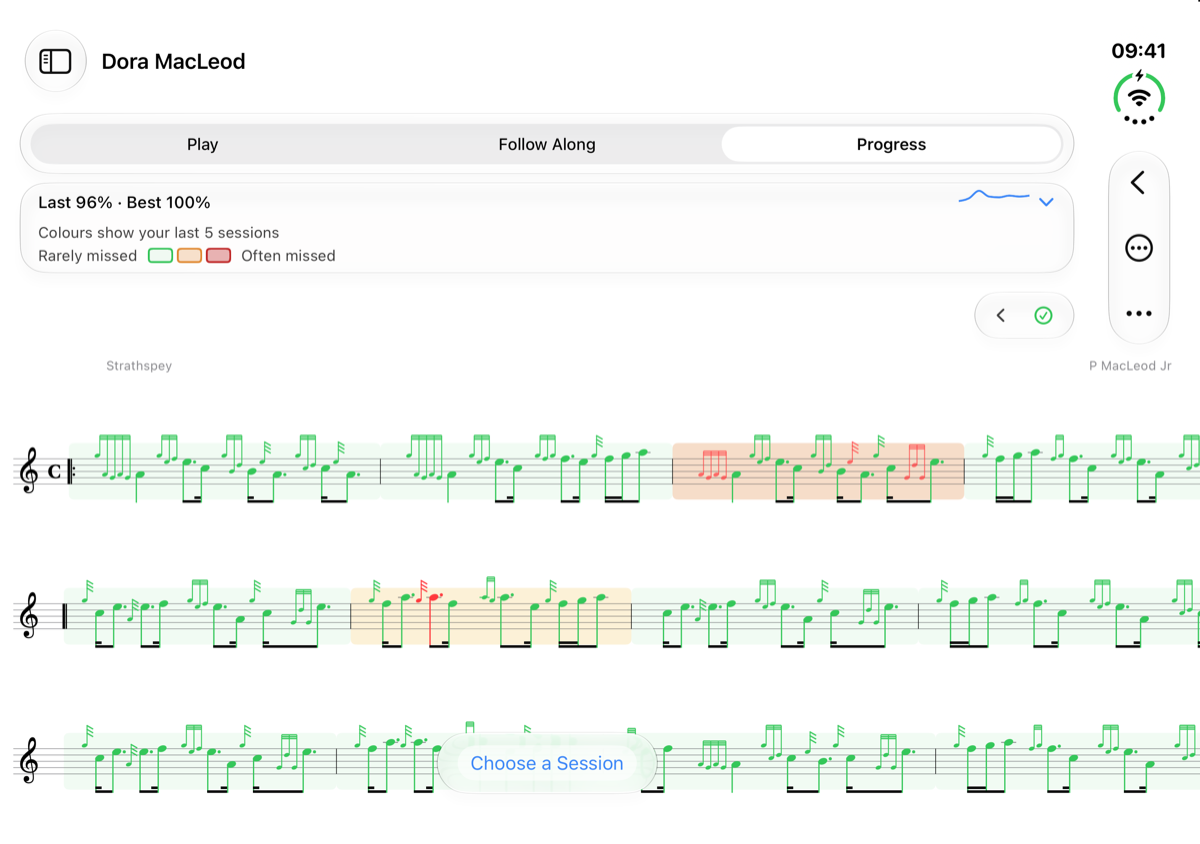
Progress sits beside Play and Follow Along as a third way to look at a tune. It shades every bar by how your last five Follow Along runs went: pale green for the bars you play solidly, through yellow to red for the ones you miss most, and colours each note by how it usually goes, so you can see exactly which gracenote lets you down.
Tap the little chart for your accuracy over time and your Most Missed Bars. Tap a bar to select it on the score, then tap Practice to loop it with Follow Along. Choose a Session plays any recorded run back on the score, and a gracenote you played to the wrong note is marked in yellow and tells you what you played.
Learn more
Hear any tune with realistic Great Highland Bagpipe or practice chanter sounds. Expressive Timing brings genre-aware phrasing — marches stride, jigs lilt, and piobaireachd breathes the way the masters play it, with its timing measured from their recordings. Automatic drone accompaniment, multi-part harmony with stereo panning, a metronome with haptic feedback, and adjustable tempo. Select bars to loop and drill tricky passages. Real-time note highlighting follows every beat, and on iPhone and iPad lock screen controls let you keep playing when your device is pocketed. With VoiceOver, playback tells you which tune and part it has reached, and lets you choose the bar it starts from.
Learn more
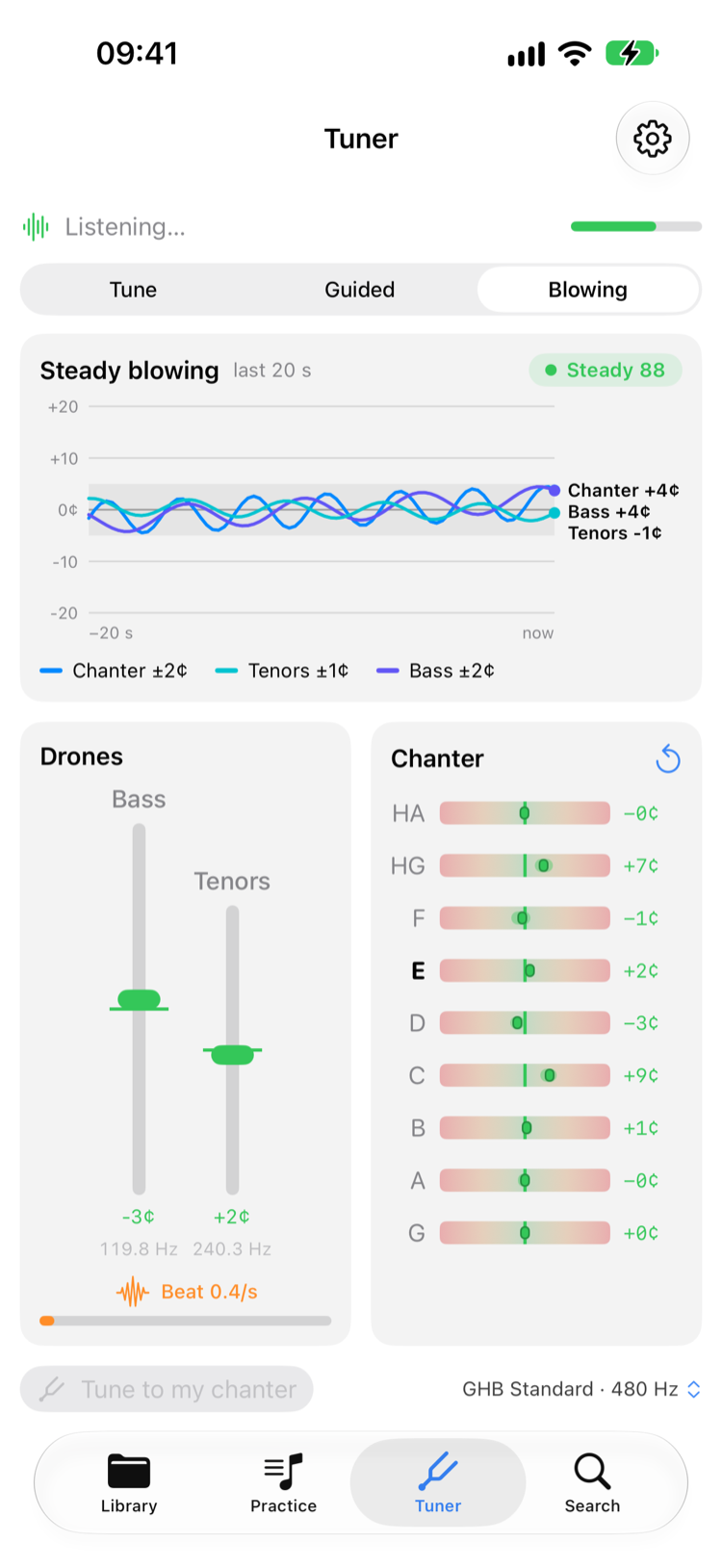
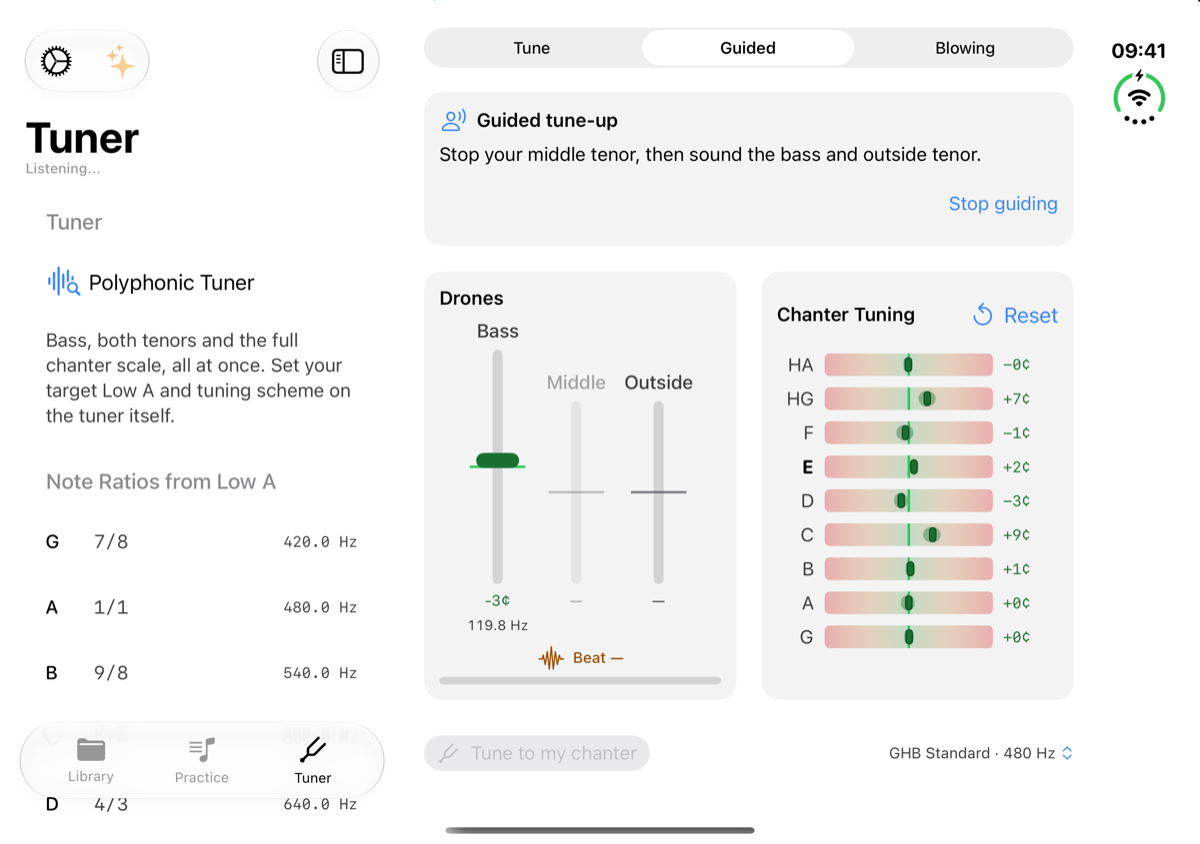
The tuner hears the whole instrument at once — bass drone, both tenors and the full chanter scale, each on its own gauge. A beat meter shows the tenors pulling into unison, and rather than tuning to a number you can tune the drones to your actual chanter: sound your Low A and every gauge re-centres on where your pipe really sits. Play a slow scale under full drones and the chanter grid fills note by note, so you can see exactly which fingers need tape. Choose from four tuning schemes — GHB Standard with the flat harmonic High G, Just Intonation, Seumas MacNeill's 1954 ratios, or equal temperament for comparison. Your target Low A syncs across all your devices, and the Apple Watch tuner means you never reach for your phone mid tune-up, with the cents printed beside every needle.
Learn more
Pitch follows pressure, so the tuner can read your bag. Blowing mode draws the last twenty seconds of pitch for chanter, tenors and bass as lines against time and scores the steadiness out of 100: a flat line is a steady bag, a wandering one is not. The same strip is a tap away while you follow along with a tune, from the wind button in the playing bar. Pipes only — a practice chanter's pitch follows the reed and your mouth, not the bag.
Mark the tunes you're working on as Focus and they're added to every practice session you start, the ones you've gone longest without playing first. Pick a Tune of the Week to put in every session that week, let Ultimate Piper pick warm-ups from the tunes you already know, and set a daily reminder. Played with the band? Log the band practice afterwards.
Learn more
A practice calendar and your streak sit at the top, with charts of your practice history, most practised tunes, and neglected pieces below. Follow Along runs count as practice too.
Learn more
The tuner hears the whole instrument at once: bass drone, both tenors and chanter together, with a gauge for each drone in the order they stand on your shoulder. Tune two ways: against the target frequency set in the tuner on your iPhone, or sound your Low A, capture where your chanter actually sits, and let every gauge judge the drones against that. A beat-rate readout shows the tenors pulling into unison — tune until it reads zero. Stop the middle tenor to set bass and outer first, and the chanter line names the note you're sounding with its offset in cents.
The metronome is still a tap away: adjust BPM with the Digital Crown, feel haptic taps on every beat, and your settings sync automatically from your iPhone.
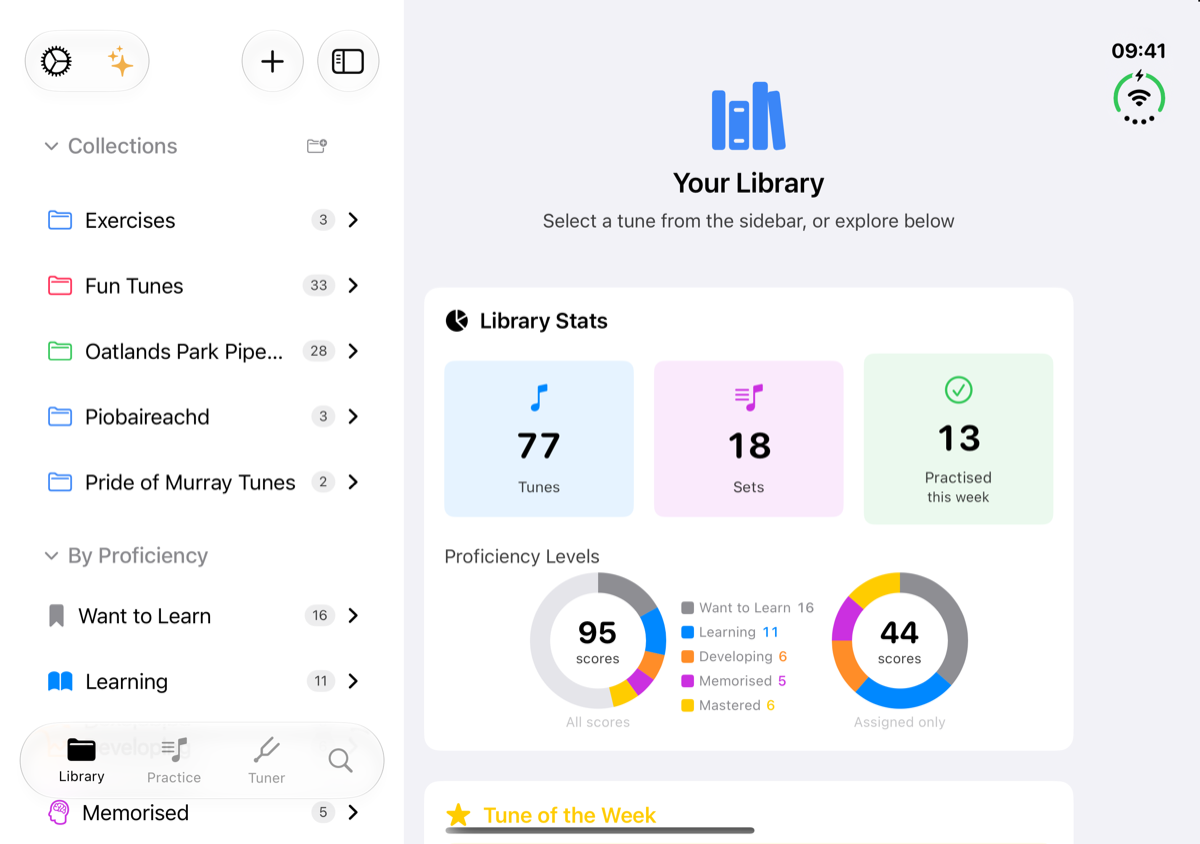
Folded, Ultimate Piper on iPhone Duo is the iPhone app you know, ready in your pocket at band practice. Open it out and you get the full iPad layout: your library in a sidebar beside the score, the library dashboard with room for every chart, and the tuner, Progress and editor laid out across the whole inner screen.
The editor's embellishment wheel opens centred on the note you're changing, scrolling the score to make room wherever that note sits.
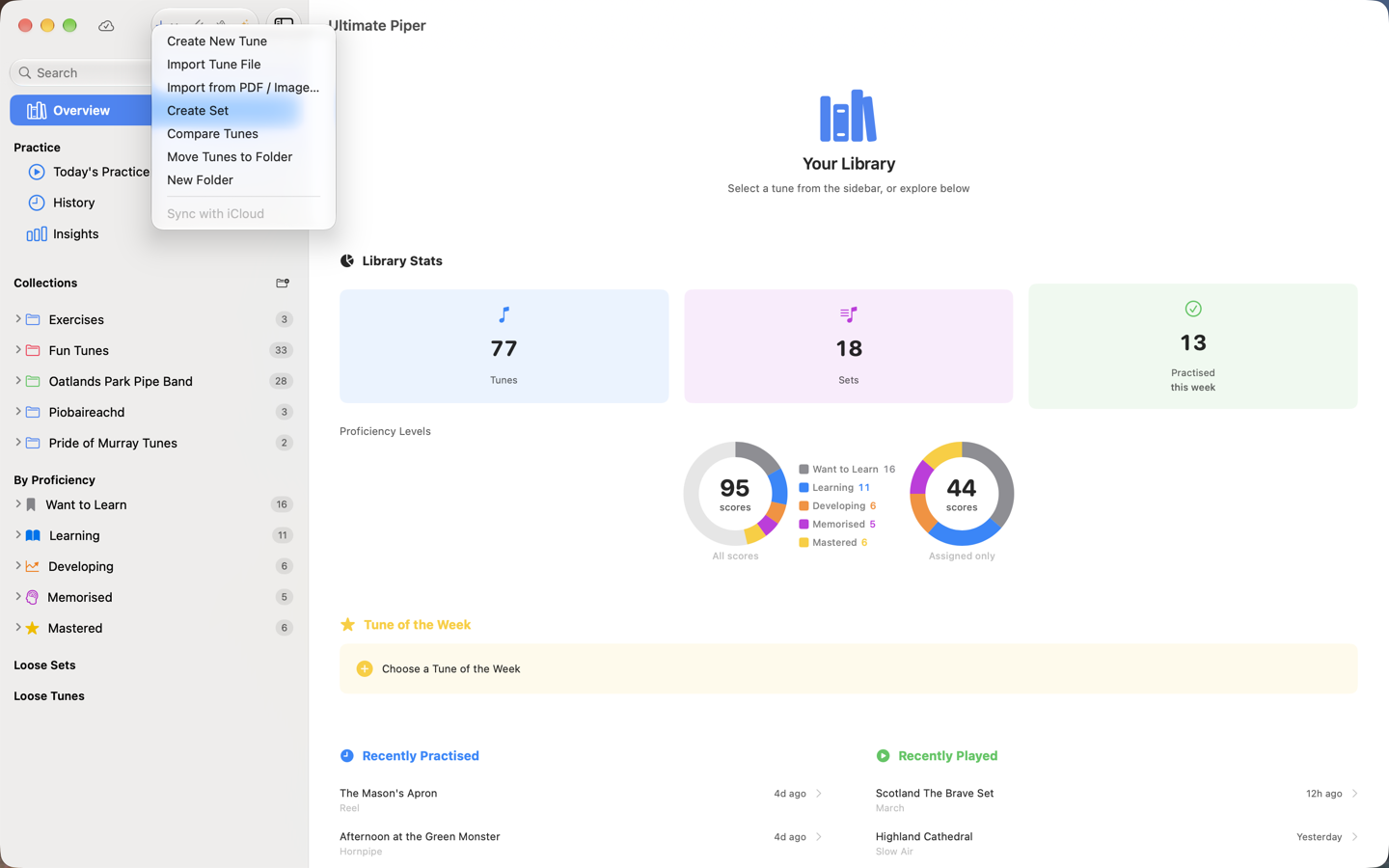
The sidebar is one list: your library overview, Today's Practice, History and Insights, your collections and your tunes by proficiency, with search and the add menu at the top. Tunes and sets outside any collection are listed as Loose Tunes and Loose Sets. Practice pages open beside your library, hovering over a sidebar heading explains it, and a small cloud icon shows your iCloud status, with the full story on hover and a click to check again. The Playback menu offers Calibrate Practice Chanter and Calibrate a New Instrument, and picking tunes for a set, to compare or to move shows a bar at the foot of the sidebar with Cancel and the action button. The tuner, the metronome and the Practice Loop each open in their own window that floats above the score, so the music stays in view while you work.
Export to PDF, render a tune to a shareable audio recording, or share tunes directly with other Ultimate Piper users. Create shared folders so your whole band always has the latest version of the music — choosing, person by person, who can edit and who can only view. Export to PDF and opening a shared folder need Premium; audio recordings and tune files are free to send.
Learn more
Ultimate Piper listens. “Tune my pipes in Ultimate Piper” opens the tuner; “Start the metronome at 84 in Ultimate Piper” starts it at 84; “Play Scotland the Brave in Ultimate Piper” plays it with the score following. Ask for the strathspey from a set or the second tune in one, start a practice session, scan a score, or search your library by voice, from a cold start or with the app already open. Your library is in Spotlight, and every command is a Shortcut you can chain.
Every commandAll your tunes, folders, practice sessions, and settings sync seamlessly via iCloud.
Requires iOS 26, iPadOS 26, macOS 26, or watchOS 26.1. Siri's own music, open and search routes, and the rhythm report after a recorded follow-along, need iOS 27 or macOS 27.