Piobaireachd, From the Masters' Recordings
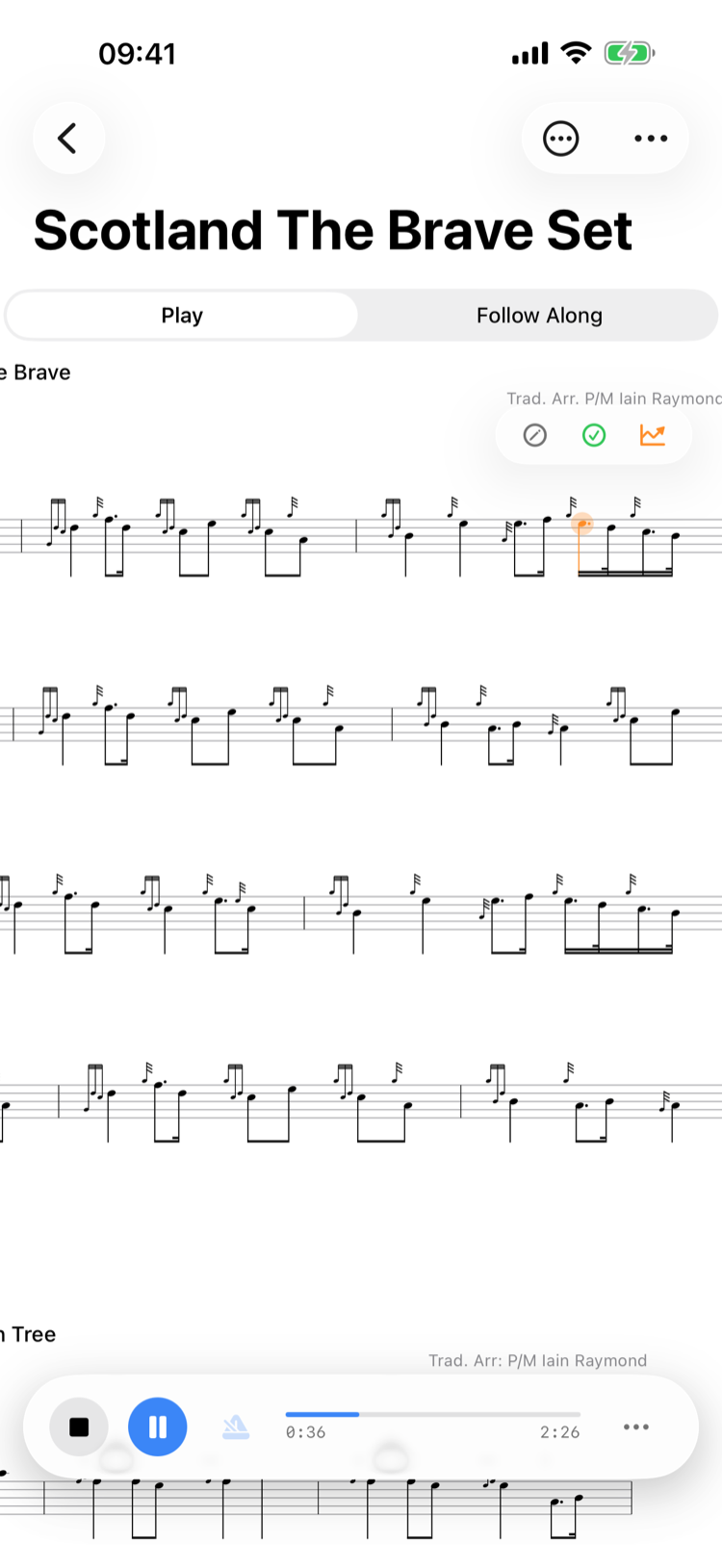
Ceol mor follows its own clock, and playback knows it — its timing measured against recordings by the masters. Cadential Es dwell and re-attack, the heavy throw holds its low G, echo beats linger on their final gracenote, and the note before a cadence leans. The tempo holds at the ground's through every variation, so the crunluath keeps its fingers, and the tune ends as a piper ends it: the last note settles onto a held low A against the drones before everything stops together.
Realistic Instrument Sounds
Play back tunes with authentic sample packs — Great Highland Bagpipe or practice chanter, every note individually sampled. Notes flow into one another with no dead air, as a chanter must, and the ultra-low-latency audio engine keeps playback perfectly in sync with the score.
Accidentals & Glissando
B flat, C natural, and F natural all play back with their own dedicated samples, so accidentals sound exactly as they should. Glissandos scoop the way a finger leaves the hole — the pitch breaks quickly from the first note and leans into the second, modelled on Peter Crowe's recording of The Pumpkin's Fancy.
Your Own Chanter's Voice
Record each note of your own chanter or pipes, and every tune plays back with your instrument's voice — tuned onto the scale from your own low A. Settings → Sample Packs → Record Your Own Sound.
Drones
Automatic drone accompaniment plays whenever a GHB tune is selected. Drones fade in smoothly over three seconds before the melody begins, and crossfade looping ensures a seamless, continuous sound throughout the entire piece.
Harmony & Stereo Panning
Hear multi-part harmony arrangements come to life. Adjust harmony volume from 50% to 100% relative to the melody, and control stereo width so the melody sits centre-stage while harmony parts pan left and right.
Metronome with Haptic Feedback
Keep time with a built-in click track that plays alongside the melody. On iPhone, feel haptic taps on every beat. Mute the melody to practise with just the metronome and position tracking.
Expressive Timing
Toggle humanised playback for phrasing that breathes like a real performance — and knows what kind of tune it's playing. Genre-aware rules shape marches, jigs, and piobaireachd each in their own idiom: gracenotes float ahead of the beat, phrases push and pull, and the underlying pulse stays rock-steady. Every rule is explained in plain language under Genre Strategies in Settings.
Practice Loop
Select any range of bars and loop them at adjustable tempo. Perfect for drilling tricky passages — the app can automatically bump the BPM each time you nail a loop, gradually building you up to full speed.
Tempo Control
Adjust playback speed from 30 to 150 BPM in 5 BPM steps, independent of the original tune tempo. Slow a tricky passage right down to learn it note by note, then bring it up to full speed when you're ready.
Note Highlighting
Follow along visually as every note lights up in real time at 60 fps. Event-driven accuracy means highlighting is perfectly synchronised with the audio, so you always know exactly where you are in the tune.
Repeats, 1st/2nd Time Bars & Navigation
Playback fully expands repeat signs and volta brackets — so you hear the tune exactly as it should be performed, without needing to manually navigate the score.
Lock Screen & Background Playback
Music keeps playing when you lock your device or switch apps. Full Now Playing integration shows the tune title on your lock screen, and Control Centre controls let you play, pause, and stop without opening the app.
Tap to Jump
Tap any note on the score to start playback from that point, or jump straight to it in Follow Along mode. No need to listen from the beginning — pick up exactly where you want.
Pinch to Zoom
Pinch to resize the score on iPhone and iPad, or use Cmd+/Cmd− on Mac. Zoom in to follow tricky passages note by note, or zoom out to see the full tune at a glance while it plays.