You will need: a tune open in the editor. Edit a tune shows how.
-
1
The row above a note
Select a note and a row of round buttons appears above it. Each one switches a mark on or off, and the row only offers the marks that make sense for that note.
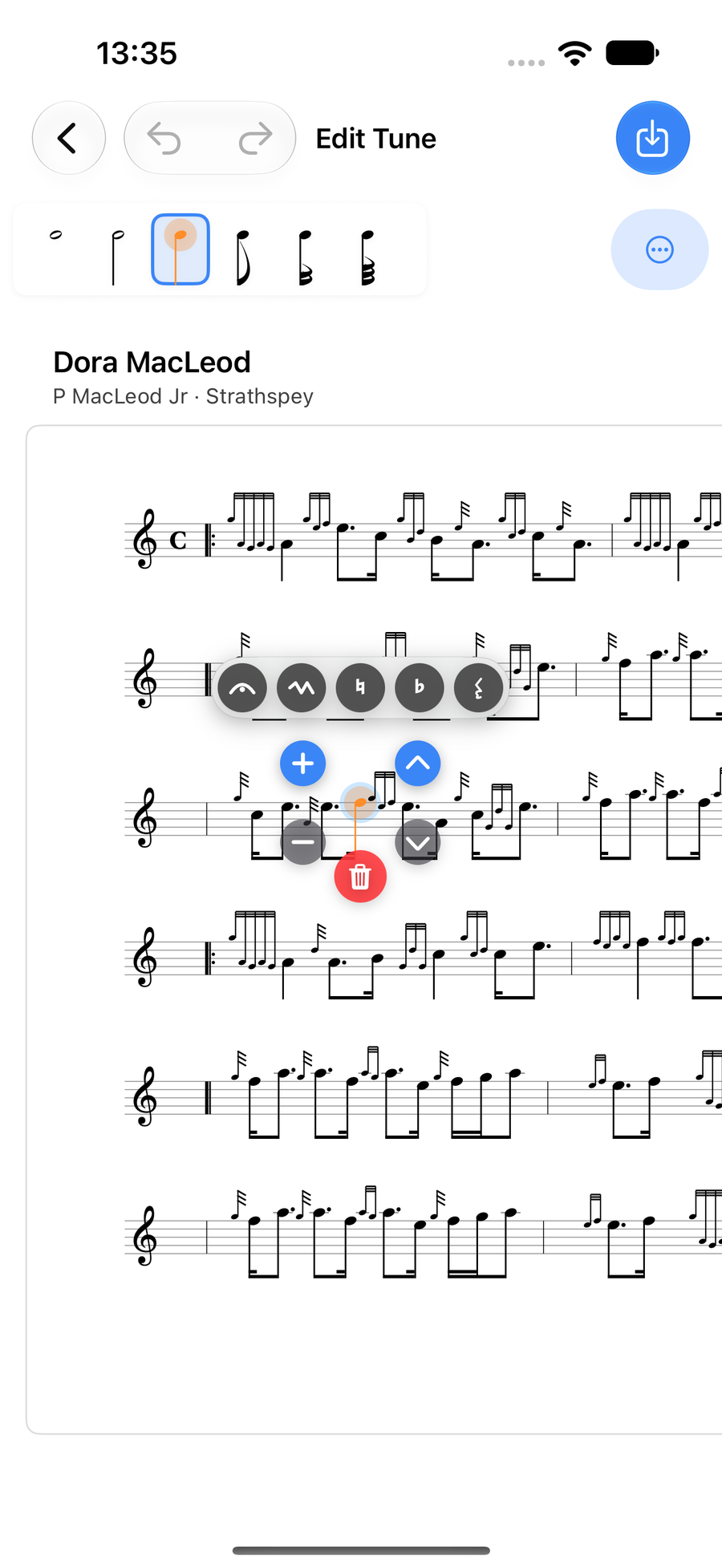
The row of marks above a selected note -
2
Tie or slide from the note before
Tie to previous note appears when the note before has the same pitch, even across a barline or at the start of a new line. A tie over a line break is drawn in two halves: one running off the end of the line, one leading in to the note on the next. Slide from previous note appears instead when the note before is one step below on the same line.
A note cannot have both, so turning one on turns the other off.
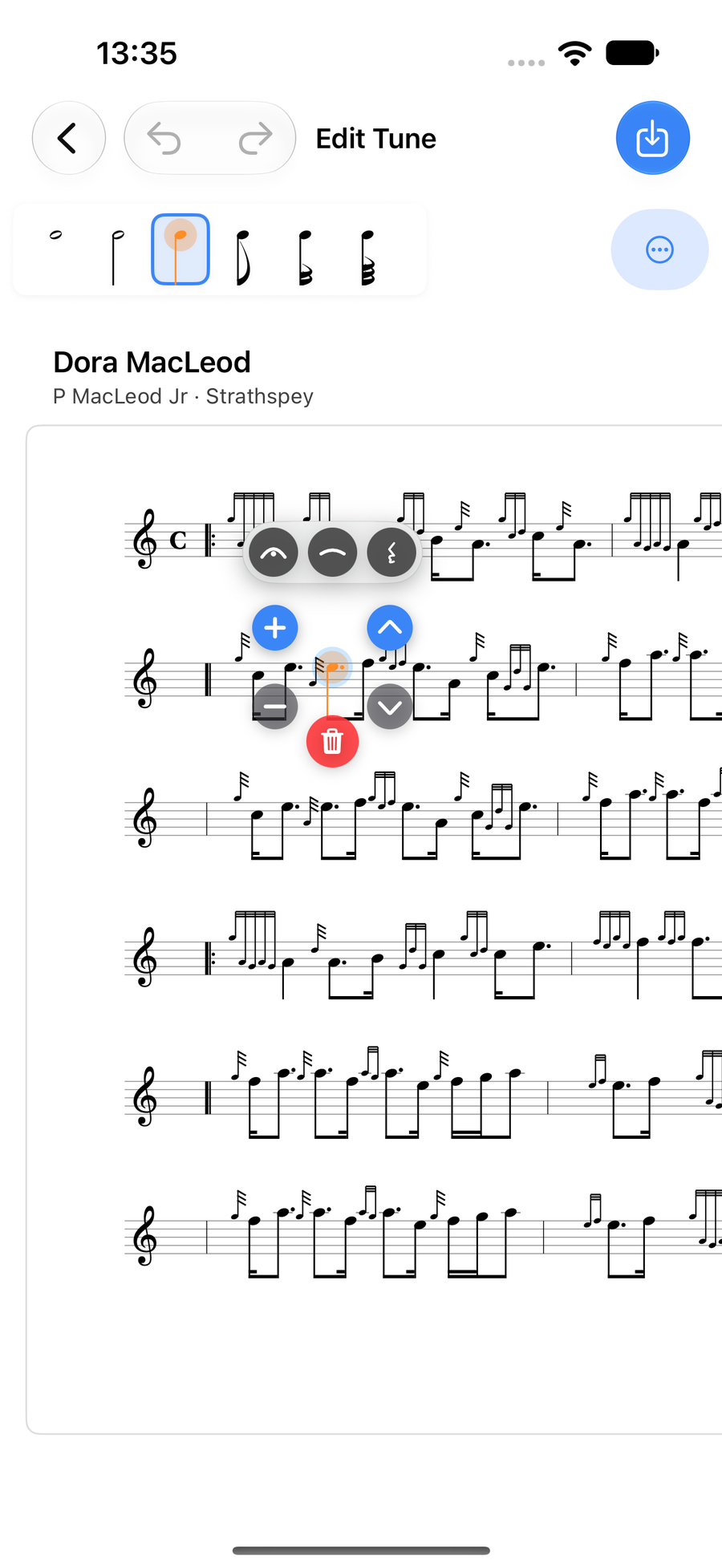
Tie to previous note, offered on a repeated note -
3
Naturals and flats
Natural is offered on C and F, and Flat on B, C and F. Turning one on turns the other off.
-
4
Rests and pauses
Rest turns the note into a rest of the same length. Select it and choose Rest again to turn it back into a note. Notes in a triplet cannot become rests.
Fermata adds a pause mark over any note.
Next
- Notes and lengths: select, add, move and type notes.
- Gracenotes and embellishments: the double-tap, the wheel and your own runs.
- Triplets, ranges and copying: work on several notes at once.