You will need: a tune open in the editor. Edit a tune shows how.
-
1
Double-tap for a gracenote
Double-tapDouble-tapDouble-click a note to give it a single gracenote. Double-tapDouble-tapDouble-click it again to take off whatever it carries, gracenote or embellishment.
The gracenote is a High G. Where a High G would clash, because the note or the note before it is a High G, you get a High A, and where both of those clash, an F.
-
2
Move a gracenote
TapTapClick a single gracenote to select it, then type a letter or use the arrows to move it, just as with a note.
Pitches that would clash are skipped: the gracenote never lands on the note it decorates or on the note before it.
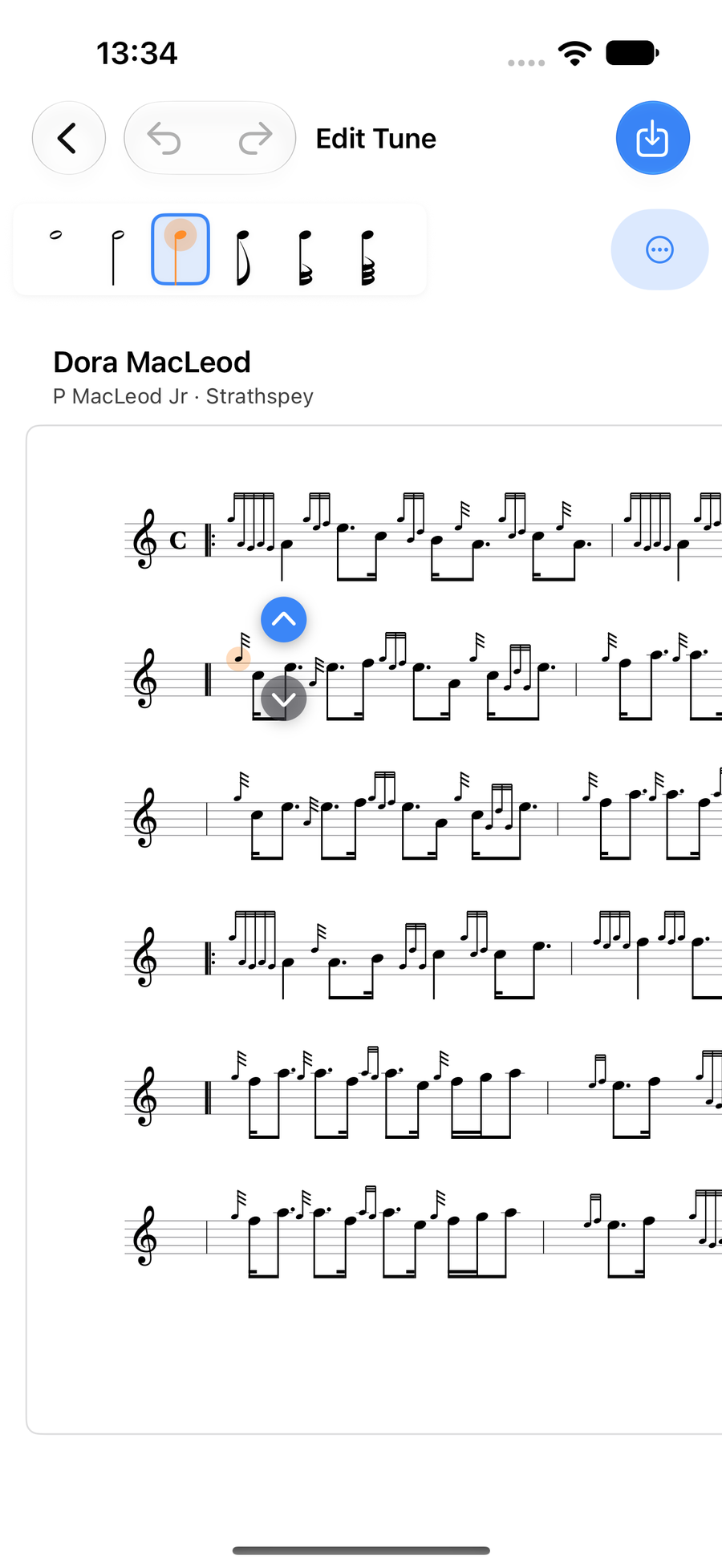
A single gracenote selected -
3
Pick an embellishment
Press and holdPress and holdClick and hold a note and the embellishment wheel opens round it. Turn it to the one you want. Where there is a choice, such as a half or thumb variant, it shows on an outer arc.
Switch between Standard and Piobaireachd at the foot of the wheel. List… names every embellishment that fits the note, and Done closes the wheel.
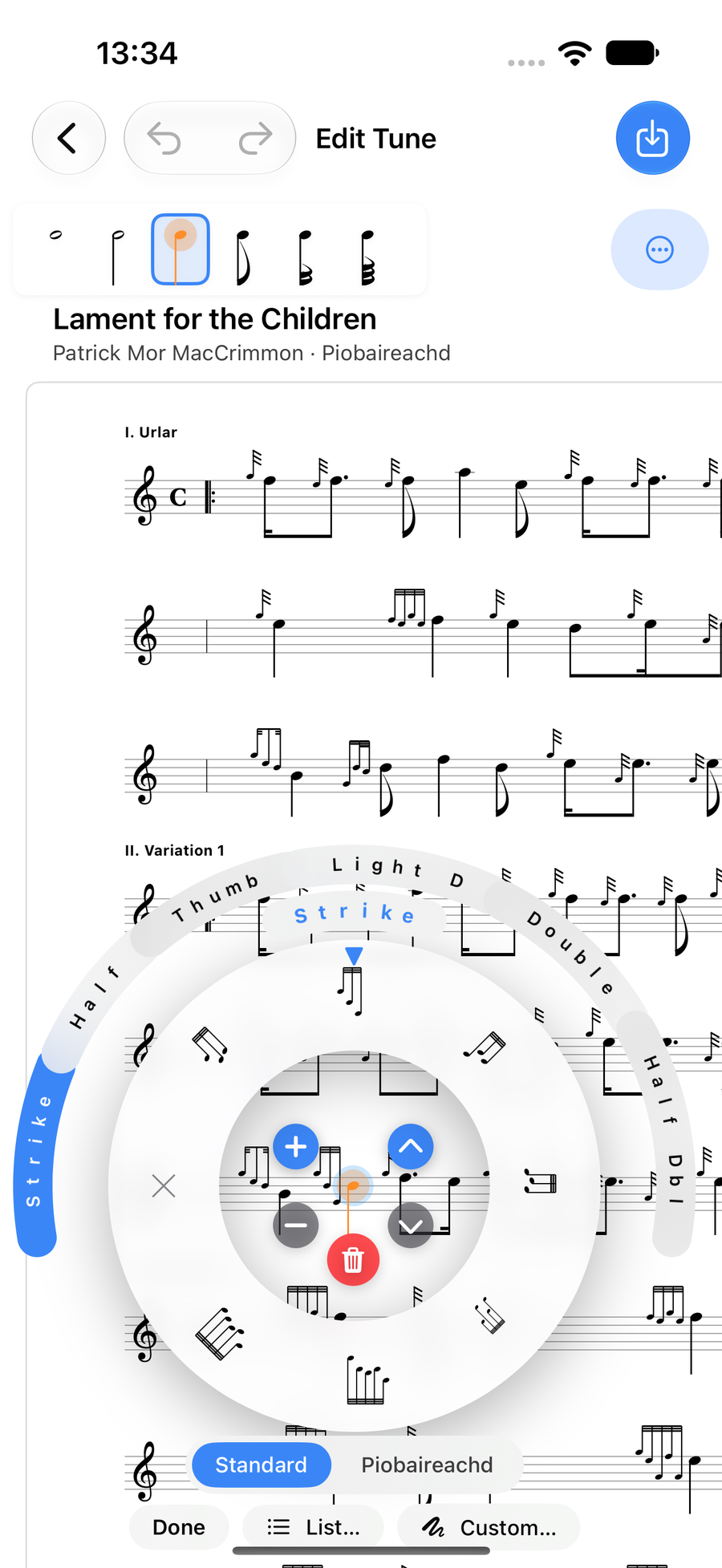
The embellishment wheel open on a note -
4
Embellishments follow the music
A note keeps the name of its embellishment, not a fixed set of gracenotes. Ultimate Piper works the gracenotes out from the note and the one before it, so change either and the embellishment spells itself again.
A doubling on D is High G, D, E, and on F it is High G, F, High G. After a High G its first gracenote becomes a High A, and after a High A it is left off. Strikes, grips and taorluaths change with their neighbours in the same way.
Single gracenotes and your own runs stay exactly as you wrote them.
-
5
Only what fits is offered
The wheel and the list only show embellishments that are right for the note. A D throw is only offered on D, a birl only on Low A, and a strike never on Low G or High A. If an embellishment is missing from the wheel, it does not belong on that note.
-
6
Write your own
Custom… at the foot of the wheel opens Custom Run. Build the gracenotes from left to right, up to eight of them, and watch the little stave above show the result.
A custom run plays and looks exactly as you enter it, and nothing checks it, so it is the way to write something unusual. Cancel puts the note back as it was, and removing every gracenote clears the embellishment.
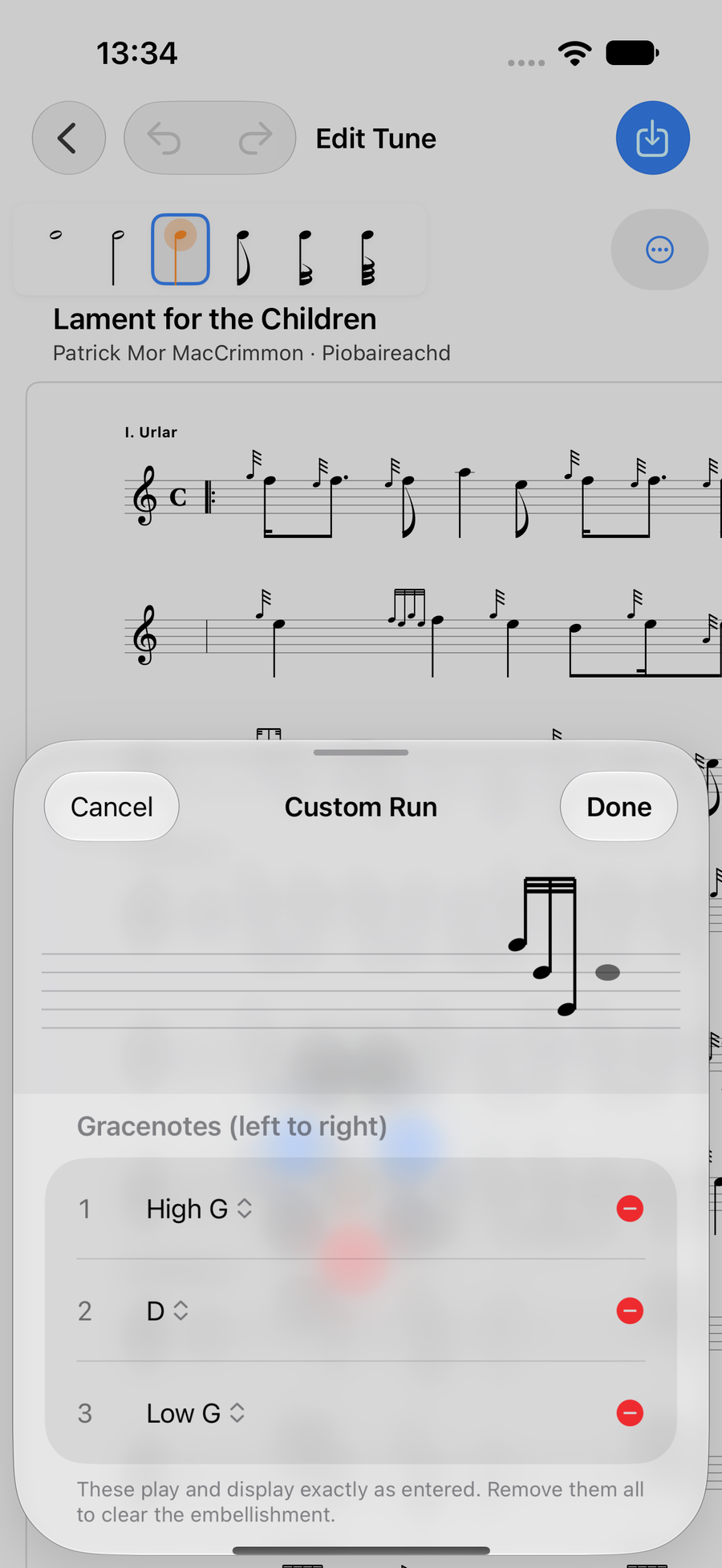
Custom Run, with gracenotes in order
Next
- Notes and lengths: select, add, move and type notes.
- Ties, slides, rests and accidentals: the row of marks above a note.
- Triplets, ranges and copying: work on several notes at once.