You will need: a tune open in the editor. Edit a tune shows how.
-
1
Open the bar menu
Press and hold an empty part of a barPress and hold an empty part of a barRight-click a bar, or choose Tools, then Bar Actions….
Add Note to Start of Bar and Add Note to End of Bar, Copy Bar and Paste Bar, Insert Bar Before and Insert Bar After, Anacrusis for a pick-up bar, Time Signature, Delete Bar and Clear Bar.
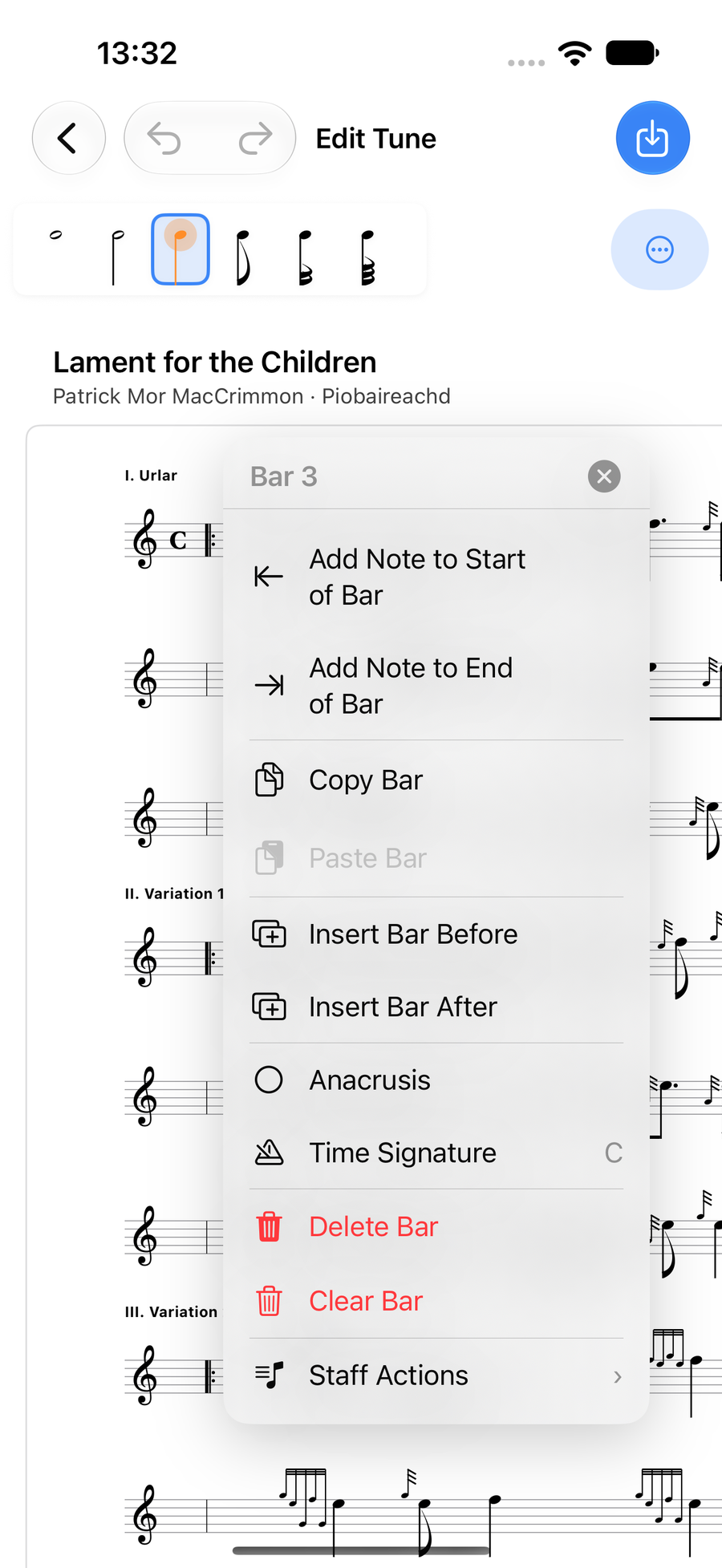
The bar menu -
2
Work on a whole stave
Staff Actions at the foot of the bar menu works on the whole line: Add Harmony, Copy Staff, Paste Staff Above or Below, Paste as Harmony, Move Staff Up or Down, Insert Staff Before or After, and Delete Staff.
Select Staves… copies several staves at once, and Section Heading titles a line, such as "I. Urlar".
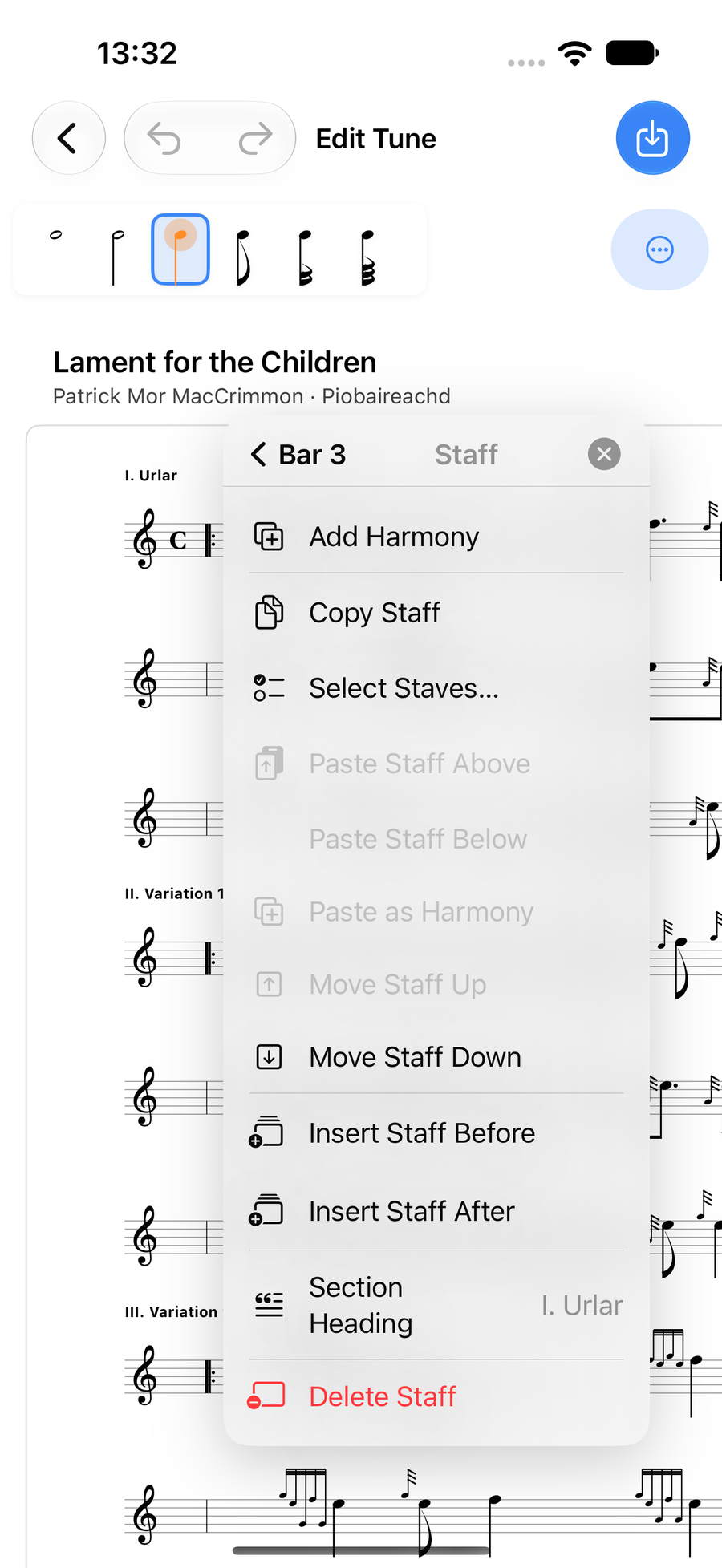
Staff Actions -
3
Write a harmony
Add Harmony puts a harmony line under the stave. Write on it just as on the melody.
Paste as Harmony turns a copied stave into a harmony line, so a seconds part written as its own tune can go straight under the melody.
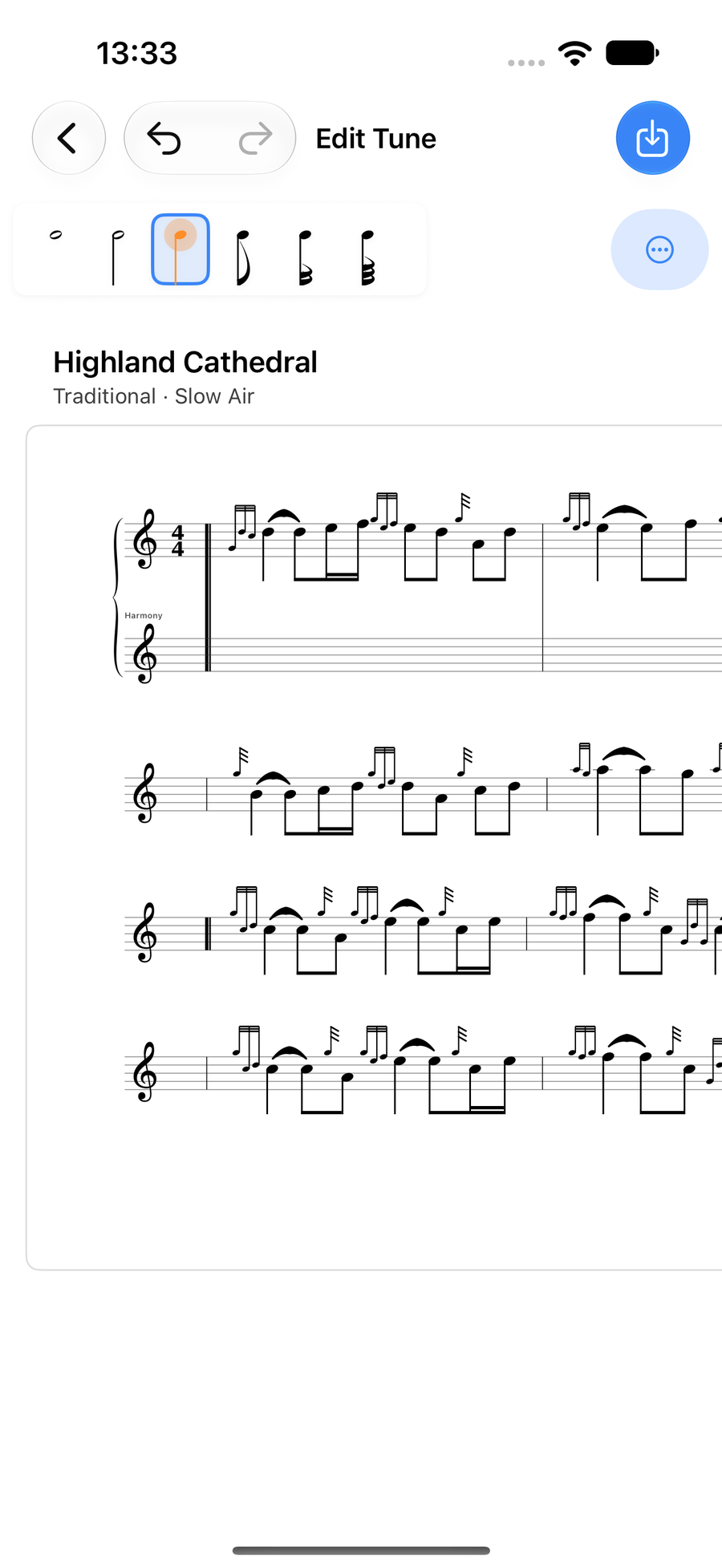
A new, empty harmony line under the first stave -
4
Copy between tunes
Select Staves… in Staff Actions puts a tick box beside every stave. Tick the ones you want, or Select All, then copy them: the button counts them, as in Copy 2 Staves.
A copied bar or stave waits while you open another tune, so you can paste it there. A copied bar also drops into any empty bar you taptapclick.
A copied stave keeps its time signatures, barlines, harmony lines and heading. Copies last until you close the app.
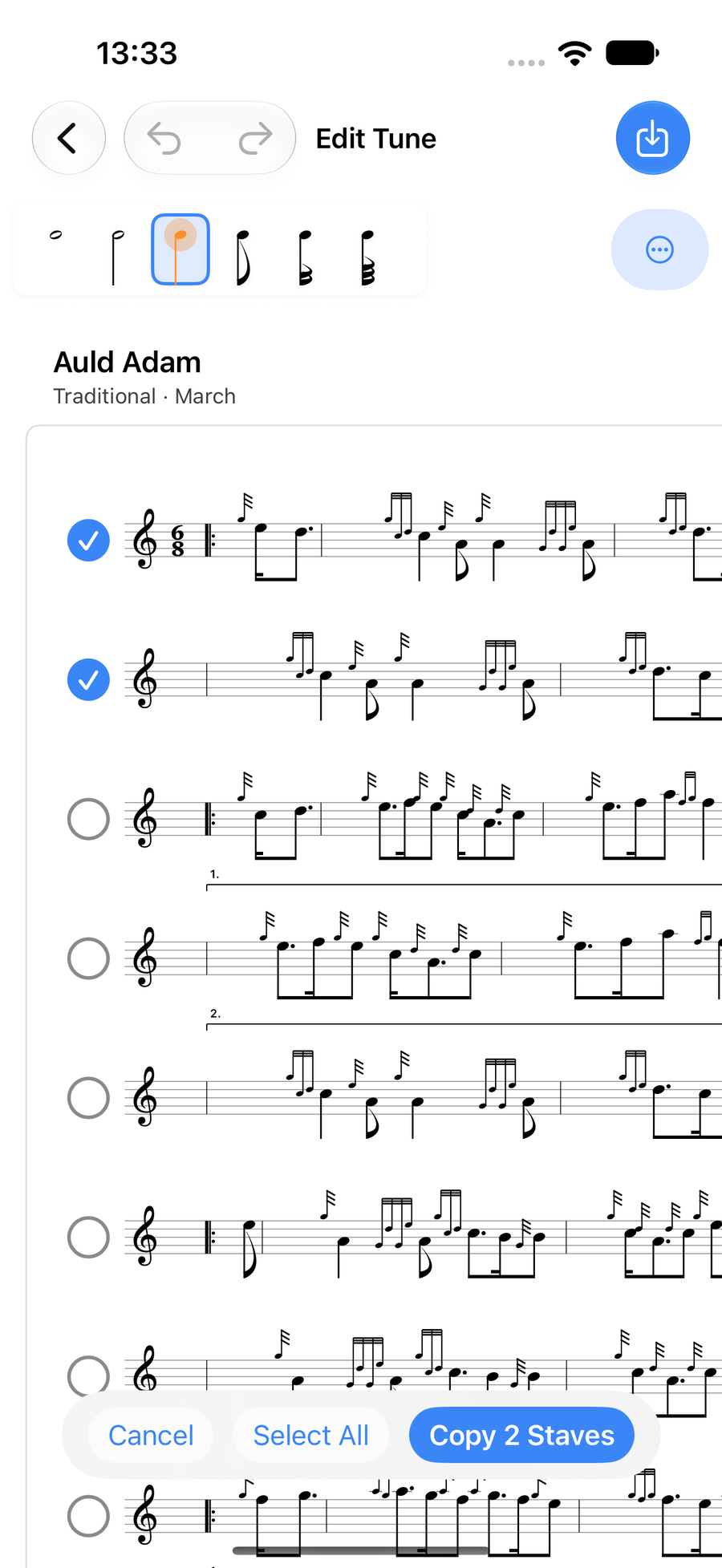
Two staves ticked, ready to copy -
5
Move a barline
Press and holdPress and holdClick and hold a barline in the middle of a stave and it glows orange. Then taptapclick a gap between two notes in either bar beside it, and the barline moves there, taking those notes into the other bar. Both bars then space themselves out again, and any harmony line moves with them. A barline will not move so far that a bar is left empty. A taptapclick anywhere else lets it go.
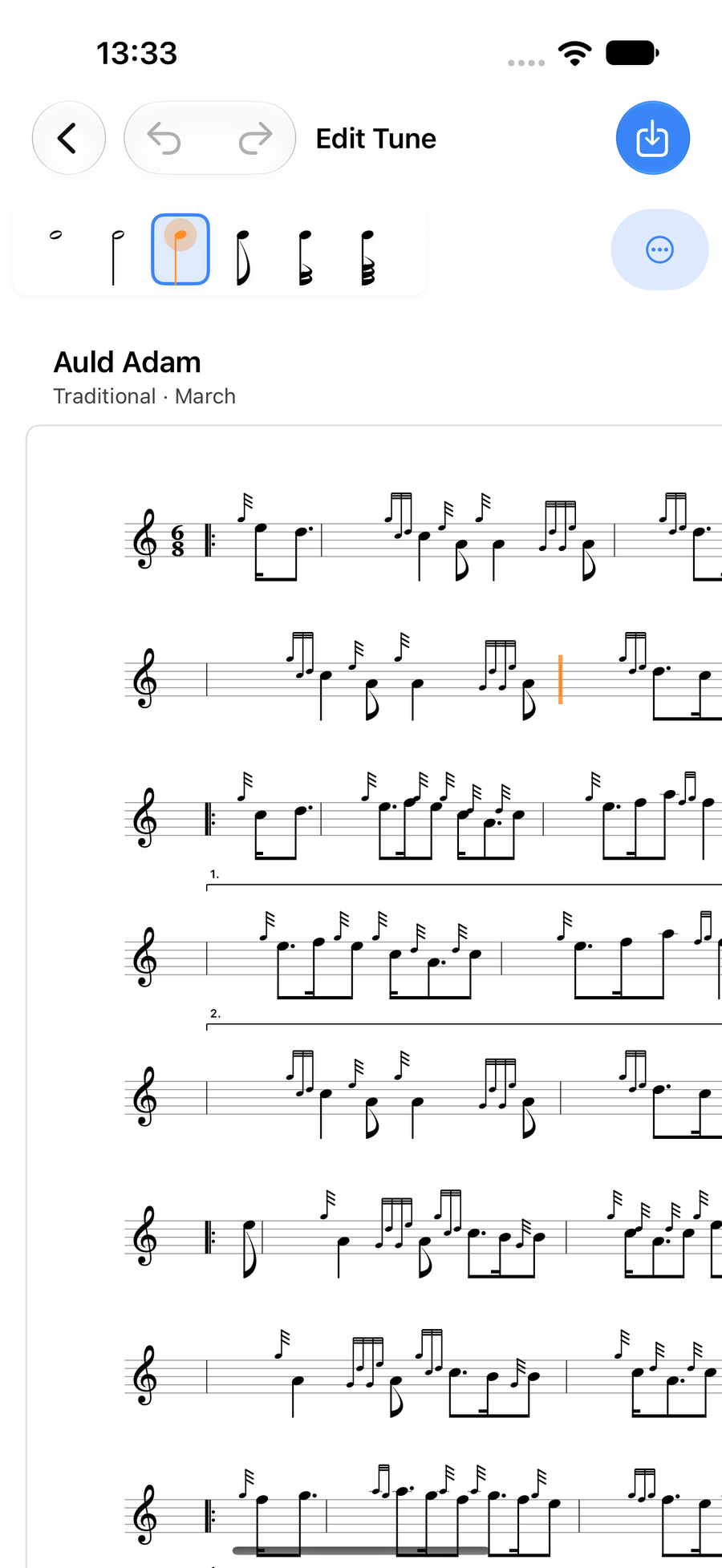
A barline glowing orange, ready to move
Next
- Notes and lengths: select, add, move and type notes.
- Gracenotes and embellishments: the double-tap, the wheel and your own runs.
- Ties, slides, rests and accidentals: the row of marks above a note.