You will need: a tune open in the editor. Edit a tune shows how.
-
1
Add repeat signs
TapTapClick a barline to change it. Between two bars it goes from plain to double, end repeat, start repeat, and end and start repeat together. At the start or end of a stave it goes from plain to double to repeat.
Playback follows them: at an end repeat it goes back to the start repeat, or to the start of the part if there is none, and plays the part a second time.
-
2
Mark an ending
Choose Tools, then Add Volta, and taptapclick the first note and then the last note of the ending. It can start and finish in the middle of a bar.
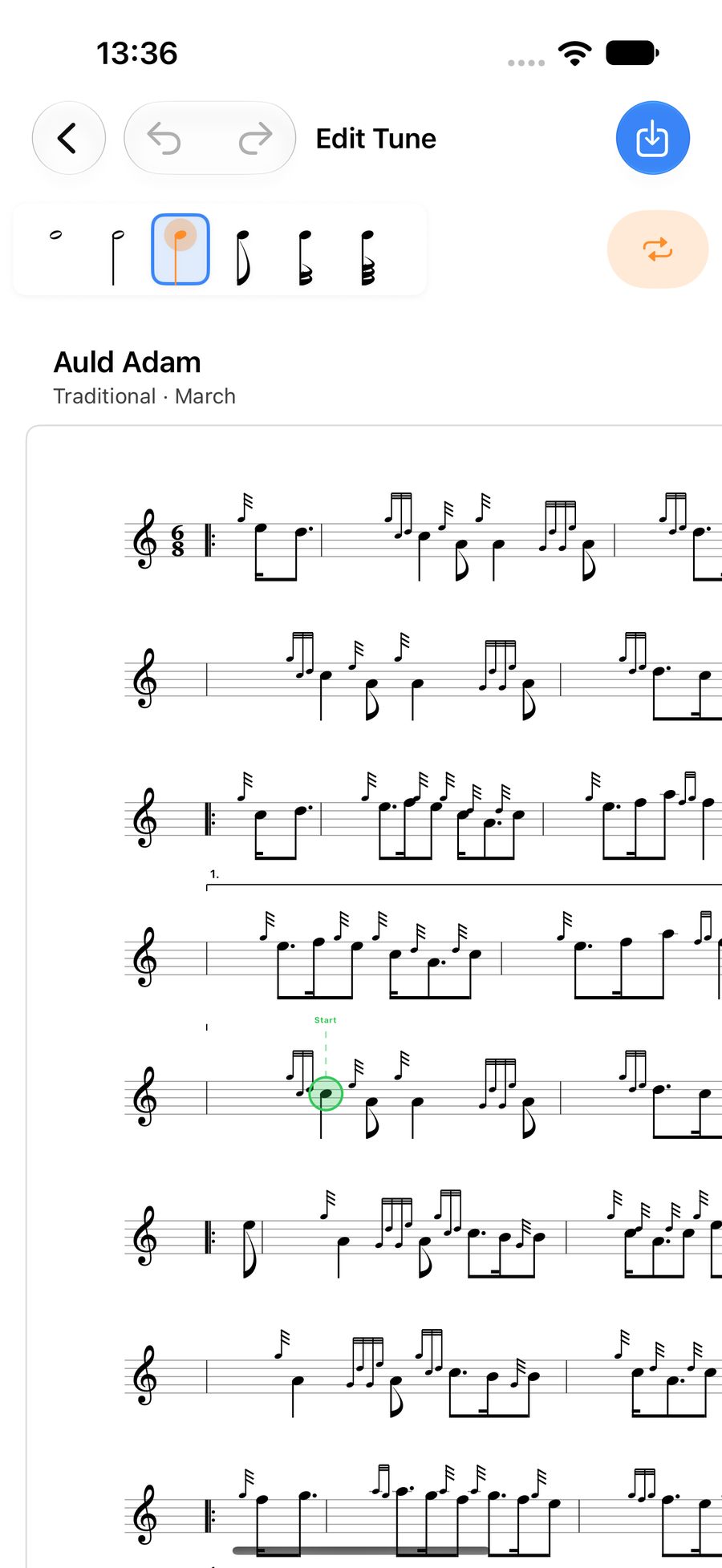
An ending marked from its first note to its last -
3
Say what the bracket does
Bracket Type asks what the marking is.
- Repeat Variation (1st/2nd time): the first time through plays the 1st time ending, and the repeat plays the 2nd. After a 1st time ending the tool stays on, so your next two taps mark the 2nd.
- Play on Specific Pass: 1st Pass Only (1.), 2nd Pass Only (2.), or Custom... for your own label. A label that names another part, such as "2nd part", plays that ending in that part too, so a shared ending is written once.
- Annotation (no playback effect): a label over the music that playback ignores.
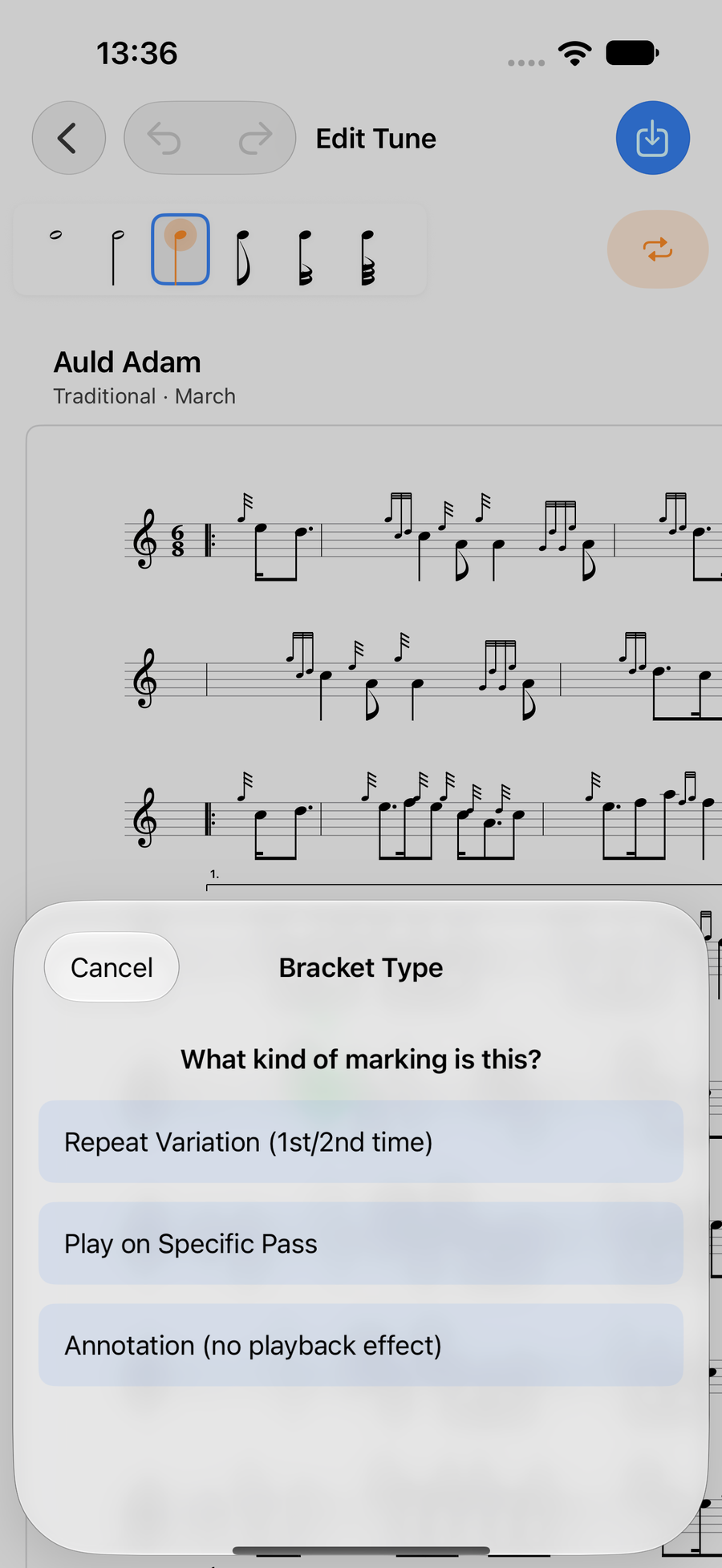
Bracket Type, with its three choices -
4
Remove a bracket
TapTapClick a bracket to select it, and a delete button appears at its end. On a Mac, Delete removes it too.
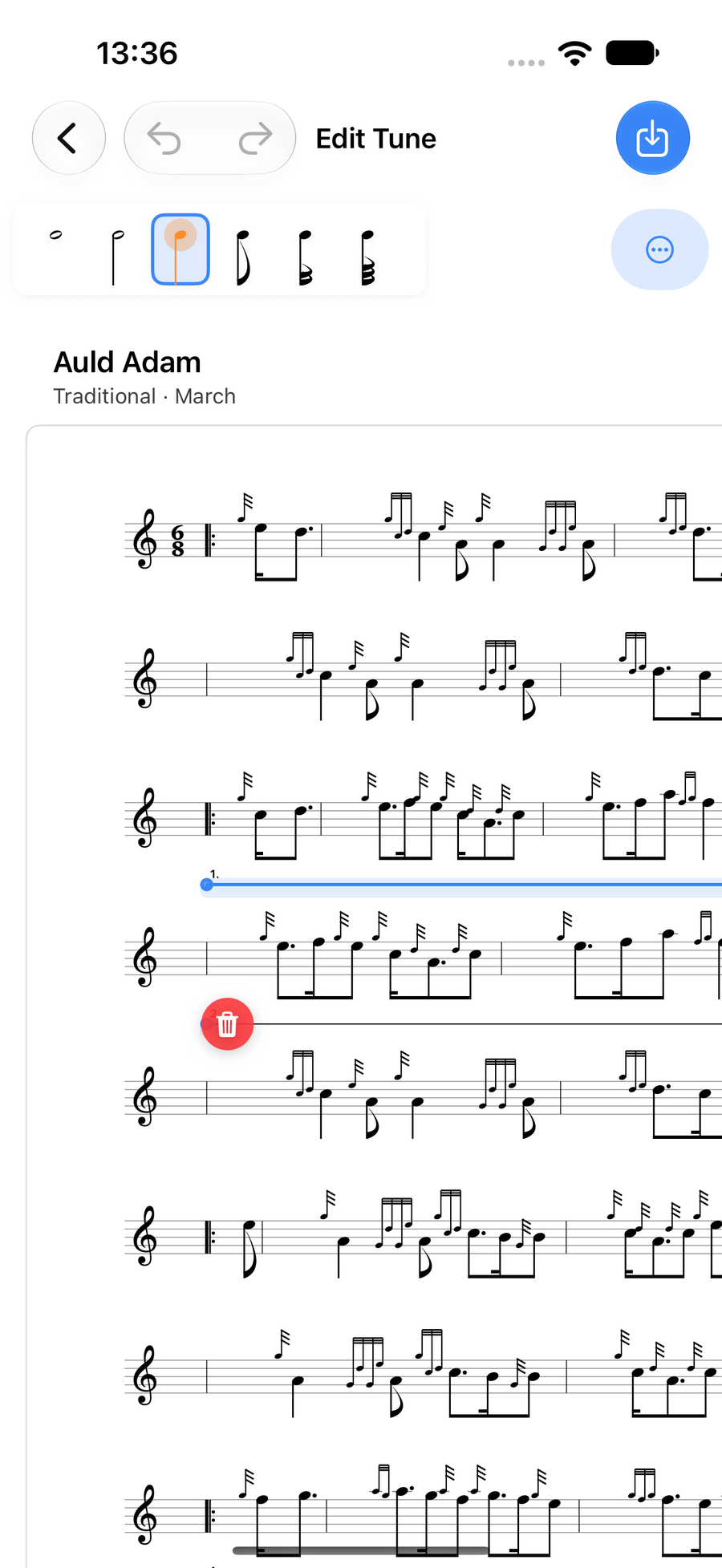
A selected ending with its delete button
Next
- Notes and lengths: select, add, move and type notes.
- Gracenotes and embellishments: the double-tap, the wheel and your own runs.
- Ties, slides, rests and accidentals: the row of marks above a note.