You will need: a tune in your library.
-
1
Play it
Open a tune and press in the bar at the foot of the score. The cursor follows the music, and a set plays straight through from tune to tune. In the same bar, pauses, stops, and the line shows how far through you are.
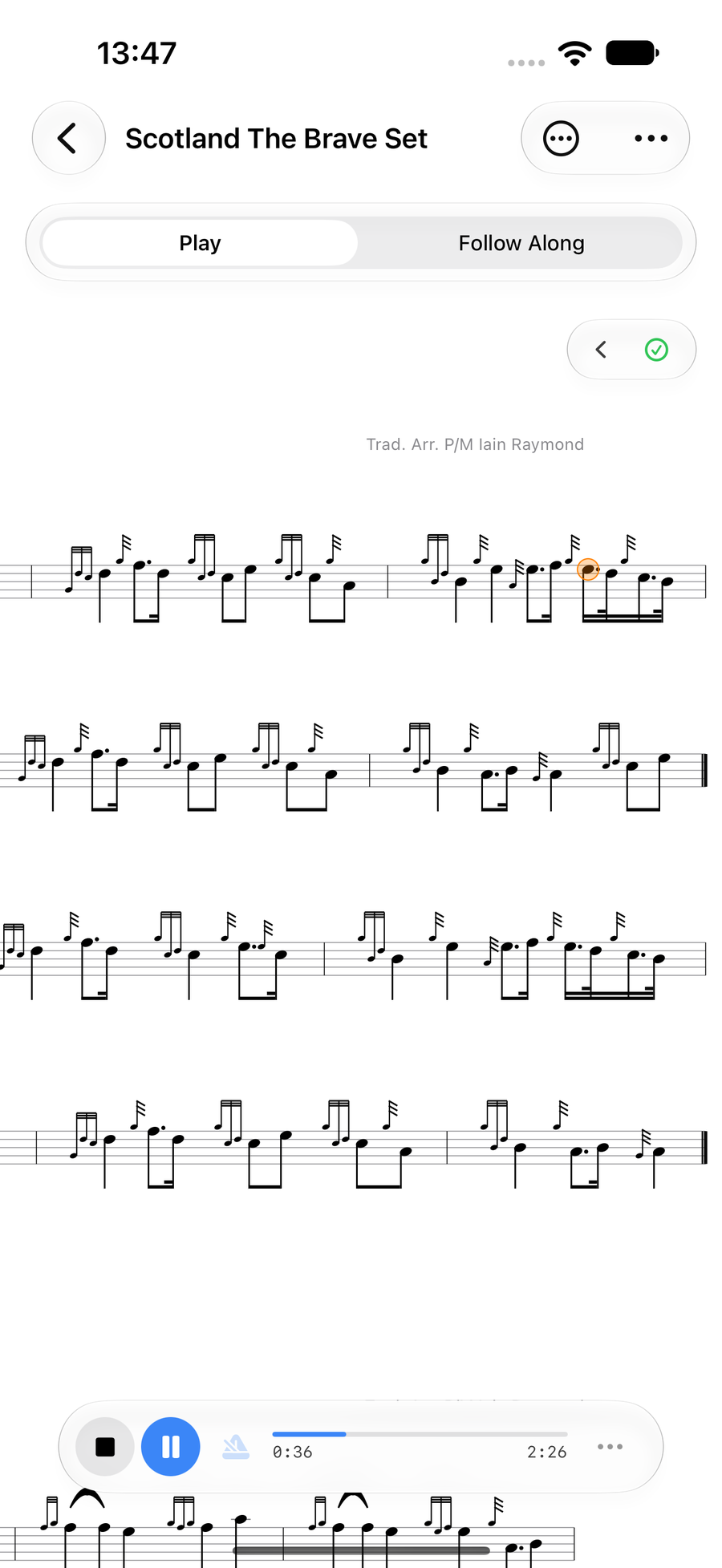
A tune playing, with the cursor on the score -
2
Change the sound and speed
TapTapClick the at the end of the play bar for the playback settings. Under Instrument, choose Bagpipes or Practice Chanter. Tempo lists each tune's own speed; turn on Override to set your own and slow a hard passage down. The Metronome can click along.
When a tune has harmonies, the same panel sets their volume, and on the practice chanter it can mute the part you are playing yourself.
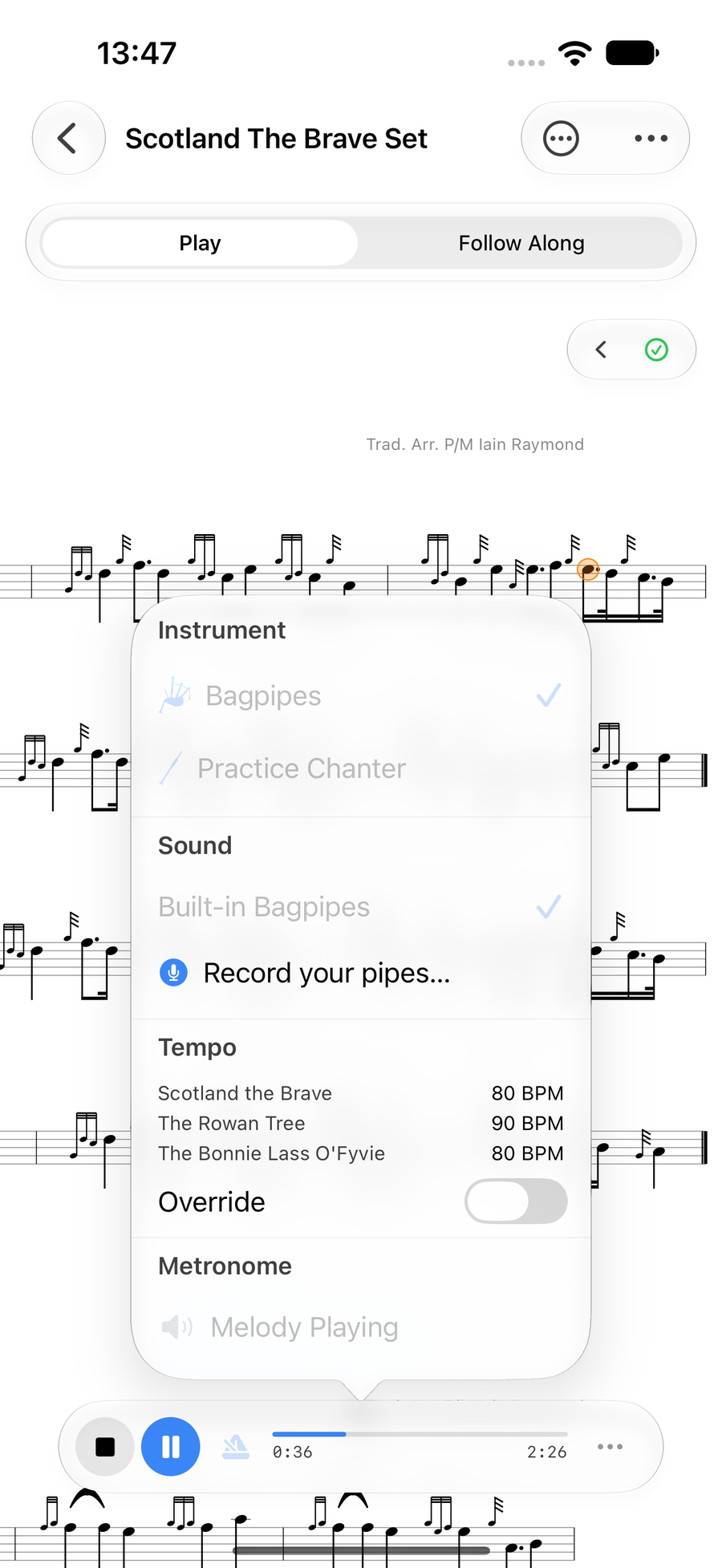
The playback settings: instrument, tempo and metronome -
3
Read it as one long line
For a score that scrolls past like a ribbon, open the menu at the top and choose Display Mode, then Continuous. The music runs on one line and moves as it plays.
On iPhone, turn it sideways and the score fills the screen.
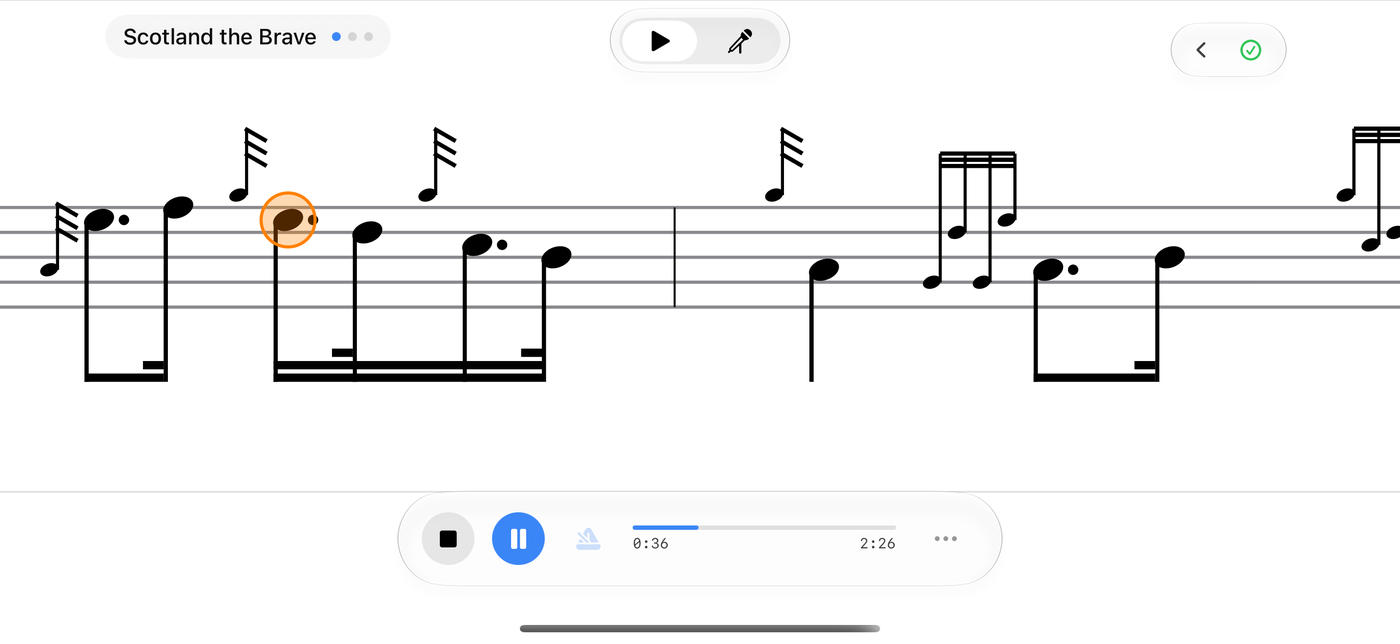
The continuous score playing
Next
- Loop a hard passage: see the bars you miss most, then choose Practice.
- Make playback sound like your own pipes: record your own sample pack.