You will need: a few practice sessions or Follow Along runs, and levels on your tunes for the journey.
-
1
Open Practice Insights
Open Practice, then Insights: the Insights segment at the top of the Practice screen, second after Sessionthe Insights row in the sidebarthe Insights row in the sidebar. It opens with a calendar of the days you practised, shaded by how long, and your streak with your best.
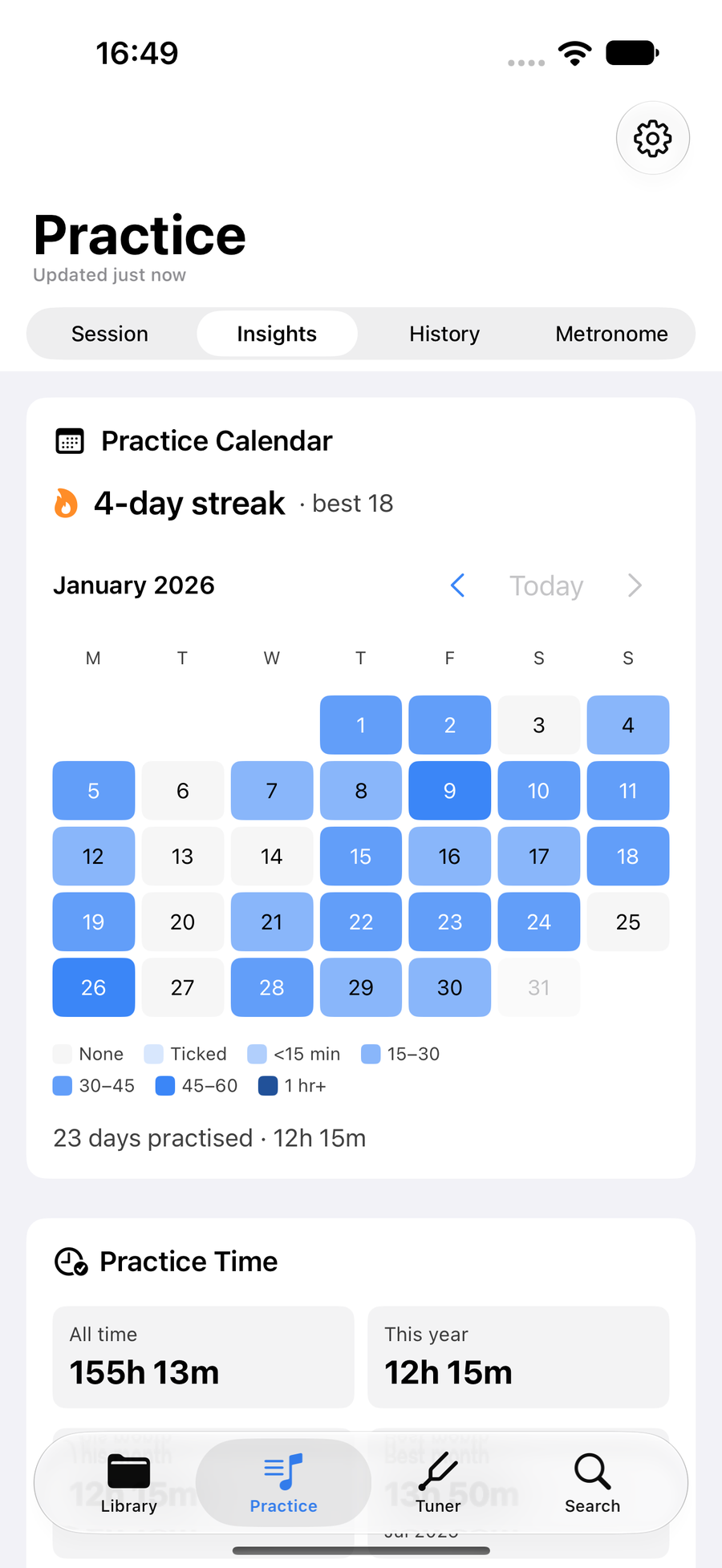
Practice Insights with its calendar and streak -
2
Practice Time
Practice Time adds up every timed practice session and Follow Along run: all time, this year, this month, your best month, and the average on a practising day and per week over the last twelve weeks, empty weeks included. Two bars split it between pipes and chanter, and between solo and band practice.
Below it, Structured Sessions and Ad-hoc Practice count the past seven days against the seven before.
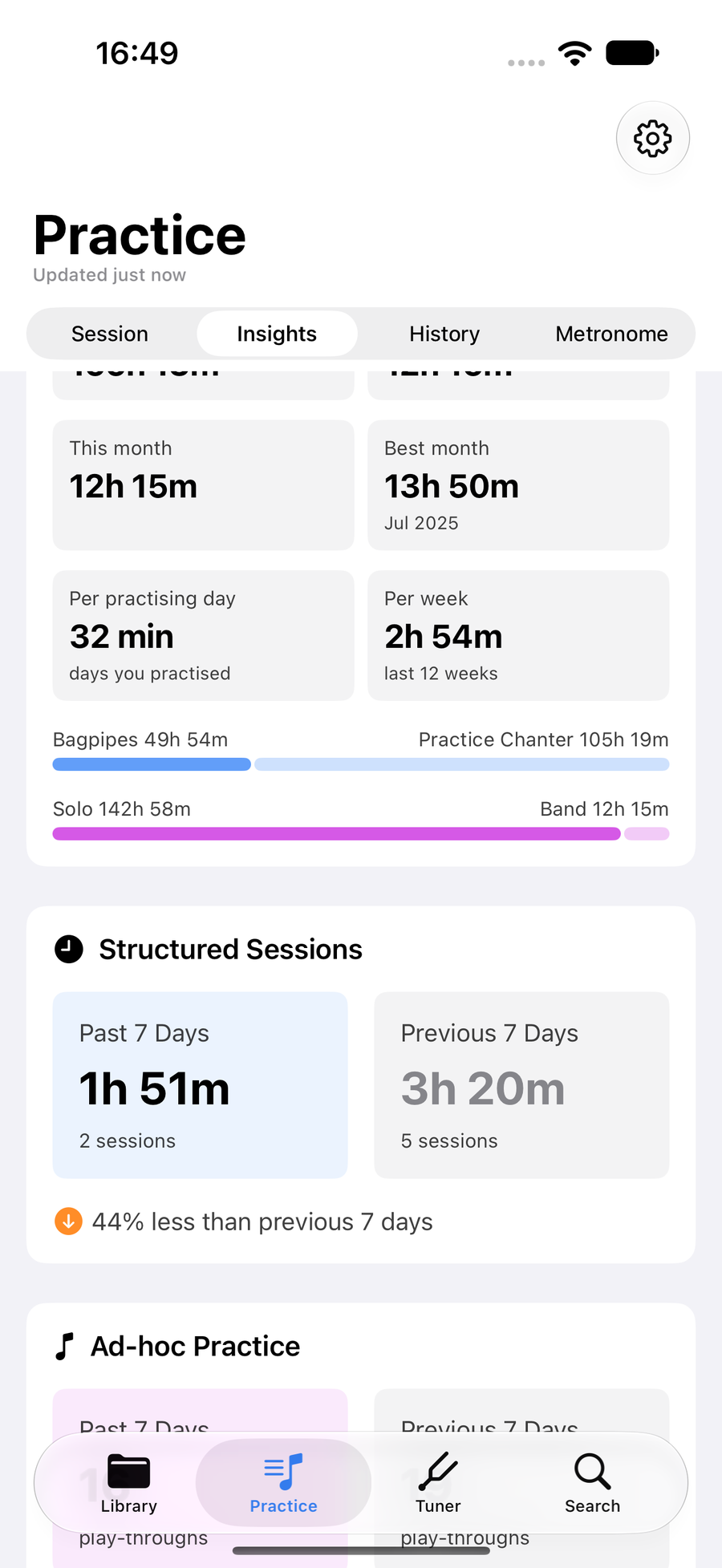
The Practice Time card with its totals and splits -
3
Consistency
Consistency charts the days you practised in each of the last six months, with your current streak and your best, and the day of the week and time of day you most often practise.
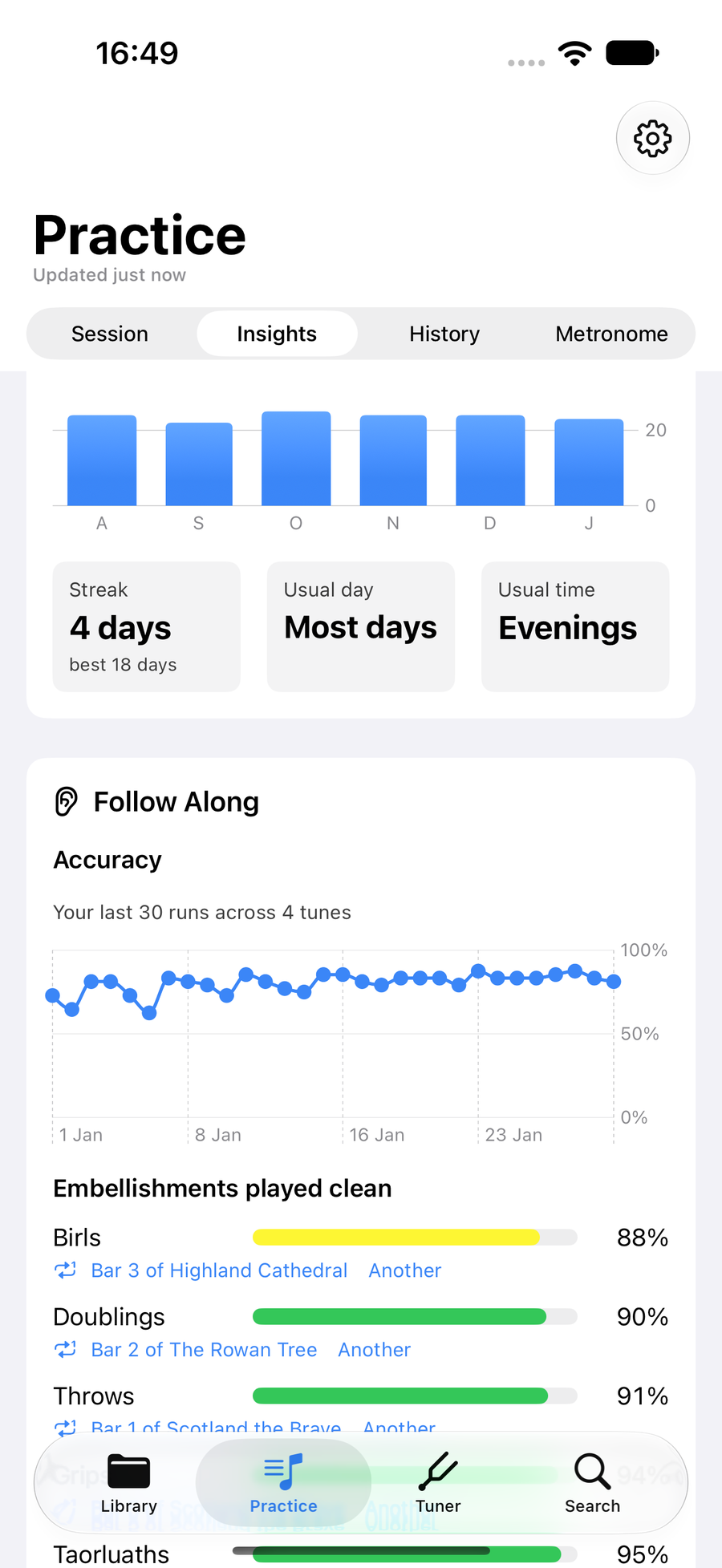
The Consistency card: days practised each month, streak, usual day and time -
4
Follow Along
Follow Along follows your accuracy across your last thirty runs, whatever the tune, and rates your embellishments by family, doublings, throws, grips, taorluaths and the rest, as the share played clean. Steadiness and tempo against the target come from your last ten runs.
Beside each embellishment row the card deals a bar where that movement went wrong. TapTapClick it and the tune opens straight into the Practice Loop on that bar; Another deals a different one.
Under Bar to drill, the button at the foot names the bar you miss most in the tune your runs score lowest on. TapTapClick it and the loop opens on that bar, or taptapclick Not now to move on to the next tune.
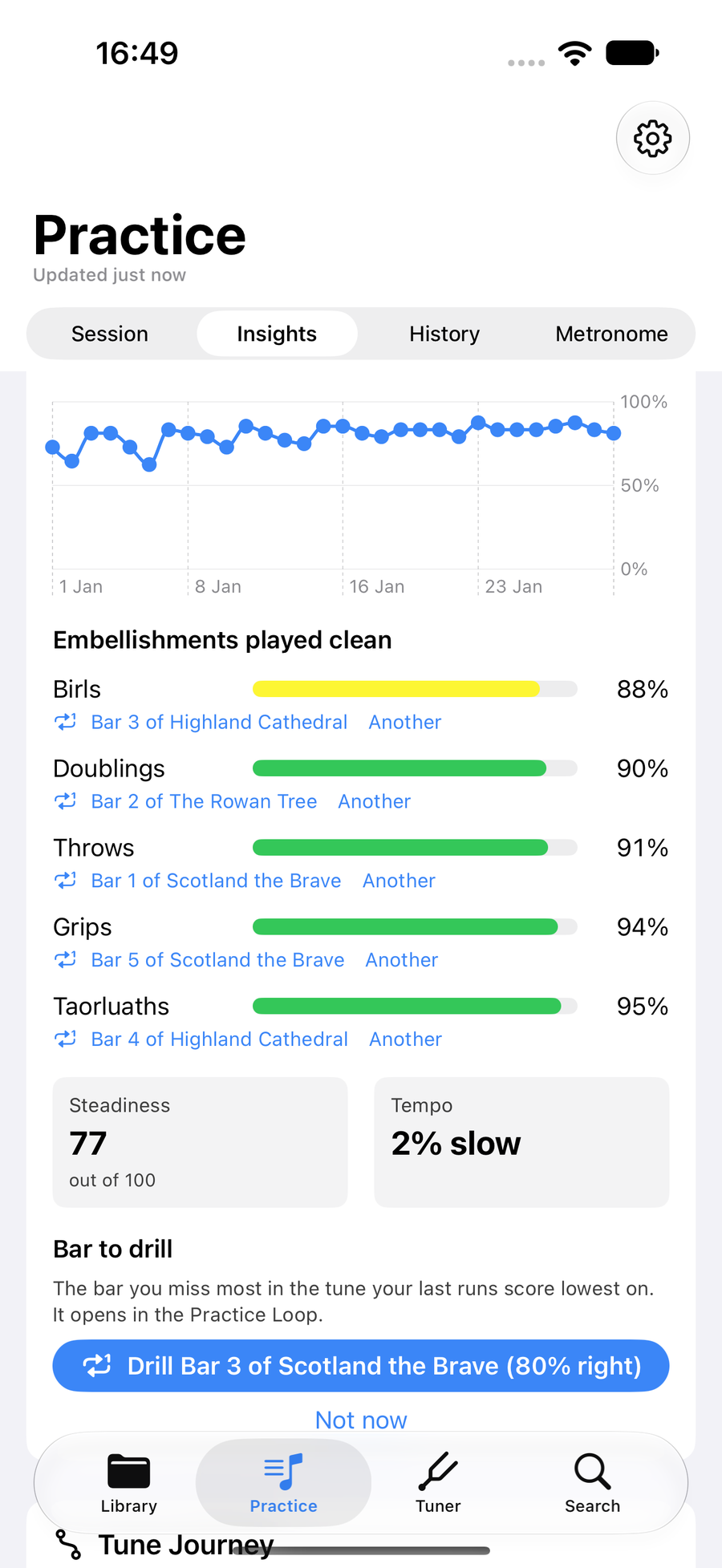
The Follow Along card with its accuracy trend, embellishment rates and drill button -
5
Tune Journey
Tune Journey reads the levels you give your tunes, from Want to Learn to Mastered. The bar shows how many tunes sit at each level, and below it the typical trip from Learning to Mastered, the tunes promoted this month, and how long tunes usually stay at each level.
When a tune has been at its level for a fortnight and your last runs are at least 90% right, the card says so. Promote moves it up a level on the spot, or taptapclick Open to play it through first. Not now puts the suggestion away for a month, and the next tune in line takes its place.
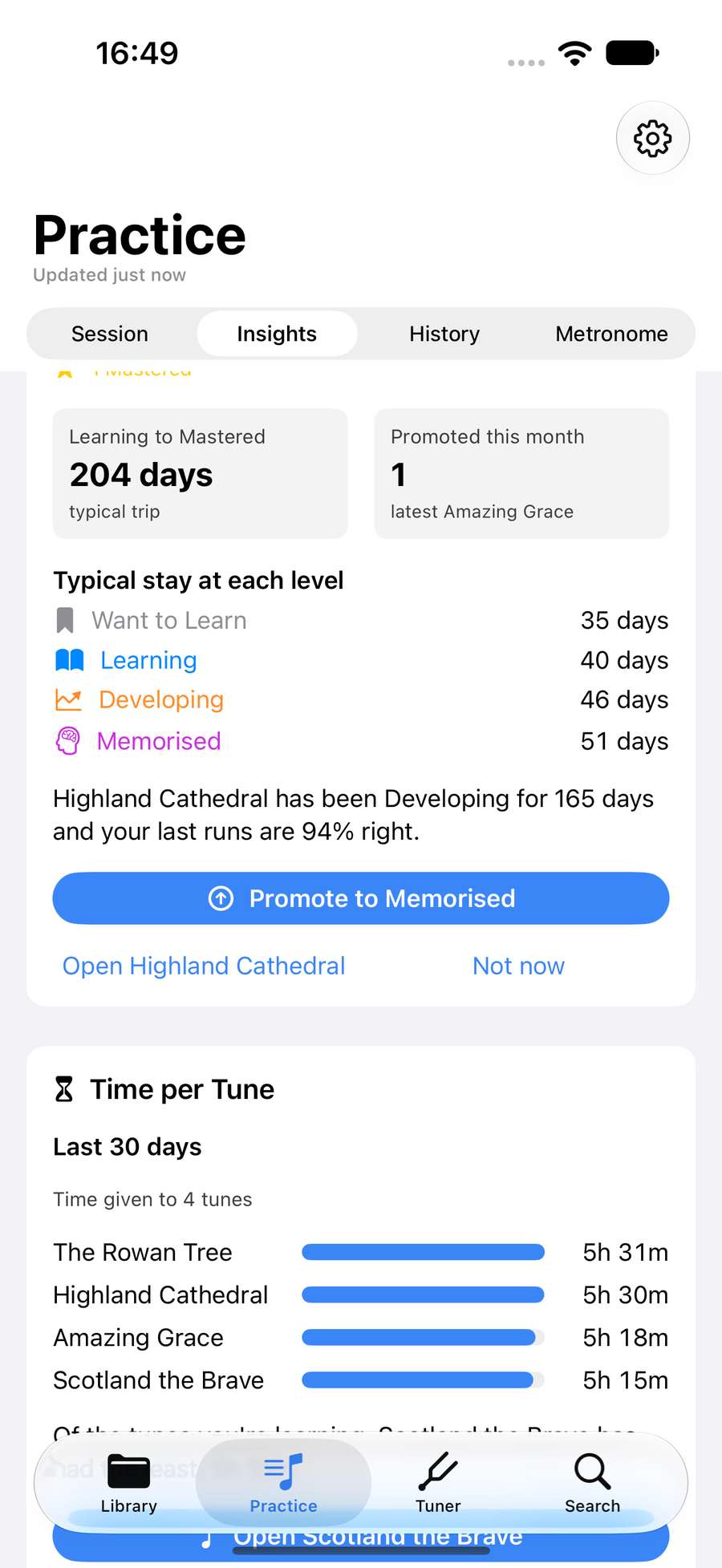
The Tune Journey card with the level bar, typical stays and a tune ready to promote -
6
Time per Tune
Time per Tune shows where the last thirty days went: the five tunes that had the most time, from the minutes each timed session gave a tune and the Follow Along runs played on their own. Below them it names the tune you are learning that has had the least, with a button to open it, or Not now to hear about the next one instead.
Sessions have timed each tune since October 2026, so the card says since when it is counting while that date is inside the thirty days.
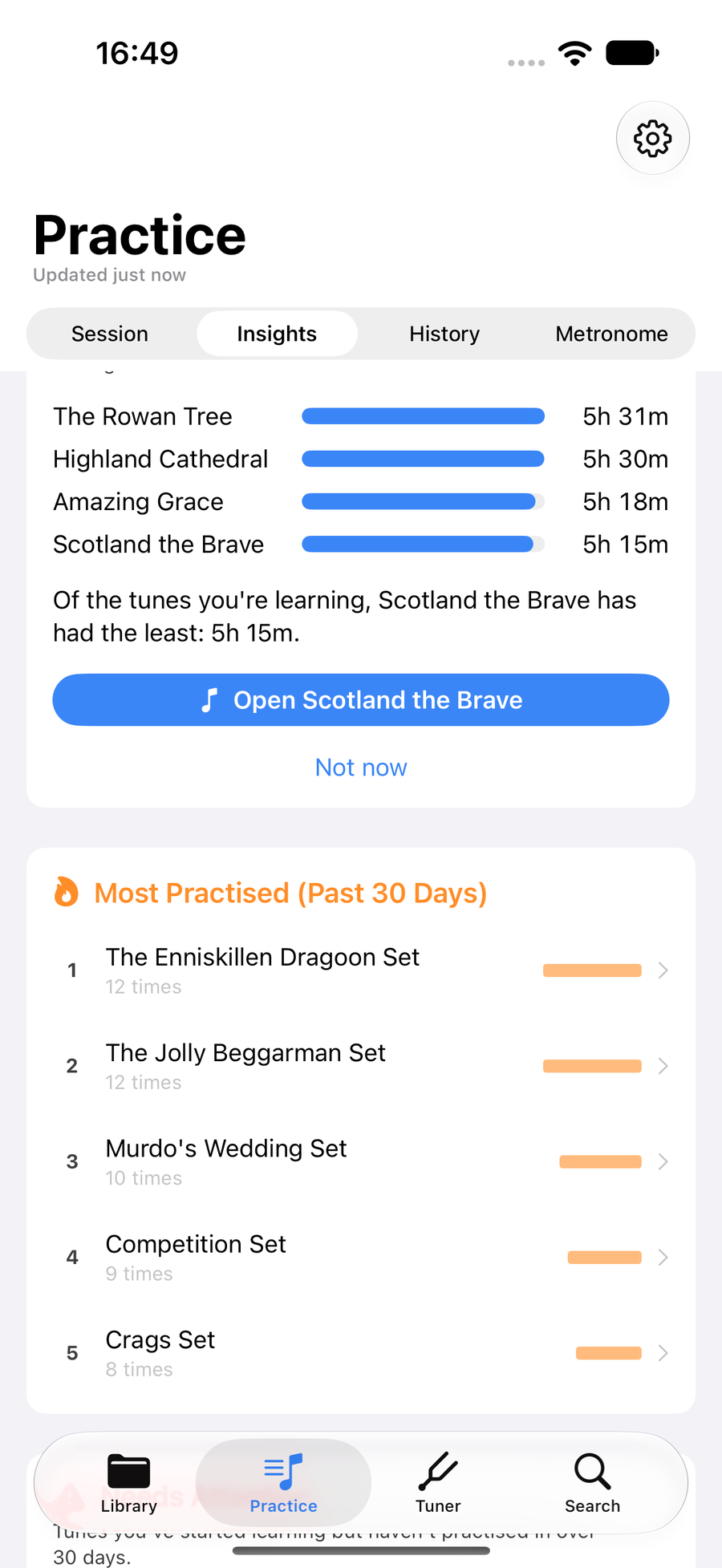
The Time per Tune card with the five tunes that had the most time and the one that needs some -
7
Most practised and needs attention
At the foot are Most Practised, the tunes you played most in the past thirty days, and Needs Attention, the tunes you have started learning but not practised in over a month.
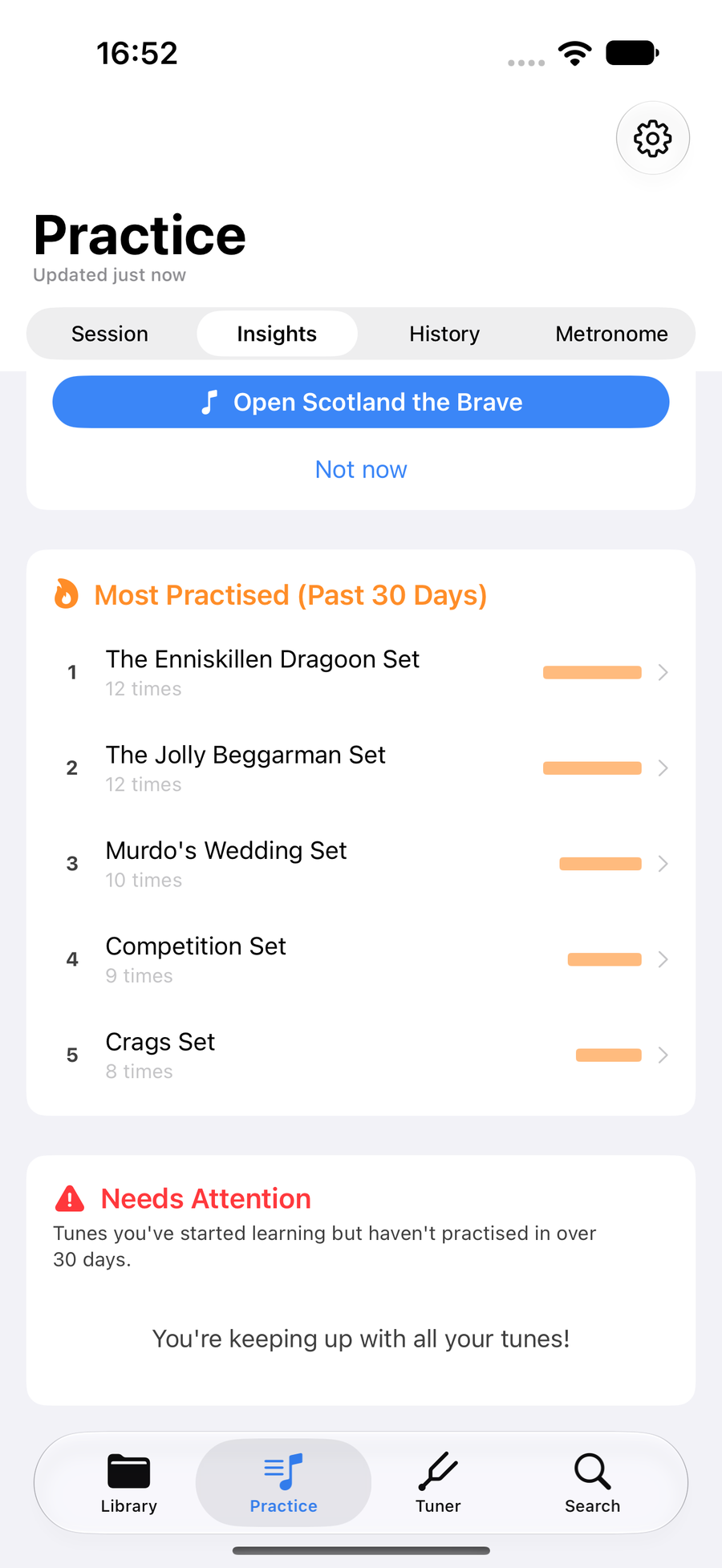
Most Practised and Needs Attention at the foot of Insights
Next
- Run a practice session so the clock and the streak have something to count.
- See the bars you miss most in a single tune.
- Choose what you practise with Focus tunes and a Tune of the Week.