You will need: an Apple Watch paired with the iPhone that has Ultimate Piper.
-
1
Find it on your watch
The watch app comes with the iPhone app. If it is not on your watch yet, install it from the Watch app on your iPhone.
It has two pages, the metronome and the pipe tuner. Swipe up or down, or turn the Digital Crown, to move between them. Both work on the watch alone, so the phone can stay in your case.
-
2
Keep time
Tap the play button to start the metronome, and tap it again to stop. Each beat gives a tap on your wrist, and the first beat of the bar is accented.
To change the tempo, tap the number, then turn the Digital Crown, from 30 to 300 beats a minute. The metronome carries on with your wrist down until you stop it.
The sound, time signature and accent come from the metronome settings in the iPhone app, through iCloud.
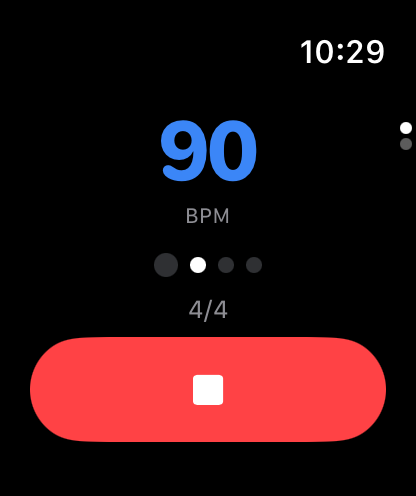
The metronome playing at 90 beats a minute -
3
Tune your drones
On the pipe tuner, tap Start and blow up. The three gauges are your drones as they sit on your shoulder: B for the bass, M for the middle tenor and O for the outside tenor, each with how many cents it is out. Green is within 5 cents and orange within 15.
Above them, the beat shows how fast the tenors are beating against each other, and the strip below shows the note your chanter is playing. The pitch you tune to is the Low A set in the iPhone app.
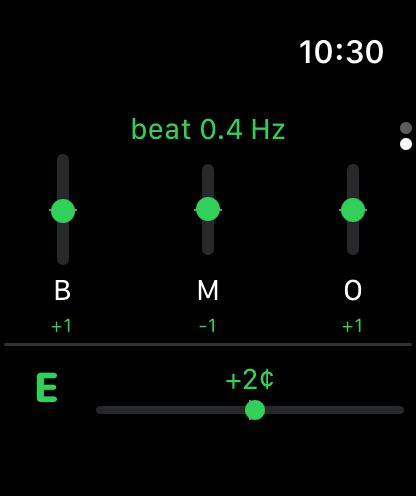
The pipe tuner showing three drones and the chanter -
4
Zoom in on the drones
Tap the drones for a bigger view. Tap M to stop the middle tenor while you tune the bass and outside tenor, then tap it again to bring it back. Tap the view once more to go back.
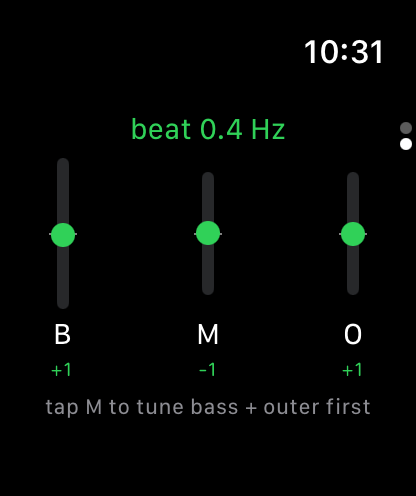
The drones close up, with the hint to stop the middle tenor -
5
Tune to your chanter
Tap the chanter strip for the chanter view. Hold a steady note and Tune to Chanter appears: tap it, and the drones are tuned to your chanter rather than to a number.
The chanter's pitch then shows in green. Tap it to clear it and go back to the Low A from the iPhone app.
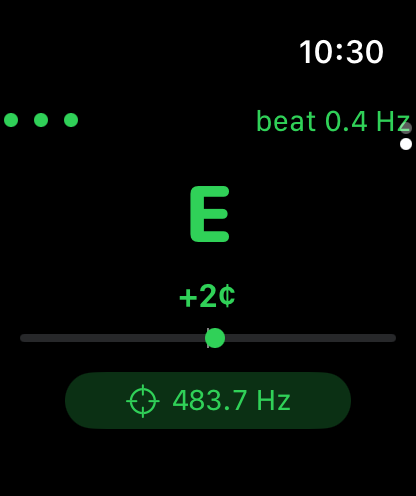
Tuned to the chanter at 483.7 Hz -
6
Stop the tuner
Press and hold anywhere on the tuner to stop it. It also stops when you lower your wrist, so it does not listen in your pocket.
Next
- Tune your drones and chanter on the iPhone, iPad or Mac.
- Hear a tune played with the metronome.