You will need: your pipes or practice chanter, and the app allowed to use the microphone.
-
1
Drones and chanter together
Open the Tuner and play. It hears the bass, both tenors and the whole chanter scale at the same time. Each drone has its own slider, and the Beat under them counts how fast two drones are beating against each other: bring it towards zero. Every chanter note shows how far it sits from its target.
The line at the foot sets the reference, such as GHB Standard · 480 Hz. TapTapClick it to change the tuning scheme or your target Low A, or use Tune to my chanter to tune the drones to the chanter you are actually playing.
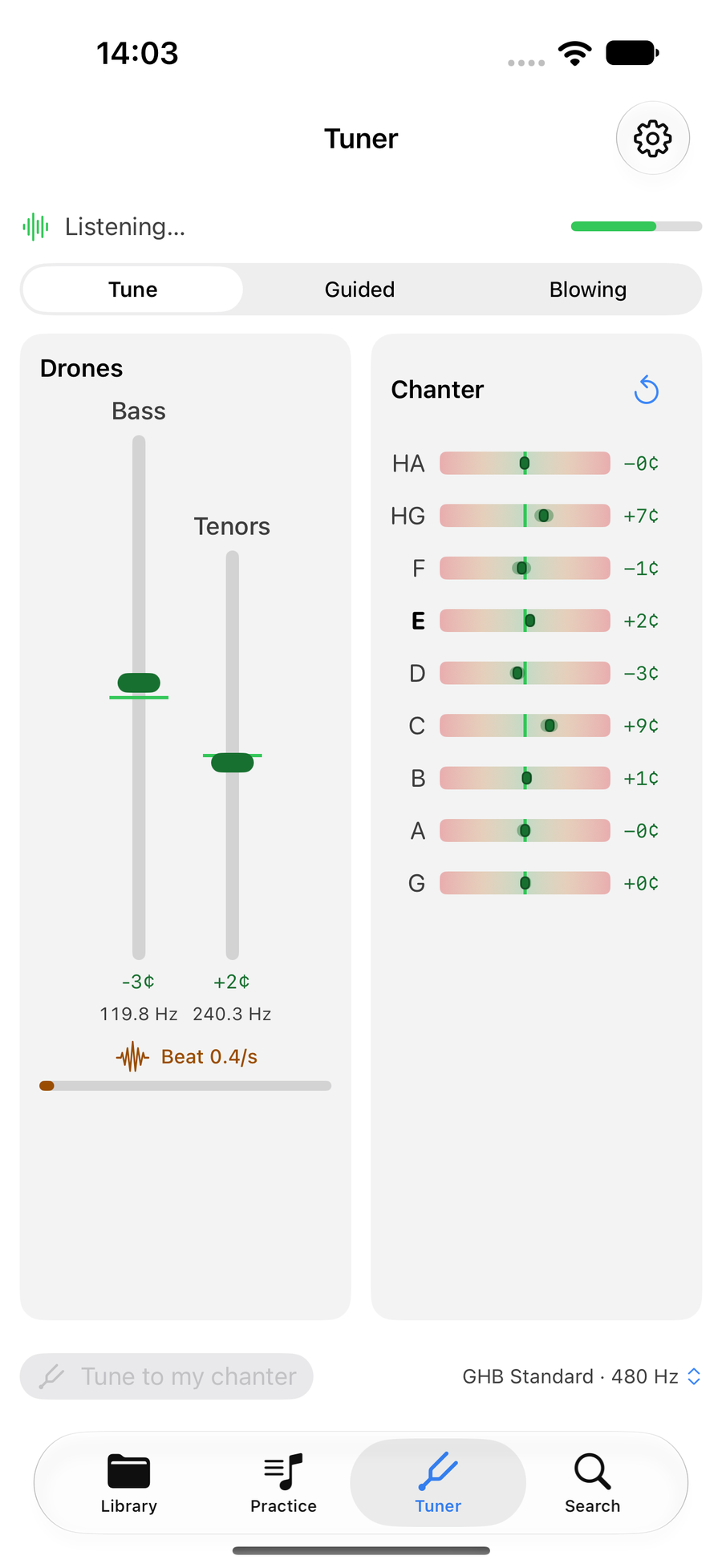
The tuner hearing the drones and the chanter -
2
Guided tune-up
Choose Guided and the tuner walks you through your tenors one at a time. It starts with Stop your middle tenor, then sound the bass and outside tenor, then brings the outside tenor to the line, then the middle tenor to the outside, and tells you when the tenors are locked in and the beat is gone. Stop guiding returns to the plain tuner.
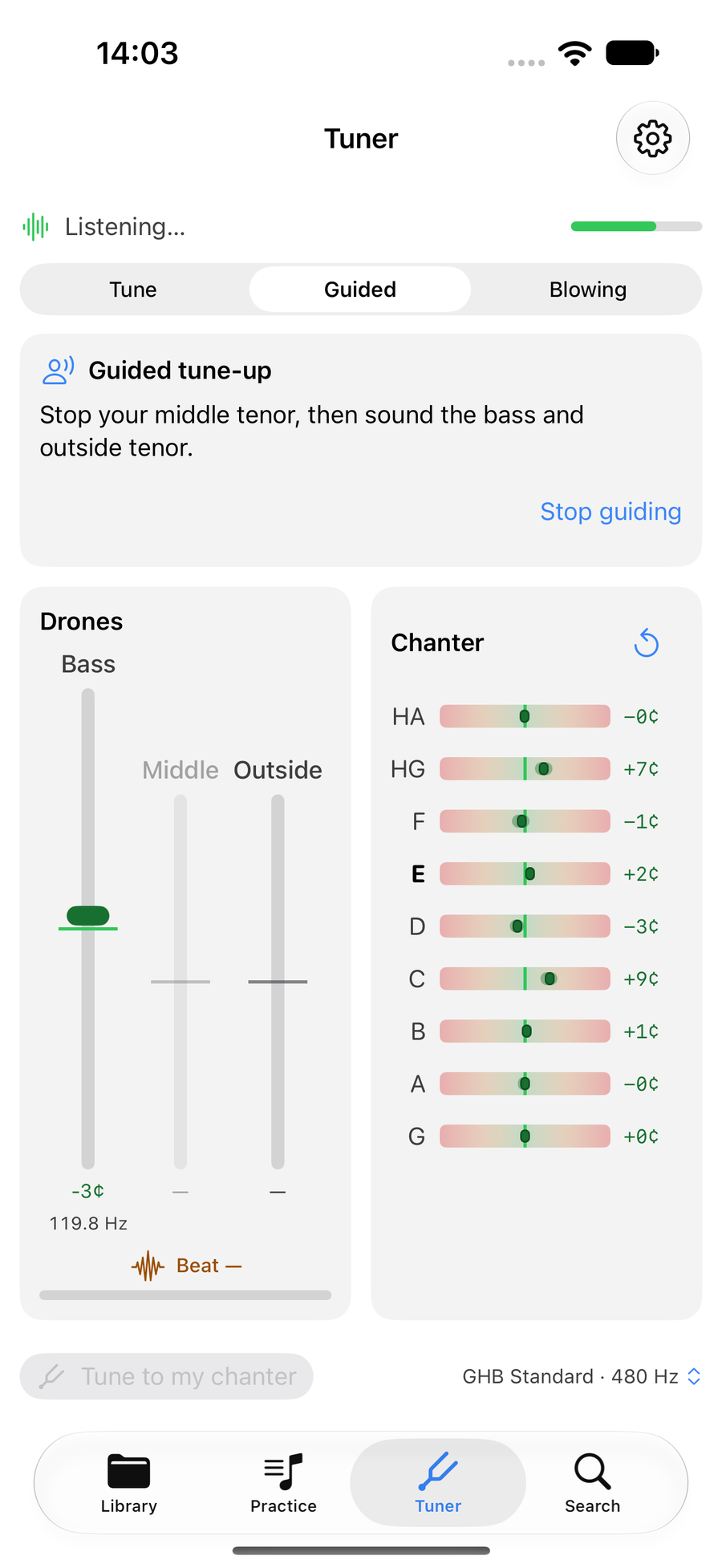
Guided tune-up giving its first instruction -
3
Check your blowing
Choose Blowing to see how steady you hold the bag. The trace shows the last 20 seconds for the chanter, bass and tenors together, and the Steady score at the top rises the less the pitch wanders. Hold a long note and watch the lines flatten.
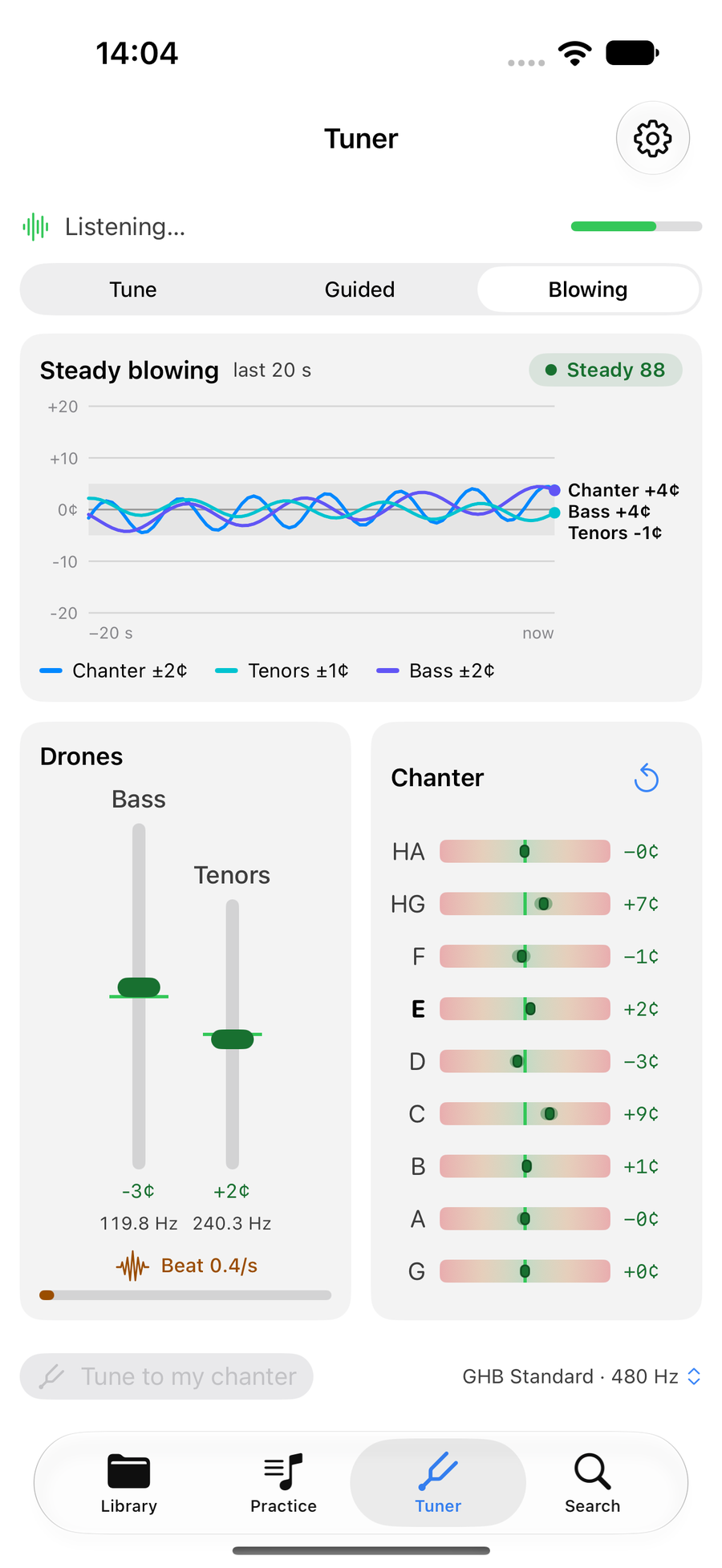
Blowing, with the steadiness trace and score
Next
- Play your first tune with Follow Along, now you are in tune.
- On a Mac, the Tuner opens in its own window, so it can float beside the score.