You will need: a few tunes in your library.
-
1
Choose the tunes
Choose Add, then Create Set. The library lets you pick tunes: choose them in the order you play them, and each shows its place in the set. When you have them all, choose Create Set.
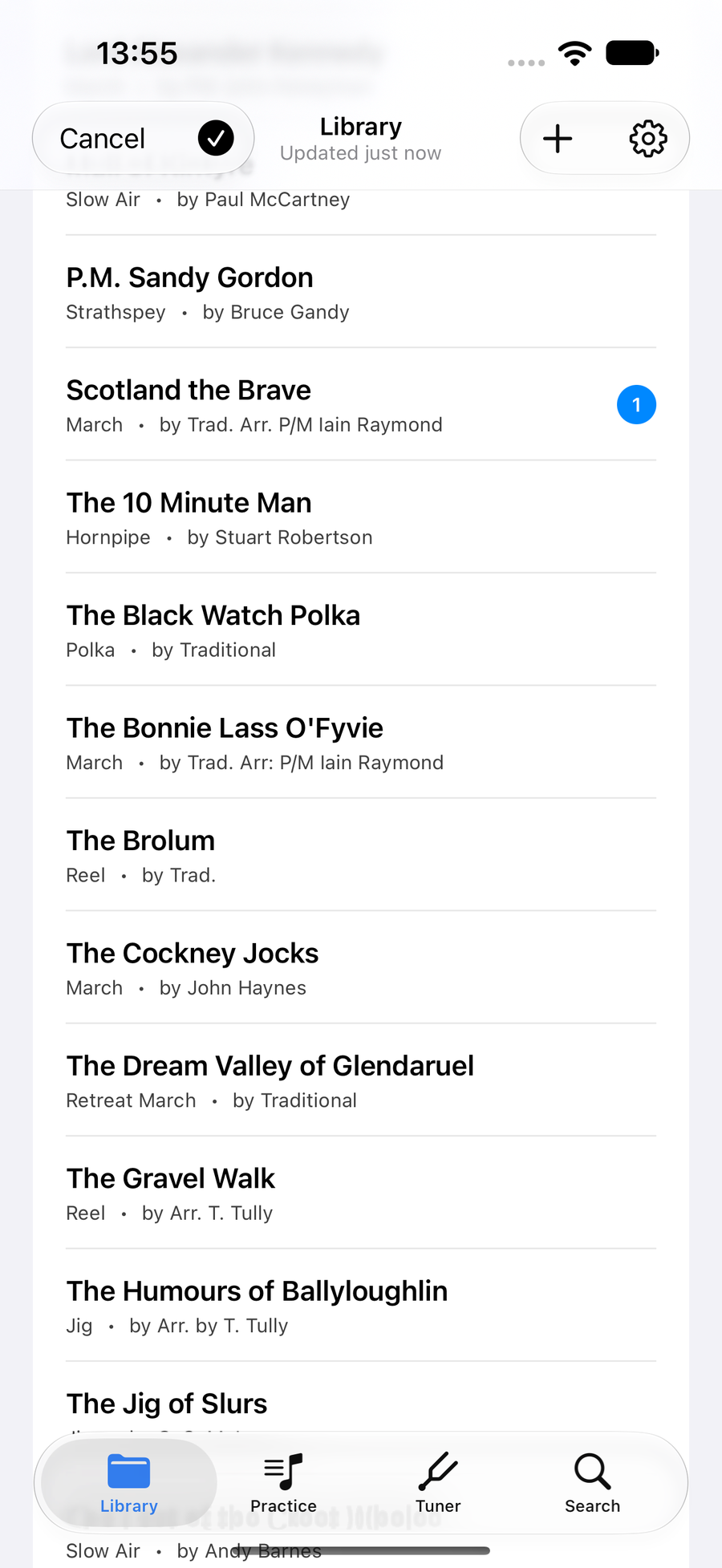
Tunes chosen in order, numbered -
2
Name it
Give the set a name. The tunes are listed in the order they will play, and Create adds the set to your library, where it sits beside your tunes.
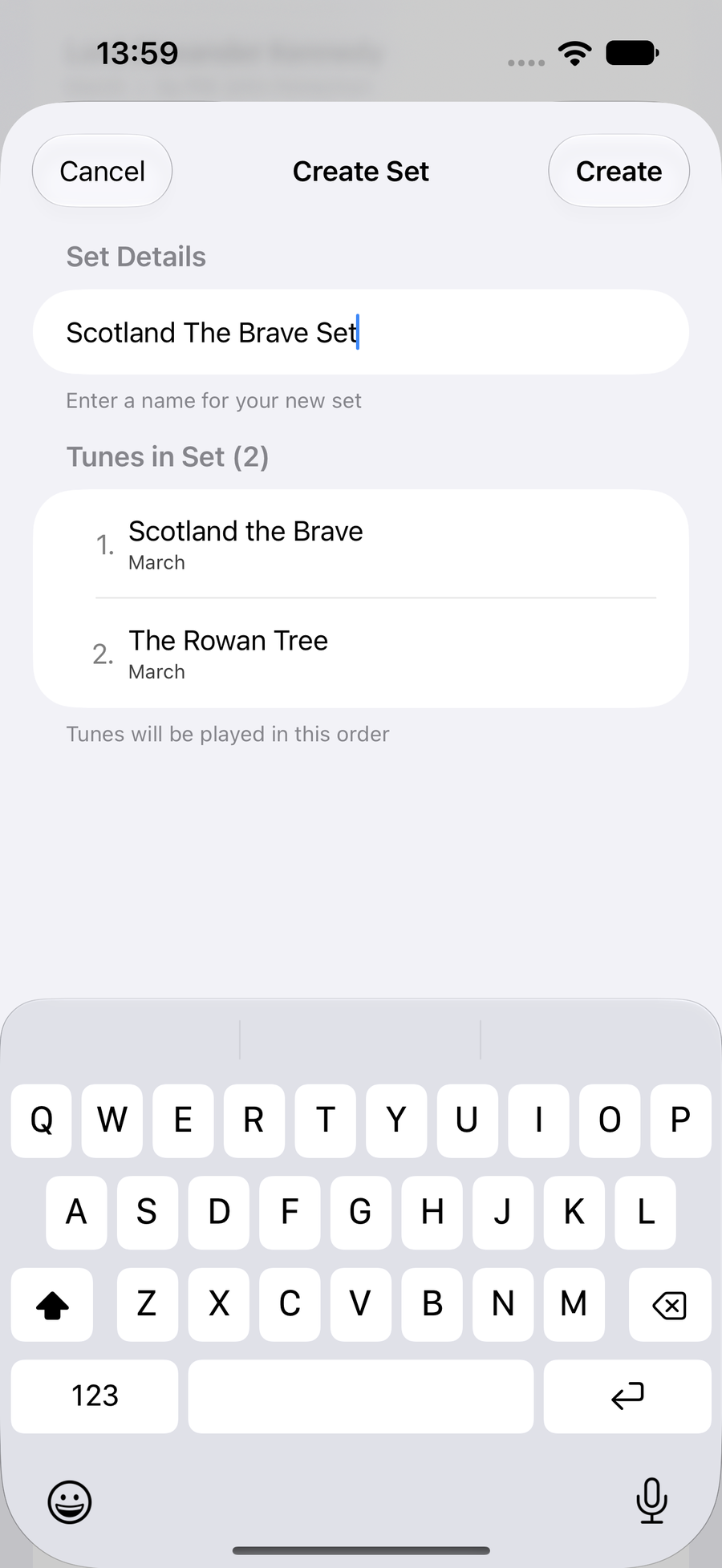
Create Set, with the tunes in order -
3
Play it straight through
Open the set and press in the bar at the foot of the score. It plays from the first tune to the last without stopping, each tune's title stays on screen as it plays, and Follow Along follows the whole set the same way.
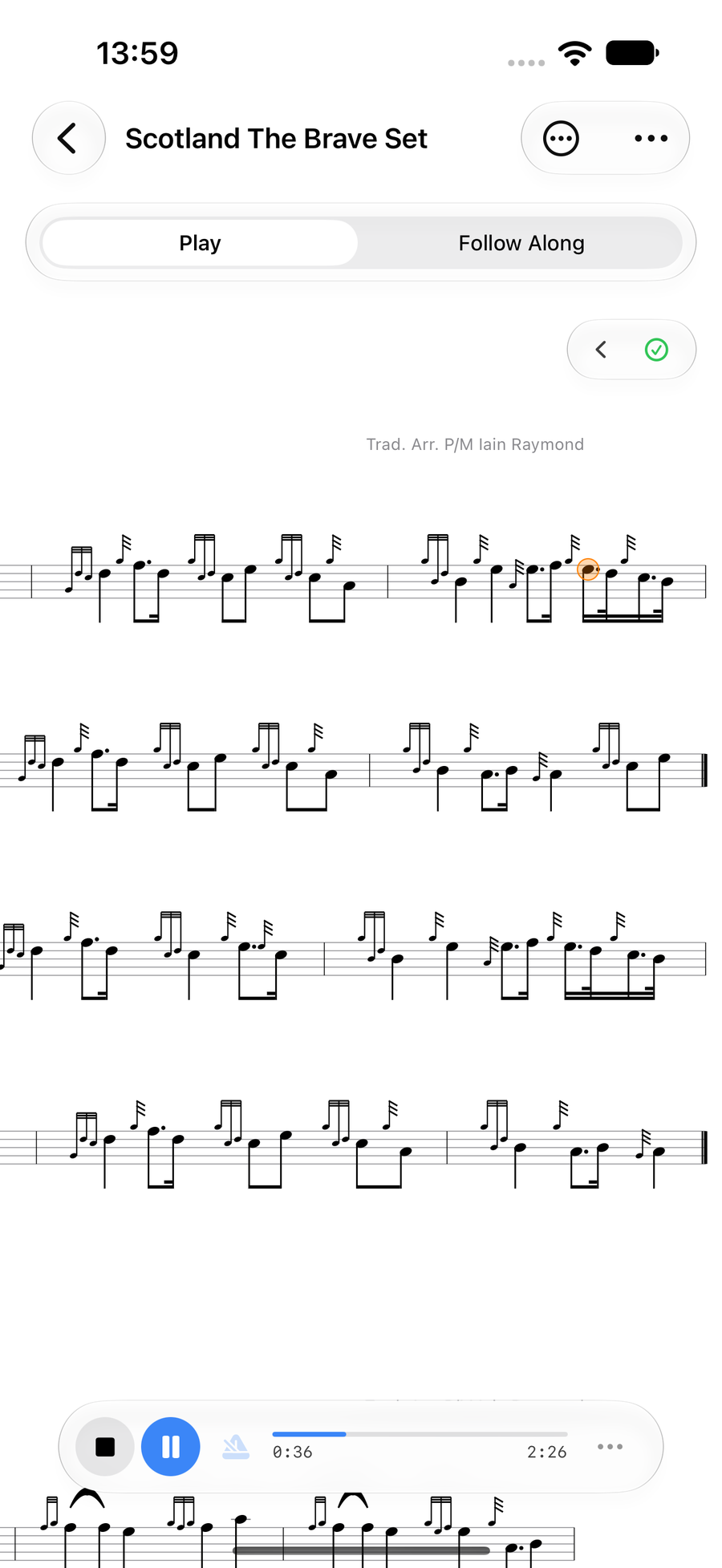
A set playing, with its tune titles -
4
Change it later
Choose Edit Set: it is in the menu at the top.it is in the menu at the top.it is in the toolbar. Rename the set, drag tunes into a new order, Add Tune, or remove one, then Save.
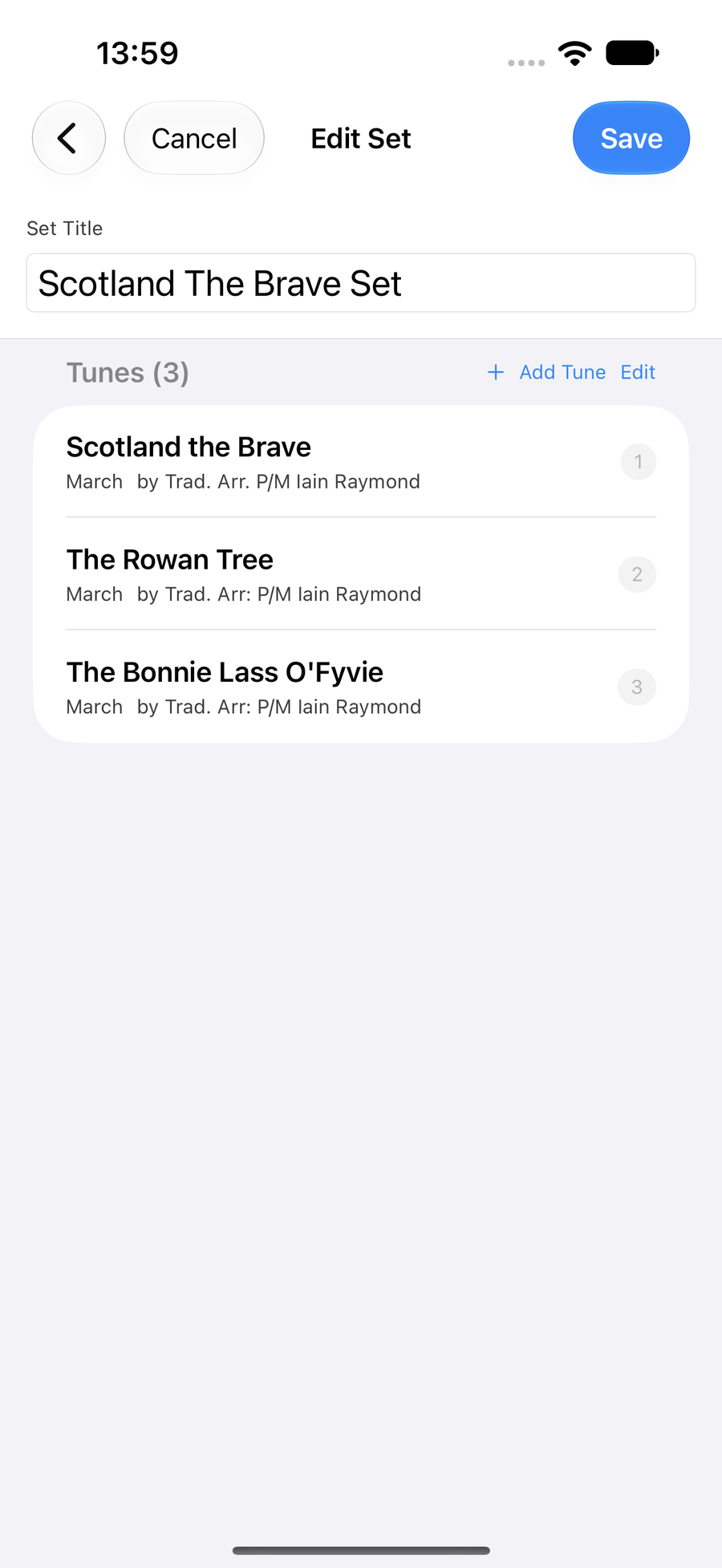
Edit Set, with the tunes to drag into order
Next
- Run a practice session with your sets as focus items.
- Hear a tune played for tempo and the continuous score.