You will need: a Blair Digital Chanter or Fagerström Technopipes, and its cable.
-
1
Plug it in and play
Plug the chanter into your iPhone, iPad or Mac and open a tune. Follow Along picks the chanter up by itself and needs no calibration. As you play, it marks every note and gracenote, right or wrong, the moment you play it, and the app sounds each note so you hear what you played.
It stays with you through a phrase that repeats, and when you take your hands off the chanter between tunes, the open high A stops sounding after two seconds.
A note on sound: there is a slight delay between playing a note and hearing it, while your device turns the chanter's signal into sound. Listen through the device's own speaker or wired headphones. Bluetooth headphones add too much delay of their own and are not recommended.
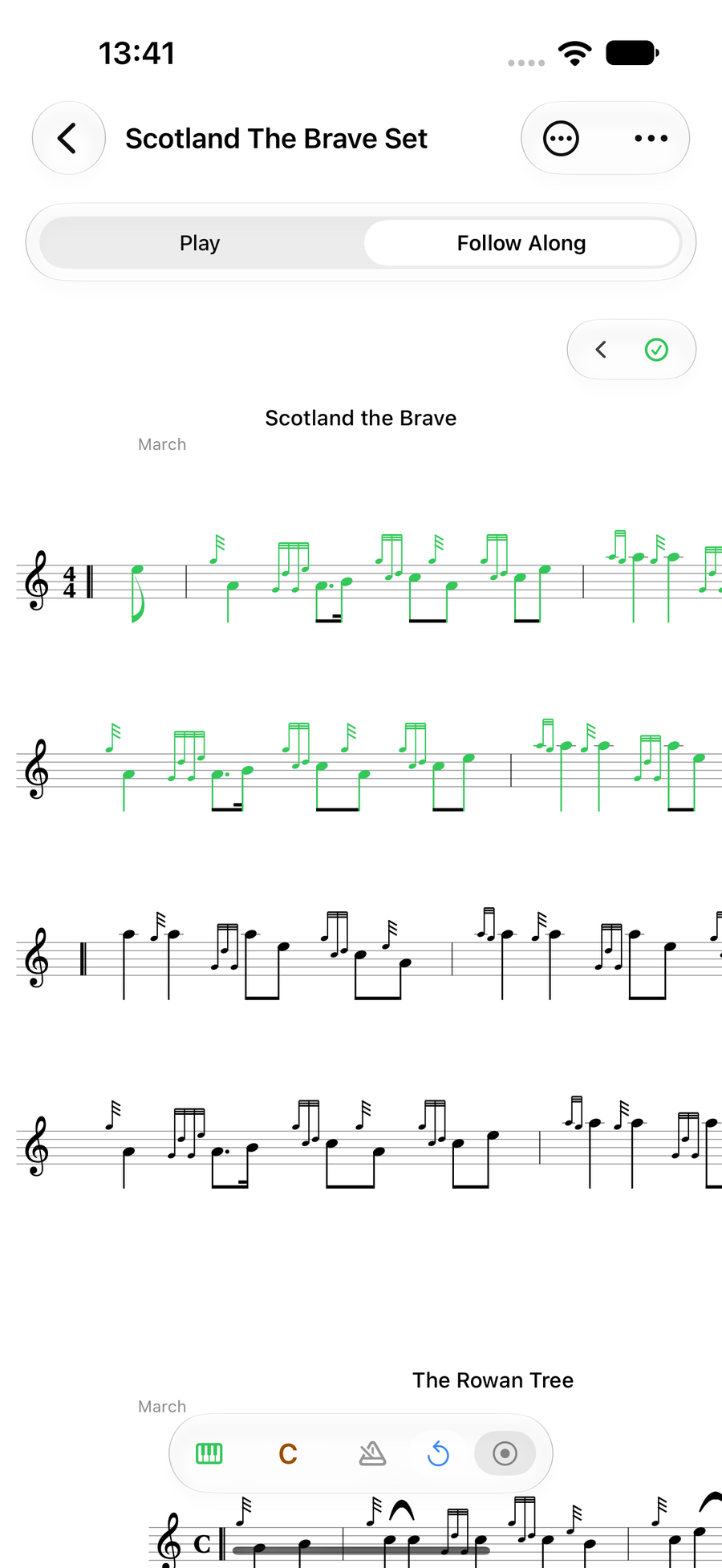
Follow Along on a MIDI chanter, marking notes as they are played -
2
Check it is connected
The at the left end of the bar at the foot of the score turns into a green keyboard while a MIDI chanter is plugged in. TapTapClick it for the input settings: MIDI Device names the chanter, and Show Detected Note Colours turns the live marking on or off, with a key to what each colour means.
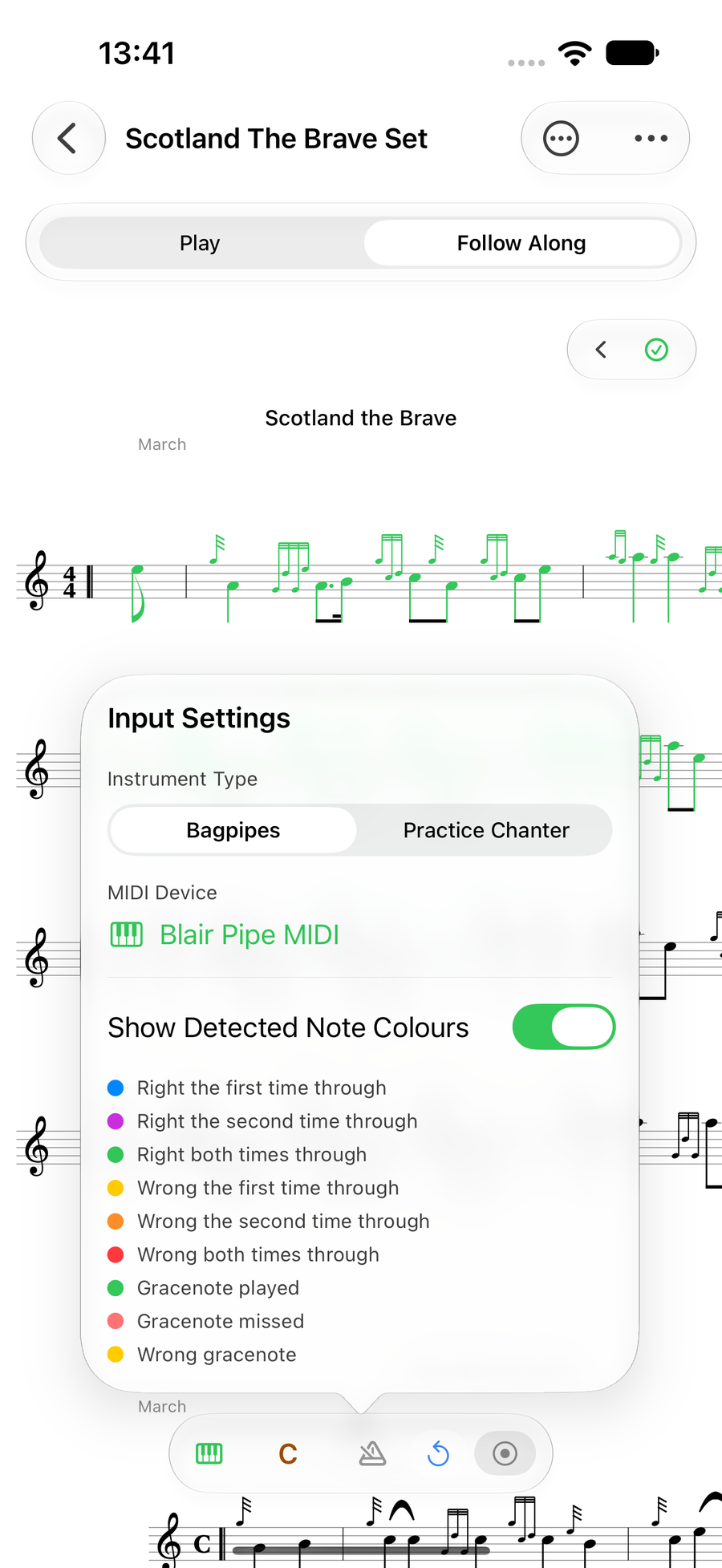
Input settings naming the MIDI chanter -
3
Find your MIDI runs
Runs are kept just as they are with the microphone. In the Follow Along Sessions list, a run played on a MIDI chanter wears a small cable on its chanter icon, so you can tell it from one heard through the microphone. Unplug the chanter and Follow Along goes back to the microphone.
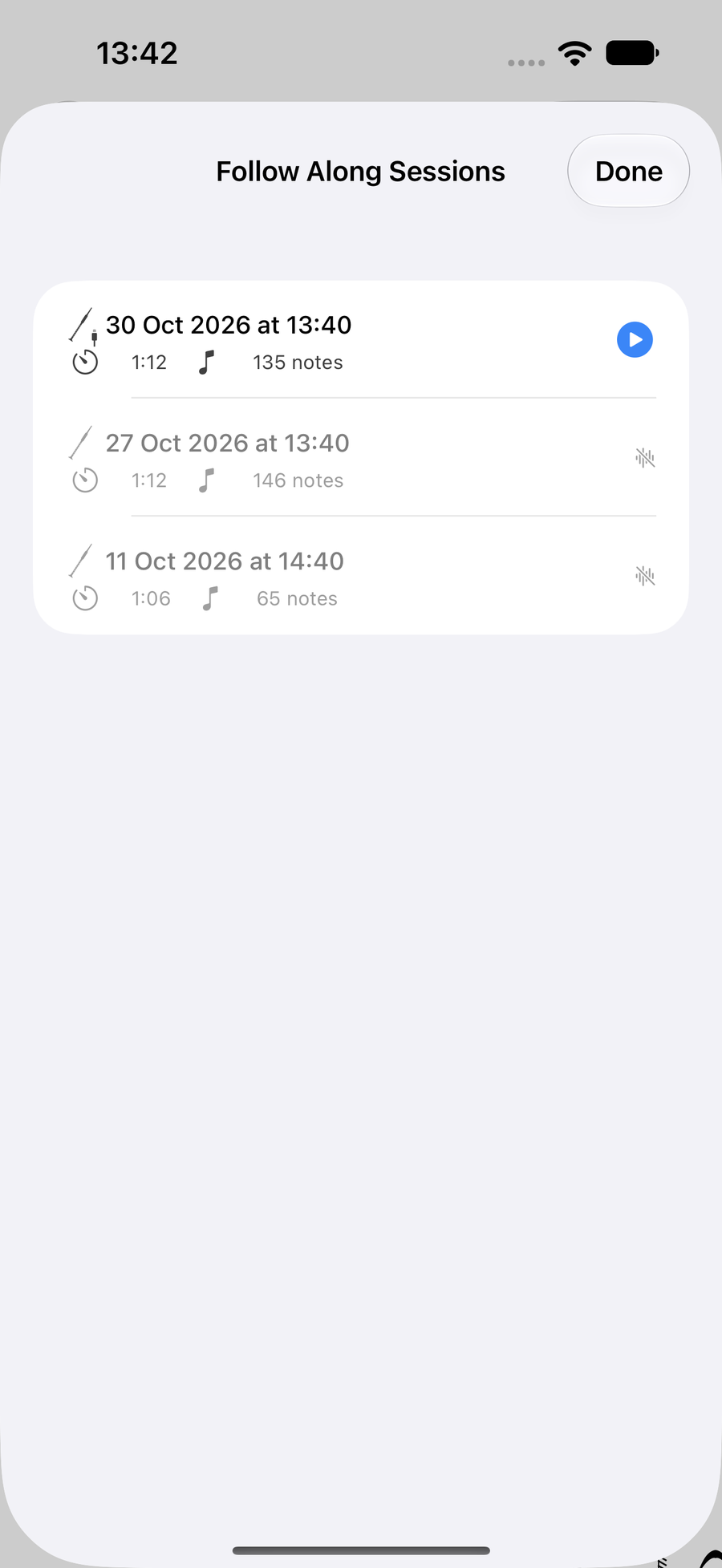
The Sessions list, with a MIDI run at the top
Next
- See the bars you miss most across your MIDI runs.
- Playing pipes on the microphone instead? Calibrate your instrument.